

Building a Shopify store in 2026 doesn't need to be complicated, but the internet will convince you otherwise. Between YouTube tutorials promising overnight success and agencies quoting $15,000 for basic builds, Australian small business owners get stuck in a loop of confusion and doubt. The truth is simpler: Shopify website building works when you understand what actually matters, skip what doesn't, and follow a structured process that gets you live without burning months or savings. This guide cuts through the noise with what actually works for real Australian eCommerce businesses launching their first online store.
Why Shopify Website Building Still Makes Sense in 2026
Shopify holds 28% of the Australian eCommerce platform market in 2026.
That's not hype or marketing spin. It's data from real stores processing real transactions.
The platform works because it removes the technical barriers that kill most eCommerce launches before they start. You don't need to manage hosting, security certificates, payment gateway integrations, or server updates. Shopify handles the infrastructure while you focus on products, customers, and sales.
The Real Cost of Building vs Buying
DIY Shopify website building seems cheaper until you factor in your time.
The average small business owner spends 60-80 hours learning Shopify, choosing themes, customizing layouts, and troubleshooting issues. At a conservative $50/hour value of your time, that's $3,000-$4,000 in opportunity cost. Add another $500-$1,000 for apps, themes, and tools you'll buy trying to solve problems you didn't know existed.
Agency builds remove the learning curve but introduce different problems.
Most Australian agencies quote $8,000-$20,000 for Shopify builds that take 8-12 weeks. The pricing gap exists for reasons that don't always align with what small businesses actually need.
The middle path delivers better results for most first-time store owners: structured builds that follow proven frameworks without agency overhead.
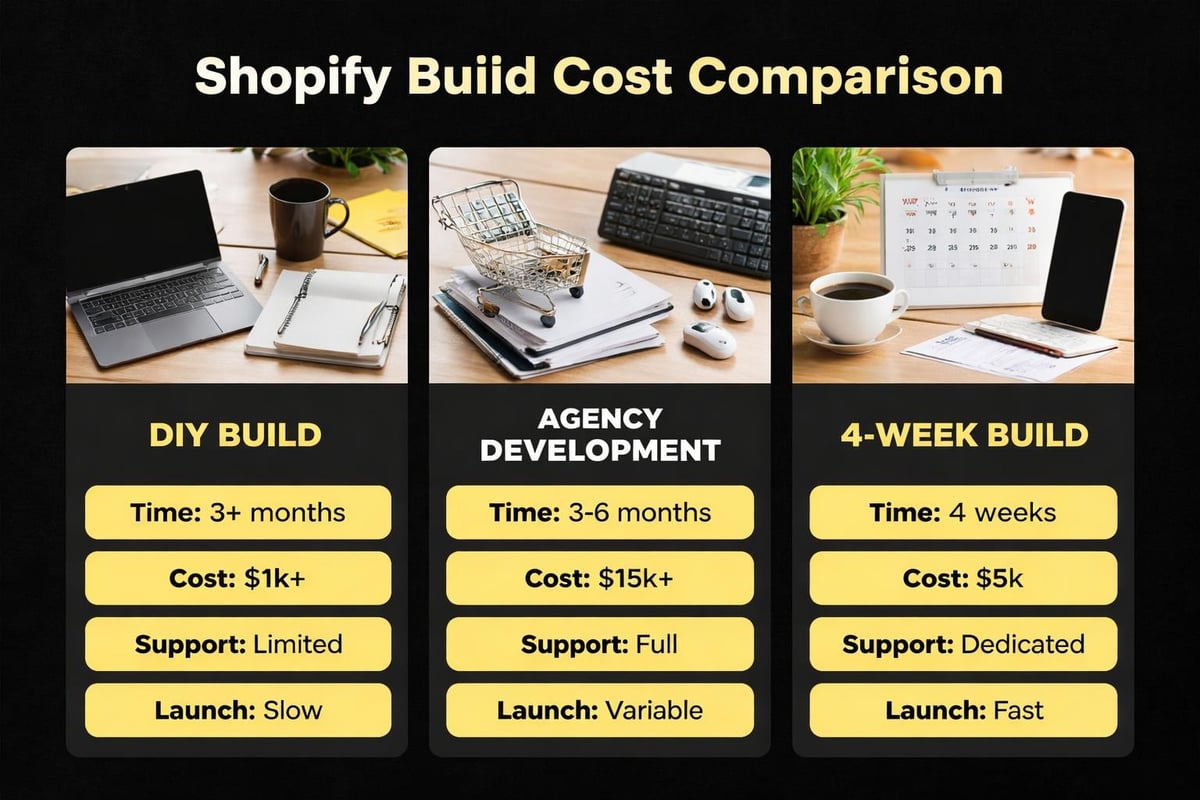
The Four-Week Shopify Website Building Framework
Every successful Shopify store follows the same basic structure, regardless of industry or product type.
Understanding this framework prevents the scattered approach that kills momentum and delays launches.
Week One: Foundation and Strategy
Your first week determines everything that follows.
Start with product organization. Group your products into clear collections that make sense to customers, not just to you. A skincare brand might organize by skin type (dry, oily, combination) rather than product format (cream, serum, oil). Test both approaches and pick what feels intuitive.
Set up your domain properly from day one. Buying through Shopify costs slightly more ($17/year vs $12/year elsewhere) but eliminates DNS configuration headaches that confuse most beginners. Connection takes one click instead of fifteen steps involving A records and CNAME entries.
Choose your theme based on product type, not aesthetics. Effective Shopify web design prioritizes product discovery and conversion paths over visual flair.
Physical product stores need strong product photography and detailed specifications. Digital product stores need clear delivery expectations and instant access flows. Subscription businesses need emphasis on value propositions and flexible plan comparisons.
Free themes work fine for most launches. Dawn, Shopify's default theme in 2026, converts better than most premium themes because it loads faster and follows established eCommerce patterns customers already understand.
Week Two: Products and Content
Product pages make or break eCommerce stores.
Your second week focuses on creating product content that converts browsers into buyers.
Write product descriptions that answer questions, not just list features. "Organic cotton t-shirt, 180gsm" tells facts. "Soft organic cotton that holds its shape after 50+ washes, thick enough to wear solo without an undershirt" answers the questions running through a buyer's mind.
Product photography follows simple rules: white backgrounds for main images, lifestyle shots showing scale and context, detail shots highlighting quality and construction. You don't need a professional studio. Natural light near a window, a white poster board, and a modern smartphone produce results that outsell poorly-lit professional shots.
Organize your collections with clear website structure that helps both customers and search engines understand your store. Main navigation should contain 5-7 top-level links maximum. More creates decision paralysis.
Week Three: Essential Apps and Integrations
Shopify's app ecosystem contains over 8,000 apps in 2026.
You need approximately four of them.
Reviews app: Product reviews increase conversion rates by 18-34% across industries. Judge.me and Loox both offer free plans that work perfectly for stores under 100 products.
Email marketing: Klaviyo dominates for a reason, but the free plan only works up to 250 contacts. Shopify Email costs less and integrates natively, making it smarter for most new stores.
Analytics: Shopify's built-in analytics miss critical insights. Lucky Orange or Microsoft Clarity (free) show how real visitors use your site, revealing friction points you'd never spot in conversion rate percentages.
Inventory management: Only add this if you're selling across multiple channels. Most single-channel stores don't need it until they hit consistent 50+ orders per week.
Every additional app adds loading time, monthly costs, and potential breaking points during updates. Start minimal and add based on actual needs, not theoretical features.
For small Australian eCommerce businesses launching their first store, done-for-you Shopify builds cover the fundamentals without app bloat, giving you exactly what's needed to launch within four weeks with clarity and momentum.
Week Four: Testing and Launch Preparation
Your final week isn't about adding features.
It's about removing friction and testing every customer touchpoint.

Test your checkout flow on mobile. 73% of Australian eCommerce traffic comes from mobile devices in 2026, but most store owners build and test exclusively on desktop. Create a test product for $1, complete the entire checkout on your phone, and fix every awkward tap, unclear button, or confusing step.
Set up shipping zones accurately. Flat-rate shipping works for most Australian small businesses starting out: one rate for metro areas, one for regional, one for remote. Calculated rates through Australia Post integration sound sophisticated but add complexity that delays most launches by 2-3 weeks.
Configure your email notifications. Shopify sends 12 different customer emails (order confirmation, shipping notification, delivery confirmation, etc.). The default templates work fine, but customize the footer with your actual support email and return policy link.
Load real products with real descriptions, real images, and real prices. "Sample product" placeholders kill credibility faster than a dated design.
Technical Elements That Actually Matter
Shopify website building involves some technical decisions that impact long-term success.
Understanding these prevents costly rebuilds six months post-launch.
Theme Customization vs Custom Development
Theme customization uses Shopify's visual editor to modify colors, fonts, layouts, and sections without code.
Custom development writes new code (Liquid, JavaScript, CSS) to add functionality themes don't support.
Most Australian small businesses need customization, not development. The distinction matters because agencies often sell custom development for problems customization solves at 10% of the cost.
| Need | Customization | Custom Development |
|---|---|---|
| Change colors/fonts | ✓ | Not needed |
| Rearrange homepage sections | ✓ | Not needed |
| Add custom product options | ✓ (using apps) | Sometimes |
| Build product configurator | Maybe | ✓ |
| Integrate unique API | No | ✓ |
SEO Foundations During Build
SEO best practices start during development, not after launch.
Shopify handles technical SEO basics automatically (sitemap generation, robots.txt, mobile-friendliness, HTTPS). Your job during the build phase focuses on content and structure.
Product URLs should include the product name: /products/organic-cotton-tshirt converts better than /products/product-12345. Shopify generates clean URLs automatically from product titles, but you can customize them during product creation.
Collection descriptions need 150-300 words of genuine content explaining what the collection contains and why customers care. "Our skincare range" doesn't help anyone. "Science-backed skincare for sensitive Australian skin, tested in Sydney heat and humidity, formulated without common irritants" gives search engines and customers context that drives rankings and conversions.
Meta descriptions for key pages (homepage, main collections, best-selling products) should be written during build week, not six months later. These 150-character snippets appear in search results and heavily influence click-through rates.
Blog setup matters even if you won't publish immediately. Shopify's blog functionality is basic but sufficient. Create the structure (/blogs/news or /blogs/resources) during your build so the URL structure is clean from day one.
Common Shopify Website Building Mistakes
Real Australian businesses make the same mistakes during Shopify website building.
Learning from them saves time, money, and momentum.
Over-customizing before launch: The perfect homepage that took four weeks to build launches to zero traffic. Launching with good-enough design to 100 potential customers beats perfect design shown to nobody. Iterate after launch using real customer behavior data, not pre-launch assumptions.
Ignoring mobile experience: Desktop designs that look stunning fall apart on mobile. Text becomes too small, buttons overlap, images don't scale. Test every page on an actual phone (not just browser developer tools) before launch.
Skipping store policies: Terms of service, privacy policy, refund policy, and shipping policy aren't optional. They're legally required in Australia, impact customer trust, and affect payment processor approvals. Shopify provides policy generators that create compliant templates in minutes.
Complicated navigation: Main menus with 15 categories and three-level dropdown menus confuse customers and tank conversion rates. Simplify ruthlessly. Five to seven top-level categories, minimal dropdowns, clear labeling.
No abandoned cart recovery: Shopify's built-in abandoned cart emails recover 10-15% of lost sales automatically. Most new stores forget to enable this feature during setup, leaving thousands in revenue unclaimed during their first months.
Poor product photography: Blurry photos, inconsistent lighting, missing detail shots, and low-resolution images hurt conversions more than any design element. If you can only improve one thing before launch, improve product photography.
Platform Alternatives and Why Shopify Wins for Most Cases
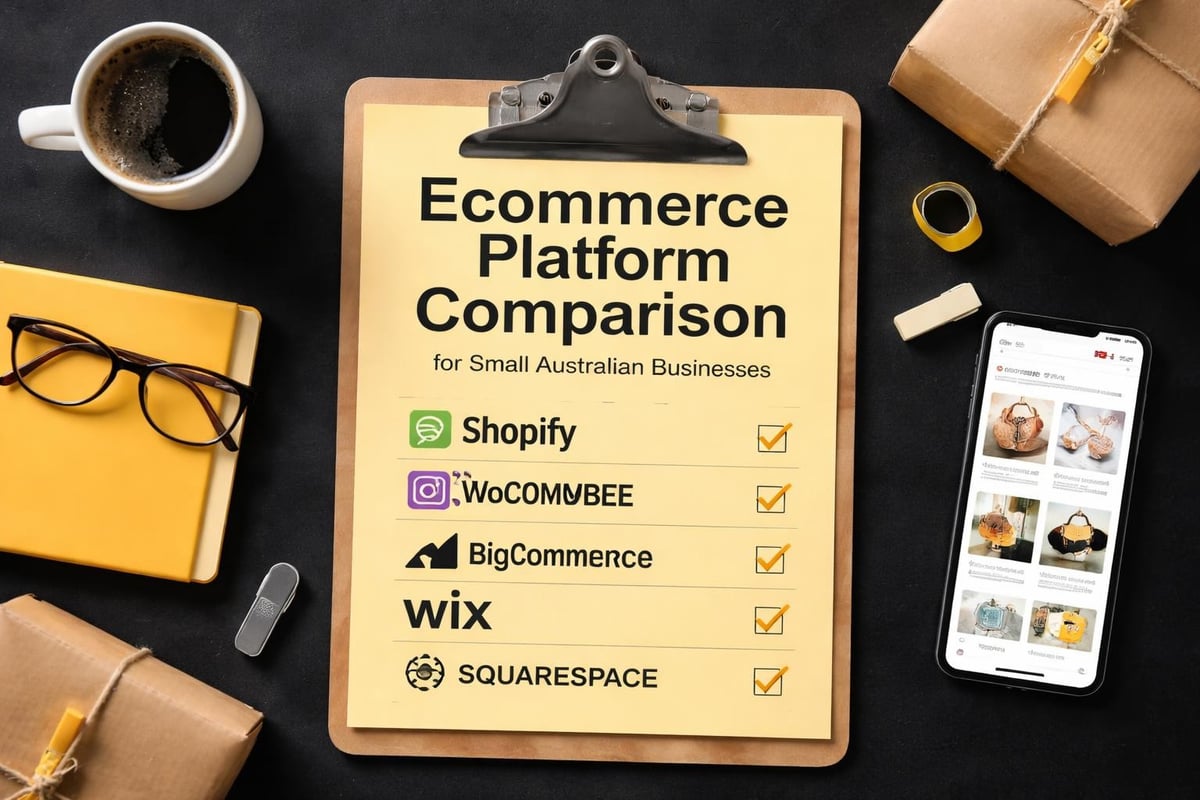
WooCommerce, BigCommerce, Wix, and Squarespace all compete for Australian eCommerce businesses.
Each has legitimate use cases where they outperform Shopify.
WooCommerce makes sense if you're already running WordPress, have technical resources for maintenance, and need maximum customization flexibility. For everyone else, the ongoing technical overhead (hosting, security, updates, plugin conflicts) outweighs the cost savings.
BigCommerce serves mid-market businesses ($1M-$10M revenue) with complex catalogs and B2B needs. The learning curve exceeds Shopify without delivering proportional value for small businesses under $500K revenue.
Wix and Squarespace work for businesses selling 5-20 products as a side offering. Neither platform scales well beyond basic catalogs or handles inventory management with the depth Shopify provides.
Shopify wins for Australian small businesses because it balances flexibility, ease of use, and scalability better than alternatives. You can launch simply and grow complex without platform migration.
Integration Planning for Growth
Smart Shopify website building anticipates growth without over-engineering for it.
Plan your integration strategy during the build phase to avoid painful migrations later.
Accounting integration: Xero dominates Australian small business accounting. The Shopify-Xero integration syncs orders, inventory, and customer data automatically. Set this up during week three of your build, not six months post-launch when you're manually entering 500 transactions.
Inventory management: Single-location stores don't need complex inventory systems. When you add a second warehouse, retail location, or fulfillment partner, tools like Stocky (Shopify's native app) or Cin7 handle multi-location complexity.
Email marketing sync: Whatever email platform you choose should integrate with Shopify to automatically segment customers by purchase history, cart abandonment, and browsing behavior. This enables automated flows that recover 15-25% more revenue than manual campaigns.
Shipping and fulfillment: Start with Shopify's native shipping label printing. Upgrade to Shippit or Shipstation when you're processing 50+ orders weekly and manual label creation becomes a bottleneck.
Integration timing matters as much as integration choice. Adding tools too early creates complexity that slows launches. Adding tools too late means manual workarounds become habits that waste hours weekly.
The Reality of DIY vs Guided Builds
Step-by-step guides and video tutorials make Shopify website building look straightforward.
Reality introduces complications that generic tutorials don't address.
DIY works when: You have 60-80 hours available over 4-6 weeks, enjoy learning new platforms, can troubleshoot technical issues independently, and aren't time-sensitive about launch dates. DIY also works better for simple catalogs (under 25 products) with straightforward requirements.
Guided builds work when: You need to launch quickly, want expert eyes preventing costly mistakes, prefer structured processes over scattered learning, and value your time higher than tutorial costs. Guided approaches compress timelines by removing the trial-and-error cycle that extends DIY builds.
The middle ground combines both: follow structured frameworks that provide clear direction without removing all autonomy. You learn the platform while building, but within guardrails that prevent the common mistakes that derail most first builds.
Post-Launch Optimization Priorities
Launch day isn't the finish line.
It's when real optimization begins, guided by actual customer behavior rather than assumptions.
First 30 days: Monitor your analytics daily. Identify which products get views but no sales (pricing or description issue), which pages have high bounce rates (content or loading problem), and where customers abandon checkout (friction point).
30-60 days: Implement your first round of improvements based on data. Update underperforming product descriptions, add missing product images, simplify complicated checkout steps, and adjust collection organization based on how customers actually browse.
60-90 days: Add complexity strategically. Consider email automation flows, expand your product range into new collections, or test paid advertising to specific products. Shopify optimization becomes valuable once you have baseline performance data.
90+ days: Evaluate platform additions. Do you need a loyalty program? Would subscription options work for your products? Is your theme limiting growth? These decisions make sense with three months of real data, not on day one of your build.
Shopify website building works when you focus on what moves the needle: clear product information, simple navigation, fast loading, and frictionless checkout. Everything else is secondary. If you're a small Australian eCommerce business ready to launch without the agency price tag or DIY overwhelm, Kida Digital specializes in conversion-focused Shopify builds that get you live in four weeks with the fundamentals that actually drive sales.


Be the first to comment