

Starting an online store doesn't have to mean months of development or watching endless YouTube tutorials. When you build Shopify website platforms correctly, you're setting up a foundation that can scale with your business while converting visitors into customers from day one. For small Australian eCommerce businesses, the difference between a rushed DIY launch and a strategic build often shows in revenue within the first quarter.
Understanding What It Takes to Build Shopify Website Foundations
Building a Shopify website involves more decisions than most business owners anticipate. You're not just picking a theme and uploading products. You're creating a digital storefront that needs to handle inventory, process payments, manage shipping calculations, and guide customers through a purchase journey that feels natural.
The platform itself offers flexibility, but that same flexibility can paralyze new store owners who don't know where to start.
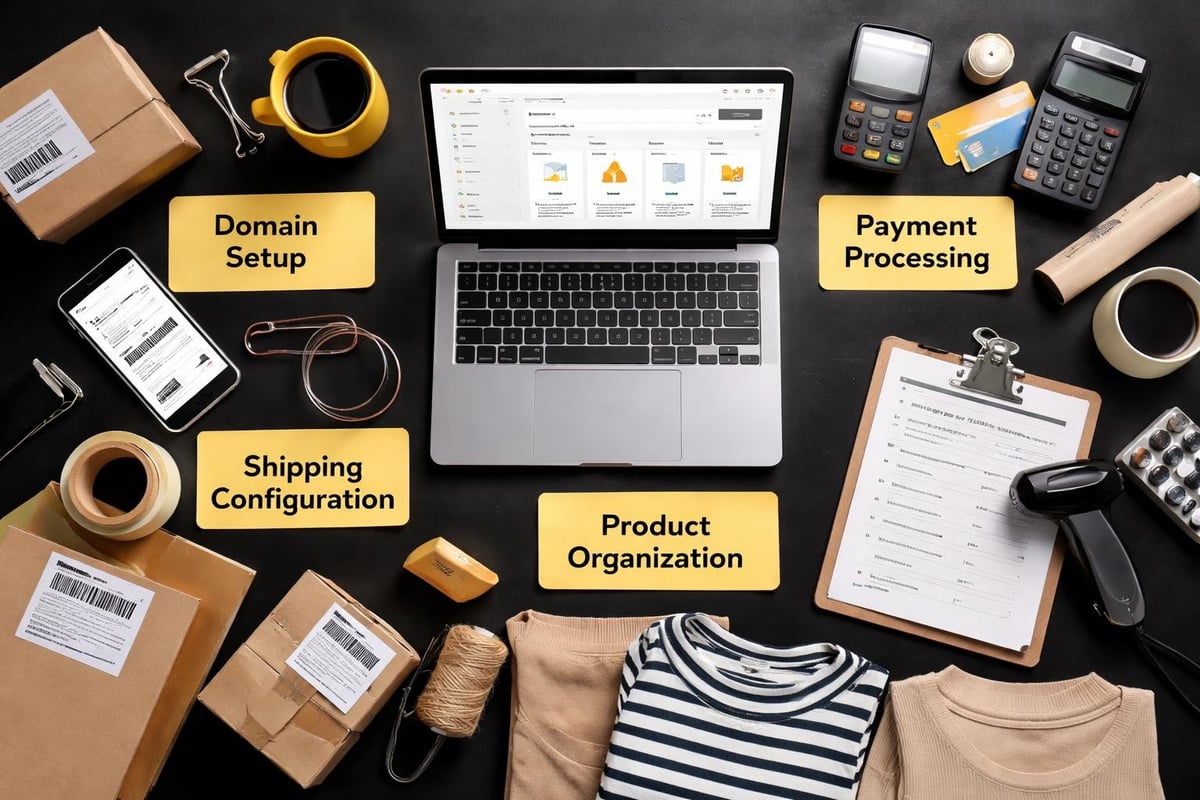
Core elements every Shopify build requires:
- Domain name connected to your store
- SSL certificate for secure transactions (included with Shopify)
- Payment gateway setup with Australian providers
- Shipping zones configured for domestic and international orders
- Tax calculations aligned with GST requirements
- Product organization through collections
Each component connects to the others. Your shipping setup influences your checkout flow. Your payment providers affect customer trust. Your collection structure impacts how easily shoppers find products.
According to Shopify's own research, stores that launch with these fundamentals properly configured see 28% higher conversion rates in their first six months compared to stores that retrofit these elements later.
Choosing Your Approach When You Build Shopify Website Stores
Three main pathways exist for Australian businesses looking to launch on Shopify. Each comes with distinct trade-offs in cost, time, and outcome quality.
The DIY Tutorial Route
This approach attracts business owners who want complete control and minimal upfront cost. You follow along with guides, watch video tutorials, and piece together your store over weeks or months. The Shopify theme editor makes basic customization accessible, but you'll hit walls when trying to implement specific functionality or optimize conversion paths.
Time investment typically runs 60-80 hours for a basic store. That's two full work weeks you're not spending on product development, supplier relationships, or marketing strategy.
The Agency Build
Traditional agencies charge $8,000-$25,000 for Shopify builds. You get professional design, custom features, and often months of back-and-forth revisions. For businesses with complex requirements or established revenue, this investment makes sense. For businesses launching their first online store, it's often overkill that delays launch and drains working capital.
We've written extensively about why agencies charge these rates and when that investment becomes worthwhile versus when it's simply overhead.
The Structured Development Approach
This middle path combines professional development with streamlined timelines. You work with specialists who build conversion-focused stores without the agency bloat. Projects complete in weeks rather than months, costs align with small business budgets, and you launch with strategic fundamentals in place.
For small Australian eCommerce businesses launching their first Shopify store, Kida Digital's core Shopify package covers everything needed to launch within four weeks with clarity and momentum, including tools for physical products, digital products, subscriptions, and product reviews.
| Approach | Timeline | Cost Range | Best For |
|---|---|---|---|
| DIY Tutorials | 2-4 months | $29-$500 | Time-rich, tech-comfortable owners |
| Agency Build | 3-6 months | $8,000-$25,000 | Established businesses with complex needs |
| Structured Development | 3-4 weeks | $2,000-$5,000 | First-time eCommerce launches |
Design Decisions That Impact Conversions
When you build Shopify website platforms, design choices directly affect whether visitors complete purchases. This isn't about aesthetics. It's about removing friction from the buying process.
Mobile responsiveness determines 62% of your potential revenue. Australian internet users complete 68% of online purchases on mobile devices in 2026, according to the Australian Bureau of Statistics. If your product pages don't load cleanly on a Samsung Galaxy or iPhone, you're losing sales before anyone sees your products.
Site speed matters more than most business owners realize. Research from Google shows that 53% of mobile users abandon sites that take longer than three seconds to load. Shopify's hosting infrastructure handles the backend, but your theme selection and image optimization control the frontend experience.
Best practices for Shopify theme development emphasize CSS organization and JavaScript optimization to maintain performance as you add features.
Navigation Structure
Your main menu shouldn't be a dumping ground for every page you create. Shoppers need clear paths to product categories, with secondary links to policies and support tucked into footer navigation.
Three-click rule applies here. Any product should be reachable within three clicks from your homepage. More than that, and abandonment rates climb sharply.
Collection pages need filtering options that match how customers think about your products. If you sell clothing, filters for size, color, and price make sense. If you sell industrial supplies, filters for material type, application, and certification matter more.
Technical Setup That New Owners Overlook
Building a Shopify website involves backend configurations that don't show up in design mockups but absolutely affect your ability to process orders and track performance.
Payment gateway integration requires verification with providers like Stripe or PayPal. This process takes 2-5 business days and often gets underestimated in launch timelines. You can't process live transactions until verification completes, regardless of how finished your store looks.
Shipping zones need precision. A business shipping nationally configures different rates for metro versus regional delivery. International shipping requires customs forms, duty calculations, and carrier integrations that domestic shipping doesn't.
Tax settings in Australia must account for GST on sales over $75,000 annually. Shopify can calculate this automatically, but you need to configure it based on your ABN status and registration requirements.

Analytics and Tracking
Google Analytics 4 integration lets you track customer behavior beyond what Shopify's built-in analytics reveal. You see where traffic originates, which products get viewed but not purchased, and where customers exit your checkout flow.
Facebook Pixel and TikTok Pixel installation enables retargeting campaigns. These tracking codes must be implemented before launch so you can build audience data from day one.
Conversion tracking for Google Ads requires additional setup in both platforms. Without proper tracking, you're running ads blind without knowing which campaigns generate actual sales versus just clicks.
Content Creation for Product Pages
When you build Shopify website stores, product descriptions often get written last and treated as an afterthought. This approach costs sales.
Your product pages need to answer questions before customers think to ask them. Dimensions, materials, care instructions, compatibility, and use cases all belong in product descriptions. Including this information reduces support inquiries and increases purchase confidence.
High-performing product pages include:
- Minimum five product images from different angles
- At least one lifestyle image showing the product in use
- Detailed specifications in a scannable format
- Clear sizing information with measurement guides
- Shipping timeframes specific to that product
Photography doesn't require professional studio equipment, but it does require consistency. White backgrounds, natural lighting, and sharp focus maintain a cohesive brand appearance across your catalog.
Website design tips from Shopify emphasize mobile-friendly layouts and effective color usage that applies directly to product page construction.
According to Baymard Institute's 2025 research, product pages with eight or more high-quality images see 32% higher add-to-cart rates than pages with fewer images.
SEO Fundamentals Before Launch
Search visibility doesn't happen accidentally. When you build Shopify website platforms, SEO setup needs to occur during development, not as a future optimization project.
Page titles and meta descriptions control how your store appears in search results. Each product page, collection page, and content page needs unique metadata that includes relevant search terms while remaining readable to humans.
URL structure should be clean and descriptive. Shopify generates URLs automatically, but you can customize them. Change /products/blue-widget-123456 to /products/blue-widget for both SEO value and user trust.
Image alt text serves dual purposes. Screen readers use it for accessibility, and search engines use it to understand image content. Every product image needs descriptive alt text that includes relevant product details.
SEO best practices for Shopify cover keyword research, content optimization, and technical considerations that apply to Australian businesses targeting local search traffic.
Schema Markup
Product schema tells search engines specific information about your products including price, availability, and reviews. Shopify includes basic schema by default, but enhancing it with additional markup can improve how your products appear in search results.
Rich snippets showing star ratings, price ranges, and stock status increase click-through rates from search results by an average of 18%, according to Search Engine Journal's 2025 analysis.
Apps and Integrations Worth Installing
The Shopify App Store contains over 8,000 applications. Most stores need fewer than 10 to function effectively. Each app adds loading time and potential conflicts with other apps.
Essential apps for most Australian stores:
- Review collection platform like Judge.me or Loox for social proof
- Email marketing tool like Klaviyo for abandoned cart recovery
- Inventory management if selling across multiple channels
- Subscription management if offering recurring products
Apps for shipping calculations, customer support chat, and upsell functions serve specific business models. Install based on your needs, not because they're popular.
Free apps aren't always the best choice. A $29/month app that increases conversions by 2% pays for itself instantly on a store doing $1,500 in monthly revenue.
Best practices in Shopify web design from SiteWired discusses search functionality and product discovery features that often require app integration.

Testing Before You Launch
When you build Shopify website platforms, testing reveals issues that designers and developers miss because they know how the store is supposed to work. Fresh eyes find problems.
Complete a test purchase using each payment method you offer. This confirms payment processing works, order confirmations send properly, and your email templates display correctly. Use Shopify's test mode to avoid actual charges.
Check mobile display on actual devices, not just browser simulation tools. Chrome's device toolbar approximates mobile view, but real devices reveal rendering issues that don't show in desktop testing.
Load testing ensures your store handles traffic spikes. If you're planning a launch campaign or expecting media coverage, your store needs to process multiple simultaneous checkouts without slowing down.
Shopify development best practices from EbizON outline techniques for improving loading times and implementing responsive images that become critical during testing phases.
Checkout Flow Verification
Walk through the entire checkout process as if you're a customer who's never seen your site before. Are shipping costs transparent before the final step? Do discount codes apply correctly? Does the confirmation page provide clear next steps?
Abandoned cart email triggers need testing to verify they send at the right intervals with correct product information and working links back to the cart.
Post-Launch Optimization Strategy
Launching your Shopify store marks the beginning of optimization work, not the end of development. Real customer behavior reveals what needs adjustment.
Monitor your analytics weekly for the first month. Look for patterns in which products get viewed frequently but purchased rarely. Check where customers exit during checkout. Track which traffic sources convert versus which just browse.
Key metrics to track from launch:
- Conversion rate by traffic source
- Average order value
- Cart abandonment rate
- Page load times across devices
- Most viewed products versus best sellers
Heat mapping tools like Microsoft Clarity show where visitors click, how far they scroll, and which elements get ignored. This data guides design adjustments based on actual behavior rather than assumptions.
Site speed monitoring prevents performance degradation as you add products and content. Shopify’s site speed research details how consolidated hosting and lazy-loading techniques led to 35% performance improvements.
A/B testing product page layouts, call-to-action button colors, and pricing display formats lets you optimize based on data. Run tests for minimum two weeks to account for traffic variations.
Common Mistakes That Delay Success
First-time Shopify builders repeatedly make the same errors that push back launch dates and reduce initial conversion rates.
Trying to build every feature before launch keeps stores in perpetual development. Launch with core functionality working properly, then add features based on customer feedback and actual needs.
Underestimating content requirements leads to rushed product descriptions and missing policy pages. Write your About page, Shipping Policy, Returns Policy, and Privacy Policy before launch week arrives.
Skipping pre-launch testing because "we'll fix issues as they come up" damages first impressions with early customers. You don't get a second chance at a first launch.
Focusing entirely on aesthetics while ignoring conversion fundamentals creates beautiful stores that don't generate sales. Your color scheme matters less than your checkout flow clarity.
Design tips from RivalMind cover improving product pages and optimizing checkout processes that address these common oversights.
Timeline Expectations for Different Build Types
Realistic timelines prevent frustration and help coordinate marketing launch plans with store readiness.
A basic DIY build with minimal customization takes 40-60 hours of actual work spread across 6-8 weeks accounting for learning curves and decision paralysis. This suits businesses with more time than budget.
Professional builds through streamlined developers complete in 3-4 weeks when the business owner provides content and makes decisions within agreed timeframes. This approach works for launches that need to hit seasonal windows or marketing campaign dates.
Agency builds run 12-16 weeks typically, including strategy phases, design revisions, and development cycles. The timeline expands with custom feature requirements and stakeholder approval processes.
Building Shopify stores quickly is possible when you prioritize essential features and defer nice-to-have additions to post-launch phases.
Budget Allocation Beyond the Build Cost
When you build Shopify website platforms, the development cost represents only part of total launch investment.
Monthly operational costs include:
- Shopify subscription ($49-$299 depending on plan)
- Apps and integrations ($30-$200 combined)
- Payment processing fees (1.6%-2.9% plus fixed fee per transaction)
- Domain name ($15-$30 annually)
Marketing budget needs allocation for launch visibility. Even the best-designed store generates zero revenue without traffic. Plan for at least $500-$1000 in initial advertising to test channels and gather data.
Photography costs vary wildly. DIY product photos cost your time plus equipment. Professional photography runs $50-$200 per product. Lifestyle imagery for brand building adds additional expense.
Content creation for blog posts, email sequences, and social media requires either your time or outsourced copywriting. Budget 10-15 hours weekly for content in the first quarter.
Legal and Compliance Considerations
Australian eCommerce businesses must comply with consumer protection laws that affect how you build Shopify website stores.
Your store needs these legal pages:
- Privacy Policy compliant with Australian Privacy Principles
- Terms and Conditions covering purchase agreements
- Shipping Policy with clear timeframes and costs
- Returns and Refunds Policy meeting ACL requirements
The Australian Consumer Law guarantees certain consumer rights regardless of your store policies. Your returns policy can't contradict these statutory guarantees.
GST registration becomes mandatory once your annual turnover exceeds $75,000. Configure Shopify to collect and report GST before you hit this threshold, not after.
Email marketing requires compliance with the Spam Act 2003. You need explicit consent before sending commercial messages, and every email must include an unsubscribe option.
Maintenance and Updates After Launch
Shopify handles platform updates automatically, but your store requires ongoing maintenance to stay current and secure.
Regular maintenance tasks include:
- Reviewing and updating product information quarterly
- Testing checkout flow after Shopify platform updates
- Monitoring app compatibility and removing unused apps
- Updating legal pages when regulations change
- Refreshing seasonal content and promotional banners
Security monitoring ensures your admin access remains protected. Enable two-factor authentication and limit staff accounts to only necessary permissions.
Backup processes for custom theme code and app configurations prevent data loss if issues occur. While Shopify maintains platform backups, your customizations need separate documentation.
Performance audits every quarter identify slow-loading pages and optimization opportunities. As your product catalog grows, site speed can degrade without proper image optimization and code cleanup.
Essential development questions from MoldStud address user experience optimization and checkout friction that becomes apparent after launch.
Building a Shopify website that converts visitors into customers requires more strategic thinking than technical complexity. The fundamentals covered here give Australian eCommerce businesses a framework for launching stores that generate revenue from day one rather than requiring months of post-launch fixes. If you're ready to build a Shopify website without the agency price tag or DIY learning curve, Kida Digital specializes in conversion-focused Shopify development that gets Australian small businesses selling online in four weeks.


Be the first to comment