

Building a Shopify website in 2026 means entering a space where 5.8 million stores worldwide compete for customer attention. For small Australian eCommerce businesses, the platform offers a proven foundation without the technical complexity of custom builds. The challenge isn't whether Shopify works – it does – but how you build, launch, and optimise your store to actually convert browsers into buyers. This guide cuts through the noise with practical, grounded advice for Australian business owners who need clarity, not hype.
Why Shopify Remains the Smart Choice for Australian Stores
Shopify powers 28% of the eCommerce market in 2026, according to recent platform analytics.
That dominance comes from genuine strengths: reliable hosting, built-in payment processing, mobile-responsive themes, and a vast app ecosystem.
For Australian businesses specifically, Shopify offers local payment gateway integrations, AUD pricing, and shipping carrier partnerships with Australia Post and major couriers. You're not fighting against the platform to serve Australian customers.
The real advantage is speed to market.
Unlike custom platforms that demand months of development, a well-executed Shopify website can launch in weeks when you have the right process and clear strategy. TechRadar’s 2026 Shopify review highlights the platform's AI-powered design tools and streamlined merchant experience as key updates making launches faster and more intuitive.
The subscription model (starting from $49 AUD monthly for the Basic plan) removes upfront infrastructure costs. You pay as you grow, scaling from solo founder to established business without platform migration headaches.
The Hidden Costs Everyone Forgets
Shopify's monthly fee is just the entry point.
Apps add up quickly: email marketing, product reviews, advanced analytics, inventory management, subscription tools. Budget $100-300 monthly for essential apps once you're operational.
Transaction fees apply if you don't use Shopify Payments (2% on the Basic plan for external gateways). Payment processing fees range from 1.75% to 2.4% plus 30 cents per transaction depending on your plan.
Theme costs vary from free to $350 USD for premium options. Custom development work can range from $2,000 to $15,000+ depending on complexity and who you hire.
The total realistic investment for year one typically sits between $3,500 and $8,000 AUD including platform fees, theme, apps, and basic setup work.

Building Your Shopify Website the Right Way
Starting with strategy beats starting with design every single time.
Before you touch a theme or write product descriptions, map out your customer journey. Who's buying? What problem does your product solve? Why should they choose you over alternatives?
This clarity shapes every decision that follows.
Structure and Navigation That Converts
Your Shopify website architecture should guide visitors from discovery to checkout with minimal friction.
Essential pages every store needs:
- Homepage with clear value proposition and featured products
- Collection pages organised by category, use case, or customer type
- Individual product pages with detailed descriptions, imagery, and social proof
- About page establishing trust and brand story
- Contact page with multiple options (email, phone, live chat)
- FAQ page addressing common objections
- Shipping and returns policy clearly outlined
Navigation should stay simple. Five to seven top-level menu items maximum. Dropdown menus for subcategories only when necessary.
Choosing the right template from the start saves restructuring later. Look for themes built for your product type: physical goods, digital downloads, subscriptions, or dropshipping.
Mobile responsiveness isn't optional – 73% of Australian eCommerce traffic comes from mobile devices in 2026.
Product Pages That Actually Sell
Your product page is where revenue happens or dies.
High-quality imagery matters more than most businesses realise. Show products from multiple angles. Include lifestyle shots demonstrating use. Add zoom functionality for detail inspection.
Product descriptions should answer:
- What is this product and what does it do?
- Who is it for and what problem does it solve?
- What makes it different from alternatives?
- What's included in the purchase?
- What are the specifications (size, material, weight, etc.)?
Write for humans, not search engines. Use natural language that matches how your customers speak. Break text into scannable sections with subheadings.
Reviews build credibility faster than anything you write yourself. Install a review app immediately and start collecting feedback from day one.
Pricing should be crystal clear. Display the price prominently. Show any discounts or savings. Be upfront about shipping costs (surprise fees at checkout kill conversions).
For small Australian businesses launching their first store, Kida Digital’s core Shopify package covers these fundamentals within a four-week timeline, eliminating the guesswork around what actually matters for conversions.
| Product Page Element | Impact on Conversion | Implementation Priority |
|---|---|---|
| High-quality images | +35% average lift | Critical |
| Customer reviews | +28% average lift | Critical |
| Clear pricing | +22% average lift | Critical |
| Detailed descriptions | +18% average lift | High |
| Size/fit guides | +15% average lift | High |
| Related products | +12% average lift | Medium |
Optimising Your Shopify Website for Search
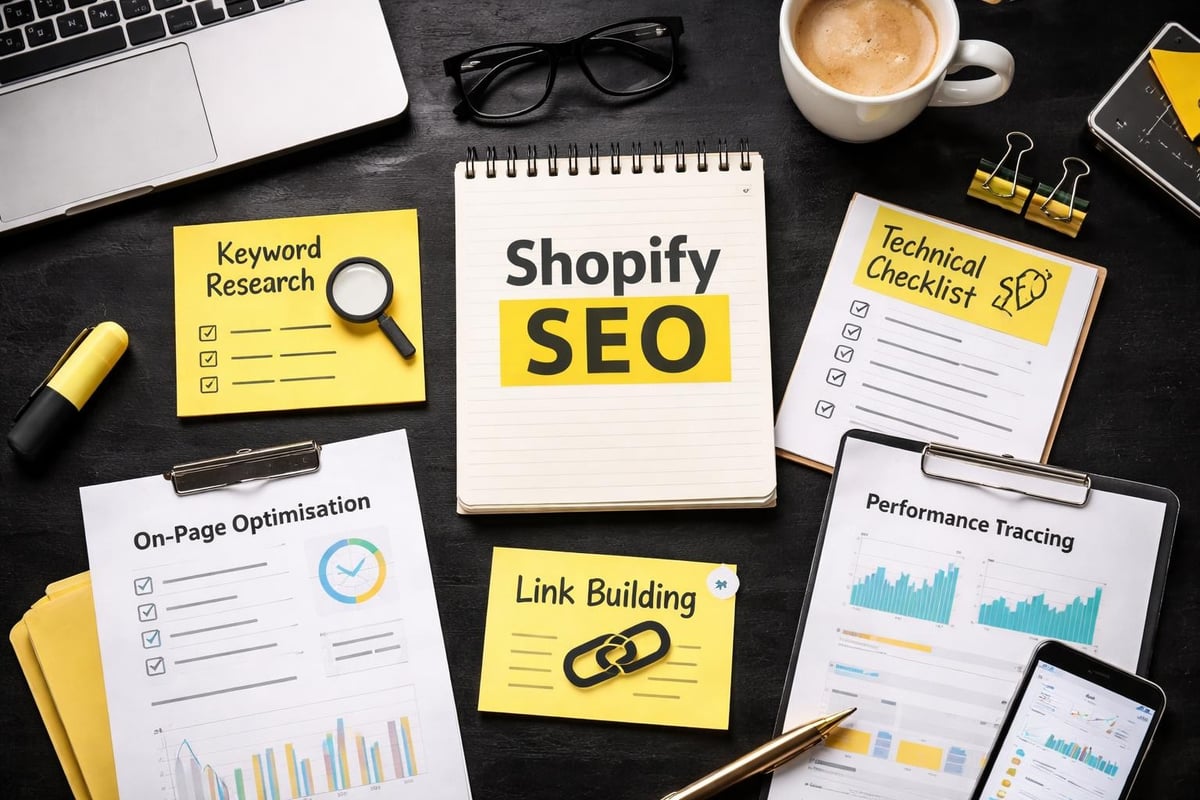
SEO for Shopify isn't rocket science, but it requires consistent attention to fundamentals.
Google doesn't care that you're a small business. It cares about relevance, authority, and user experience.
Technical SEO Basics
Shopify handles most technical SEO out of the box: clean URL structures, automatic sitemap generation, mobile responsiveness, and fast hosting.
Your job is the layer above that foundation.
Custom domain names rank better than mystore.myshopify.com URLs. Register your brand domain and connect it properly.
Page titles and meta descriptions drive click-through rates from search results. Write unique titles for every page. Keep them under 60 characters. Include your primary keyword naturally.
Meta descriptions should summarise the page content in 140-150 characters and compel clicks.
Image alt text serves two purposes: accessibility for screen readers and context for search engines. Describe what's in the image using natural language.
Shopify’s SEO guide walks through the platform-specific implementation of these fundamentals with step-by-step instructions.
Content Strategy That Drives Traffic
Blog content builds topical authority and captures search traffic beyond product keywords.
Write about topics your customers actually search for: buying guides, how-to articles, product comparisons, industry trends, and problem-solving content.
Each blog post should target one primary keyword phrase. Use it naturally in the title, first paragraph, subheadings, and throughout the body.
Internal linking connects your content ecosystem. Link from blog posts to relevant product pages. Link between related blog articles. This helps search engines understand your site structure and keeps visitors engaged longer.
Product collections should target category-level keywords. If you sell coffee equipment, create collections for "espresso machines," "coffee grinders," and "brewing accessories" rather than generic "products" pages.
On-page SEO tactics like structured headings, keyword-rich URLs, and strategic content placement compound over time to improve rankings.
Apps and Integrations That Matter
The Shopify App Store contains over 8,000 apps in 2026.
Most stores need fewer than ten to operate effectively.
Essential App Categories
Email marketing and automation: Klaviyo or Omnisend for abandoned cart recovery, welcome sequences, and customer retention campaigns. Email consistently generates the highest ROI of any marketing channel for eCommerce.
Product reviews: Judge.me or Loox for collecting and displaying customer feedback. Reviews increase conversion rates and provide user-generated content for marketing.
SEO optimisation: Plug in SEO or SEO Manager for automated audits and recommendations beyond Shopify's native tools.
Analytics beyond basics: Google Analytics 4 integration captures detailed customer behaviour data. Lucky Orange or Hotjar show session recordings and heatmaps revealing where visitors struggle.
Inventory management: For stores with complex stock needs, Stocky (Shopify's own tool) or TradeGecko handle multi-location inventory and supplier management.
Shipping and fulfilment: ShipStation or AfterShip streamline order processing and provide branded tracking experiences.
Start minimal. Add apps only when you've identified a specific problem that needs solving. Every app adds page load time and potential conflict points.
App Selection Strategy
Read recent reviews, not just star ratings. Look for apps actively maintained with regular updates.
Check compatibility with your theme and other installed apps.
Test free trials before committing to paid plans.
Monitor site speed after installing new apps using Google PageSpeed Insights. If an app tanks your performance, remove it and find alternatives.
Australian-focused businesses should prioritise apps with AUD pricing, local support teams, and integrations with Australian services like Australia Post shipping calculators.
Performance and Speed Optimisation
Page load speed directly impacts conversion rates.
For every one-second delay in load time, conversions drop by approximately 7%.
Common Speed Killers
Oversized images are the number one culprit. Compress all images before uploading. Use WebP format where supported. Aim for product images under 200KB without sacrificing visual quality.
Too many apps slow down your Shopify website. Each app loads additional code. Audit regularly and remove anything you're not actively using.
Unoptimised theme code creates bloat. If you've heavily customised a theme without clean coding practices, you've likely introduced inefficiencies. Manchester Digital’s best practices guide emphasises performance optimisation as a core building principle.
Third-party scripts (tracking pixels, chat widgets, review apps) add weight. Load non-essential scripts asynchronously when possible.
Test your site speed monthly using Google PageSpeed Insights, GTmetrix, or Shopify's built-in speed report in the dashboard.
Target a load time under three seconds on mobile. Anything over five seconds drives significant visitor abandonment.
Conversion Rate Optimisation Fundamentals
Getting traffic is one challenge. Converting that traffic is another entirely.
Your Shopify website exists to generate revenue, not just look professional.
Trust Signals and Social Proof
Display security badges near payment areas. Show accepted payment methods clearly.
Include customer reviews on product pages and homepage.
Add trust indicators: money-back guarantees, free returns, Australian-owned badges, industry certifications, or years in business.
Feature real customer photos alongside or instead of only professional product shots.
Highlight shipping information prominently. Free shipping thresholds, delivery timeframes, and tracking availability reduce purchase anxiety.
Checkout Experience
Shopify's checkout is highly optimised by default, but you can still screw it up.
Don't require account creation before purchase. Offer guest checkout as the default path.
Display all costs upfront. Surprise shipping fees at the final step are conversion killers.
Offer multiple payment options: credit cards, PayPal, Apple Pay, Google Pay, and Afterpay for Australian markets.
Enable cart saving so customers can return later without re-adding products.
Send abandoned cart emails automatically. A three-email sequence (1 hour, 24 hours, 72 hours after abandonment) recovers 10-15% of lost sales on average.
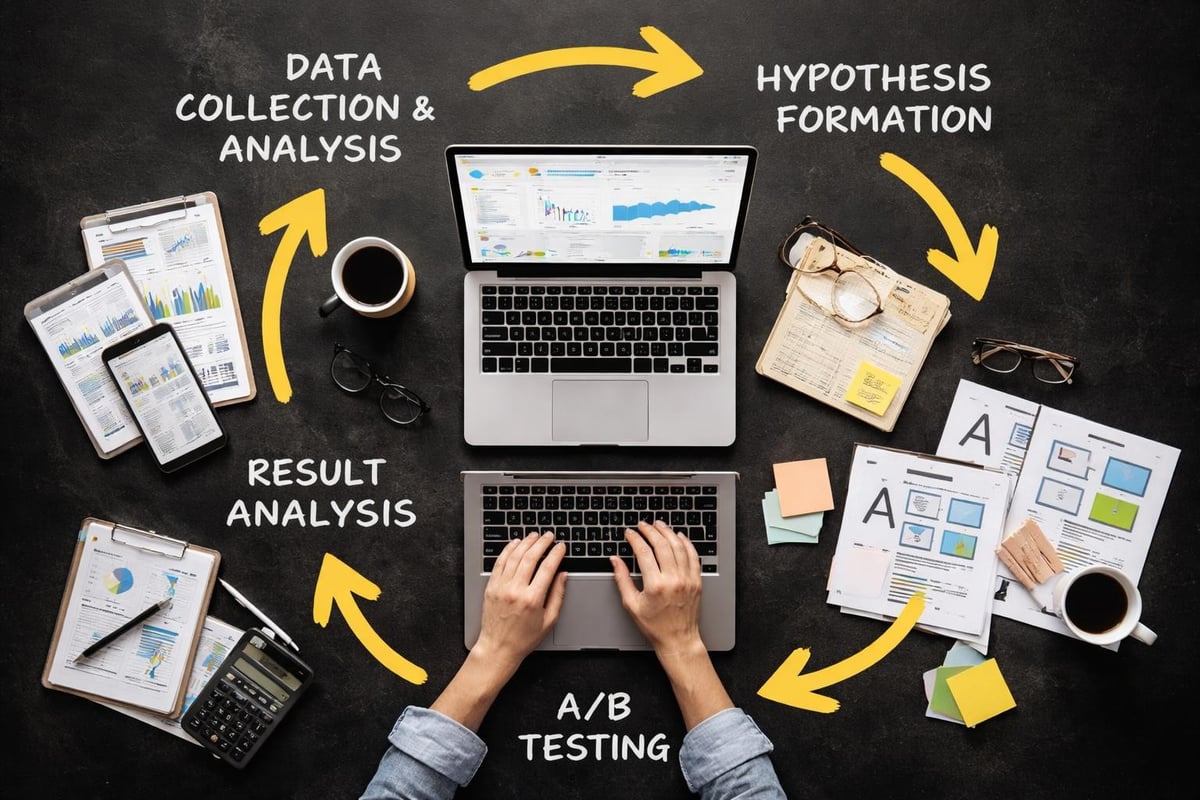
A/B Testing What Matters
Test one element at a time: button colours, headlines, product image order, pricing display formats.
Run tests for at least two weeks or 100 conversions (whichever comes first) to reach statistical significance.
Focus on high-impact areas first: product page layout, add-to-cart button placement, checkout flow, and homepage messaging.
Small improvements compound. A 5% lift in conversion rate across five different page elements results in a 27.6% overall improvement.
Real Examples from Australian Stores
Looking at successful Australian Shopify websites reveals common patterns.
Who Gives A Crap built a subscription toilet paper business using Shopify with bold branding, clear social mission messaging, and simplified product selection. Their homepage immediately communicates what they sell and why it matters.
Koala started on Shopify selling mattresses direct-to-consumer. Product pages focus on benefits over features, use customer reviews extensively, and make the trial period prominent throughout the experience.
Black Milk Clothing uses Shopify Plus for their activewear and pop culture fashion. They leverage user-generated content from customers wearing products, creating community-driven social proof.
These stores share common elements: fast load times, mobile-first design, clear value propositions, and frictionless checkout experiences.
None of them try to be everything to everyone. They know their customer, speak directly to that audience, and remove everything that doesn't serve the core buying journey.
Maintenance and Ongoing Optimisation
Launching your Shopify website is the beginning, not the end.
Plan for ongoing work: adding new products, updating content, monitoring analytics, testing improvements, and staying current with platform updates.
Monthly Tasks That Matter
Review analytics to identify top-performing products and traffic sources. Double down on what's working.
Check site speed and fix any degradation from new apps or content.
Update blog content with fresh articles targeting new keywords.
Audit product descriptions and images for quality and accuracy.
Test checkout flow to ensure everything works smoothly.
Review and respond to customer reviews promptly.
Quarterly priorities include comprehensive SEO audits using tools like this Shopify SEO checklist, competitive analysis to see what others in your niche are doing, and strategic planning for seasonal campaigns or new product launches.
Platform updates from Shopify happen regularly. Stay informed through their changelog and evaluate new features for your store's needs.
Security and backup protocols should run automatically, but verify monthly that everything functions properly.
Scaling Beyond Launch
Growth brings new challenges and opportunities for your Shopify website.
As traffic increases, you'll need more sophisticated analytics, automation, and potentially custom development work.
When to Consider Shopify Plus
The enterprise tier (starting at $2,000+ USD monthly) makes sense when you're processing 800+ orders daily, need advanced B2B functionality, require extensive customisation, or want dedicated account support.
Most Australian small businesses stay on standard plans for years while growing successfully.
Focus on optimisation and marketing effectiveness before upgrading infrastructure.
Building a Marketing Engine
Your Shopify website is the destination. Email marketing, social media, paid advertising, content marketing, and SEO are the traffic drivers.
Allocate budget proportionally: if you spend $5,000 building your store, plan to invest at least that much in the first six months of marketing to generate awareness and traffic.
Comparing eCommerce platforms shows Shopify's strengths in marketing integrations and growth scalability versus competitors.
Track customer acquisition cost (CAC) and lifetime value (LTV) from the start. Profitable growth means LTV exceeds CAC by at least 3:1.
Working with Developers vs DIY
You can build a basic Shopify website yourself using templates and apps.
The question is whether you should.
The DIY Path
Free and low-cost themes let you launch without developer costs. Drag-and-drop editors make basic customisation accessible.
YouTube tutorials and Shopify's documentation provide learning resources.
The reality: DIY takes significantly longer than experienced builders. What a developer does in hours takes beginners days or weeks.
You'll miss optimisation opportunities you don't know exist. Theme customisation without coding knowledge limits what's possible.
For product photography, copywriting, and strategic planning, you're on your own or hiring specialists separately.
The Professional Route
Experienced Shopify developers build faster and avoid common mistakes. They implement proper tracking, SEO fundamentals, and conversion-optimised layouts from day one.
Costs vary wildly. Agencies charge $10,000-50,000+ for complete builds. Freelancers range from $2,000-15,000 depending on experience and scope.
The middle ground – streamlined builds with clear processes and fixed pricing – offers the best value for small Australian businesses who need professional results without agency bloat. You can explore more about different approaches to Shopify development to understand what fits your situation.
Choose based on your budget, timeline, technical ability, and how critical speed-to-market is for your business.
Your Shopify website is the foundation of your eCommerce business, but it's the strategy, optimisation, and ongoing refinement that determine success. Most small Australian businesses don't need expensive agency builds – they need clarity on what matters, implementation that works, and the confidence to launch without perfection paralysis. If you're ready to build a conversion-focused store with a clear four-week path from concept to launch, Kida Digital specialises in exactly that for Australian eCommerce businesses.


Be the first to comment