
Ready to future-proof your business? In 2026, building, customising, and optimising your shopify page is more crucial and easier than ever. The right approach means more conversions, stronger brand presence, and less stress for you.
This guide lays out the essential steps to create, customise, and optimise every part of your store. You will discover the vital types of pages you need, step-by-step building instructions, advanced customisation options, and the latest best practices for success.
Explore how new tools and features can streamline your process, boost your confidence, and help your business thrive in the evolving eCommerce landscape.
Understanding Shopify Pages in 2026
Shopify page strategy has become the backbone of eCommerce success in 2026. Every interaction a visitor has with your store is a step along the sales journey. The right shopify page structure not only guides customers but also converts more browsers into buyers.

The Evolving Role of Shopify Pages
Shopify pages are now essential touchpoints in every online store. The basics remain: every store needs a homepage, product pages, collection pages, an About page, FAQ, Contact, policy pages, and dedicated landing pages. These are the foundation of your shopify page strategy.
Competitors know that every customer touchpoint is a milestone in the sales journey. According to the Shopify 2024 report, over 80% of conversions are influenced by landing and product pages. This means your shopify page setup is not just a checklist, but a growth lever.
In 2026, updates like AI-driven templates and dynamic sections have transformed how you build and customise your shopify page. For example, Shopify’s 2026 AI-Powered Design Tools allow merchants to launch new layouts and content in minutes. Nextbase used personalised shopify pages and saw a 122% boost in conversions.
A cohesive brand narrative across every shopify page is more important than ever. Without it, your customer journey feels fragmented, lowering trust and sales.
Types of Shopify Pages and Their Purposes
Each shopify page type serves a unique role:
- Homepages: Guide visitors and set first impressions.
- Product Pages: Persuade with images, copy, and detailed info.
- Collection Pages: Organise products for easy browsing.
- About, FAQ, Contact: Build credibility and reduce support tickets.
- Policy & Legal Pages: Provide transparency and build customer confidence.
- Landing Pages: Deliver targeted messages for campaigns and ads.
Let’s see how these work in practice. Lyre’s tailored their landing shopify pages for specific campaigns and saw a 15% jump in conversions. The right page, with the right message, meets customers where they are.
Consistency across every shopify page helps build trust and keeps customers moving forward. When each page feels connected, your brand stands out and your store becomes memorable.
Step-by-Step: Building Shopify Pages in 2026
Building a shopify page in 2026 is more streamlined than ever, thanks to smarter tools and intuitive workflows. Whether you are revamping an existing shopify page or launching something new, the process is designed for speed, flexibility, and growth. Let’s walk through the key steps for every business owner ready to take control.
Setting Up Standard Pages
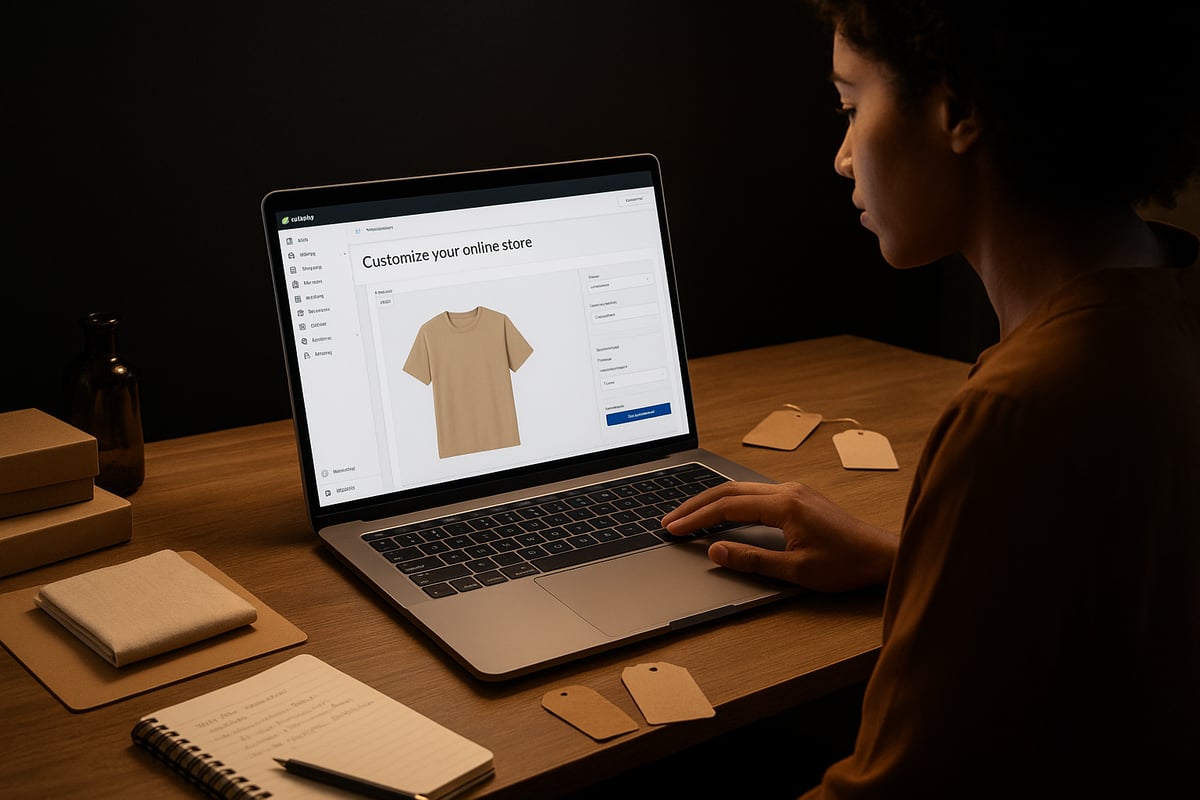
Start by logging into your Shopify admin. Navigate to Online Store, then Pages. Click “Add Page” to launch the improved 2026 rich text editor. Here, you can add a title, structure your content, and instantly preview your shopify page layout.
Shopify now offers AI-generated templates for every standard shopify page, like Home, About, FAQ, and Contact. These templates save time and ensure your design matches your brand. Assign a theme template for each shopify page so your store feels cohesive.
Editing SEO settings is simple. For every shopify page, update the title, meta description, and URL handle. Here’s a quick example using the new editor:
Title: About Our Story
Meta Description: Discover how our journey shapes every shopify page of your experience.
URL: yourstore.com/pages/about
Shopify’s AI Section Builder reduces the time to create a shopify page by 40 percent. Adding an FAQ or Contact shopify page now takes just a few clicks—no coding required. If you’re looking for more ways to build a shopify page quickly, check out this guide on How to Build Shopify Stores Fast.
Creating High-Impact Product Pages
Go to Products and select Add Product. Enter your product title and a rich, benefit-focused description. Upload high-resolution images, 3D models, or videos to make your shopify page stand out.
Assign categories using Shopify’s Standard Product Taxonomy. This helps your shopify page appear in the right collections and improves findability. Set pricing, compare-at price, and cost per item to track margins. Add SKU, barcode, and manage inventory for each variant directly from your shopify page dashboard.
Configure shipping details, including product weight and packaging. For international sellers, customs info is crucial for a compliant shopify page. Offer purchase options like subscriptions or pre-orders, which are built into the shopify page workflow.
Unlock advanced options with category metafields. Top-performing stores use custom attributes—like colour swatches or size charts—on each shopify page. According to Shopify, 70 percent of high-converting stores use these features for richer product experiences.
| Attribute | Example Value | Shopper Impact |
|---|---|---|
| Colour Swatch | Navy Blue | Visual selection |
| Size Chart | AU 8 – AU 16 | Reduces returns |
| Launch Date | 12 July 2026 | Creates anticipation |
Building Collection Pages for Seamless Navigation
From Products, select Collections, then Create Collection. Add a title, description, and featured image. Decide if your shopify page will use manual or automated rules for product assignment.
Automated collections are a game-changer. For example, you can set a shopify page to automatically add products tagged “Winter Sale,” saving you hours during busy seasons. Edit SEO for each shopify page collection, optimising for keywords and clean URLs.
Assign relevant products quickly, then preview how your shopify page collection looks on desktop and mobile. The data is clear: automated collection shopify pages save more than two hours each week for fast-growing stores.
Efficiency doesn’t mean sacrificing quality. Use the theme editor to keep each shopify page collection visually consistent and easy to navigate. A well-organised shopify page boosts customer confidence and keeps shoppers moving smoothly through your site.
Advanced Customisation: Making Shopify Pages Uniquely Yours
Customising your shopify page in 2026 is no longer just about changing colours or updating a logo. It's about creating a digital storefront that feels unmistakably yours. The tools available now make it possible for any business owner to shape a shopify page that stands out, connects, and converts.

Leveraging Shopify’s Theme Editor and Section Builder
The 2026 Shopify theme editor is a game-changer for shopify page customisation. With its intuitive drag and drop interface, you can rearrange sections, adjust layouts, and choose brand-perfect colours and fonts in real time.
You’re no longer locked into rigid templates. Want a hero banner at the top, testimonials in the middle, and a featured collection at the bottom? It’s three clicks away. Businesses like PANGAIA have used this flexibility to create minimalistic, high-converting shopify page layouts that reflect their brand DNA.
For those wanting deeper control, Shopify’s Section Builder lets you add dynamic elements, like rotating banners or customer reviews, anywhere on your shopify page. According to Shopify, stores using advanced theme customisation see engagement jump by 18 percent.
- Drag and drop content blocks
- Real-time preview of changes
- Preset and customisable templates
If you’re keen to take your design skills further, check out these Shopify Template Development Tips for practical advice on building and refining every shopify page template.
Unlocking the Power of Metafields and Dynamic Content
Metafields unlock a new level of detail on your shopify page. Think of metafields as custom data fields: you can add burn time for candles, expiry dates for skincare, or launch dates for limited editions. This information appears seamlessly on the relevant shopify page, helping customers make confident decisions.
Want to showcase colour swatches as variant selectors? Use metafields tied to your variants. This approach has helped top-performing stores boost average order value by 12 percent, as shown in Shopify’s 2025 study.
Here’s a quick example of how to add a custom metafield for “expiry date”:
{{ product.metafields.custom.expiry_date }}
Dynamic content personalises the shopify page for each shopper. You can use customer tags, location, or browsing history to surface unique offers or highlight relevant products. This level of personalisation not only looks professional, but also improves conversion rates.
- Add product-specific details
- Display variant options visually
- Personalise based on customer data
Every detail you add with metafields and dynamic content helps your shopify page feel more tailored and engaging.
Integrating AI and Automation Tools
AI and automation are rewriting what’s possible for a shopify page in 2026. Shopify’s AI Section Builder can generate new sections instantly, learning from your brand style and previous layouts. This means you can create a new campaign banner or testimonial carousel in seconds, not hours.
Smart pages take things even further. They adapt in real time to how visitors interact with your shopify page, showing different content to returning customers or highlighting trending products during sales. Shogun’s AI-driven templates, for example, let merchants deploy high-converting landing pages rapidly.
A/B testing is now built in. Run tests on headlines, calls to action, or layouts and let the system optimise your shopify page for maximum results. Data shows that AI-powered pages convert 22 percent better on average.
- AI-generated content sections
- Automated personalisation for segments
- Continuous improvement through testing
By integrating these tools, you ensure your shopify page is always evolving, always relevant, and always optimised for growth.
Optimising Shopify Pages for SEO, Performance and Conversion in 2026
Shopify page optimisation in 2026 is not just about ticking boxes. It is about building trust, driving conversions, and keeping your store competitive in a fast-paced market. Let us break down how to get every shopify page working harder for your business.

SEO Best Practices for Every Page
Every shopify page is a potential entry point for new customers. Start with meta titles and descriptions—clear, compelling, and keyword-optimised. Edit your URL handles so they are short, relevant, and easy to remember.
Use structured data to help search engines read your shopify page content. Shopify’s 2026 tools make it easier than ever to add schema and rich snippets. For example, optimising product and collection pages for Google Shopping can drive more targeted traffic.
A well-optimised shopify page ranks higher and converts better. According to Shopify, 65 percent of store traffic now comes from organic search. Want a deeper dive? Check out this SEO Optimisation for Shopify Product Pages guide for actionable strategies.
Conversion Rate Optimisation (CRO) Tactics
Boosting conversion rates on your shopify page is about testing, learning, and iterating. Start with A/B testing on headlines, call-to-actions, and layouts. Even small tweaks can make a big difference.
Personalisation tools let you serve relevant offers to the right audience. Add trust signals—reviews, badges, and policy highlights—to reassure shoppers. For instance, Nextbase saw a 122 percent conversion lift by personalising shopify page experiences.
CRO experts report up to a 30 percent revenue increase from ongoing testing. The key is to never stop optimising. Every shopify page should evolve with your business and your customers’ needs.
Mobile Optimisation and Accessibility
In 2026, mobile is not optional. With 74 percent of Shopify sales now on mobile, every shopify page must be responsive and fast. Test your store on different devices and browsers to catch issues early.
Make accessibility a priority. Use readable fonts, clear alt text for images, and enable keyboard navigation. Fast load times are critical, so keep images optimised and limit heavy scripts. For official tips, see Shopify’s Web Performance Optimization Guide.
Remember, a shopify page that is easy to use on any device means more happy customers and higher conversions.
Performance Analytics and Continuous Improvement
Optimising a shopify page is never done. Use Shopify Insights to monitor bounce rates, conversion rates, and average session duration. Set up alerts for underperforming pages, so you can act quickly.
Compare performance before and after changes using simple tables or graphs. For example:
| Metric | Before Update | After Update |
|---|---|---|
| Conversion Rate (%) | 2.1 | 3.8 |
| Bounce Rate (%) | 56 | 41 |
| Avg. Session (sec) | 101 | 134 |
Real-time analytics help you refine landing page copy, layout, and offers. The best shopify page strategies are built on data, not guesswork.
Keep testing, keep learning, and your shopify page will keep performing.
Future Trends: Shopify Page Innovation in 2026 and Beyond
The future of the Shopify page is dynamic, data-driven, and more personal than ever. Small business owners are navigating a landscape where technology reshapes every aspect of the customer journey. Staying ahead means embracing innovation, adapting quickly, and leveraging tools that keep your store relevant and thriving.
AI-Driven Personalisation and Smart Pages
AI is transforming the Shopify page experience, tailoring content in real time based on visitor data. Imagine your homepage adapting banners and offers for a returning customer, or product recommendations shifting with each click. According to Shopify, stores using personalisation tools see a 20 percent higher repeat purchase rate.
Smart pages now utilise predictive analytics, adjusting layouts or messaging to boost conversions. The rise of agentic AI, as explored in Agentic AI and Unified Commerce in 2026, means your Shopify page can autonomously optimise itself for each user. This technology empowers small businesses to deliver experiences once reserved for retail giants.
Headless Commerce and API Integrations
Headless commerce is gaining momentum, separating the front end from the back end for ultimate flexibility. With a headless Shopify page, you control every pixel, integrating unique designs and features that load at lightning speed.
API integrations let your Shopify page sync with marketing tools, analytics platforms, and inventory systems. For example, syncing inventory across multiple channels or automating fulfilment with third-party apps is now simpler. This approach creates seamless experiences for your customers and allows your business to scale efficiently.
Sustainability and Ethical Commerce Features
Shoppers in 2026 want more than great products, they want to support brands with purpose. The Shopify page now supports features like sustainability badges, impact calculators, and carbon-neutral shipping options.
Did you know that 58 percent of Australian consumers prefer brands that are upfront about their environmental practices? By adding ethical sourcing information and visual indicators directly to your Shopify page, you build trust and attract conscious buyers. These features also help you stand out in a crowded market.
Enhanced Visual Merchandising
Visual storytelling is at the heart of the modern Shopify page. Merchants are now using video, 3D models, and augmented reality for immersive product experiences. For instance, fashion stores offer virtual try-on, letting shoppers see how items look before buying.
Research on AI-Driven UI Adaptation for Personalization shows that dynamic, interactive interfaces keep users engaged longer. In fact, pages with interactive media record a 35 percent increase in session duration. By investing in visual merchandising, your Shopify page becomes not just a storefront but an experience.
The Rise of No-Code and Low-Code Page Building
Building a Shopify page no longer requires deep technical skills. No-code and low-code tools empower store owners to launch landing pages, campaigns, or new sections in minutes. Drag-and-drop editors, AI assistants, and instant previews reduce reliance on developers.
This democratization of design means anyone can adapt quickly to trends or test new ideas. For small businesses, it’s a game changer, allowing you to keep your Shopify page fresh and relevant without waiting weeks for updates.
Preparing Your Store for What’s Next
Keeping your Shopify page competitive in 2026 means staying agile. Regularly update your theme, explore new apps, and monitor Shopify’s roadmap for upcoming features.
Invest in ongoing education for yourself and your team. Test changes, analyse results, and adapt based on data. By making continuous improvement a habit, your Shopify page will always be ready for whatever comes next.
You’ve seen how building and customising your Shopify pages can set you up for real growth in 2026—without the overwhelm or agency price tags. If you’re ready to stop spinning your wheels with DIY solutions and actually get your store selling, we can help you cut through the noise and start seeing results fast. Let’s map out a clear path from where you are to where you want to be, step by step, with expert guidance and zero jargon. If you want to move from stuck to selling in just four weeks, let’s chat:
Go From Stuck to Selling in 4-Weeks


Be the first to comment