
Choosing the right Shopify plan feels like standing at a crossroads with no clear signage. You want to launch your online store without overpaying for features you won't use, but you also don't want to outgrow your plan in three months. The platform offers multiple tiers, each with different transaction fees, features, and monthly costs. Understanding what you actually need versus what sounds impressive in a features list makes the difference between a smart investment and wasted budget. For Australian small business owners building their first or next eCommerce store, getting this decision right from the start saves both money and migration headaches down the track.
What Each Shopify Plan Actually Includes
The platform currently offers three main subscription tiers for small to medium businesses: Basic, Shopify, and Advanced.
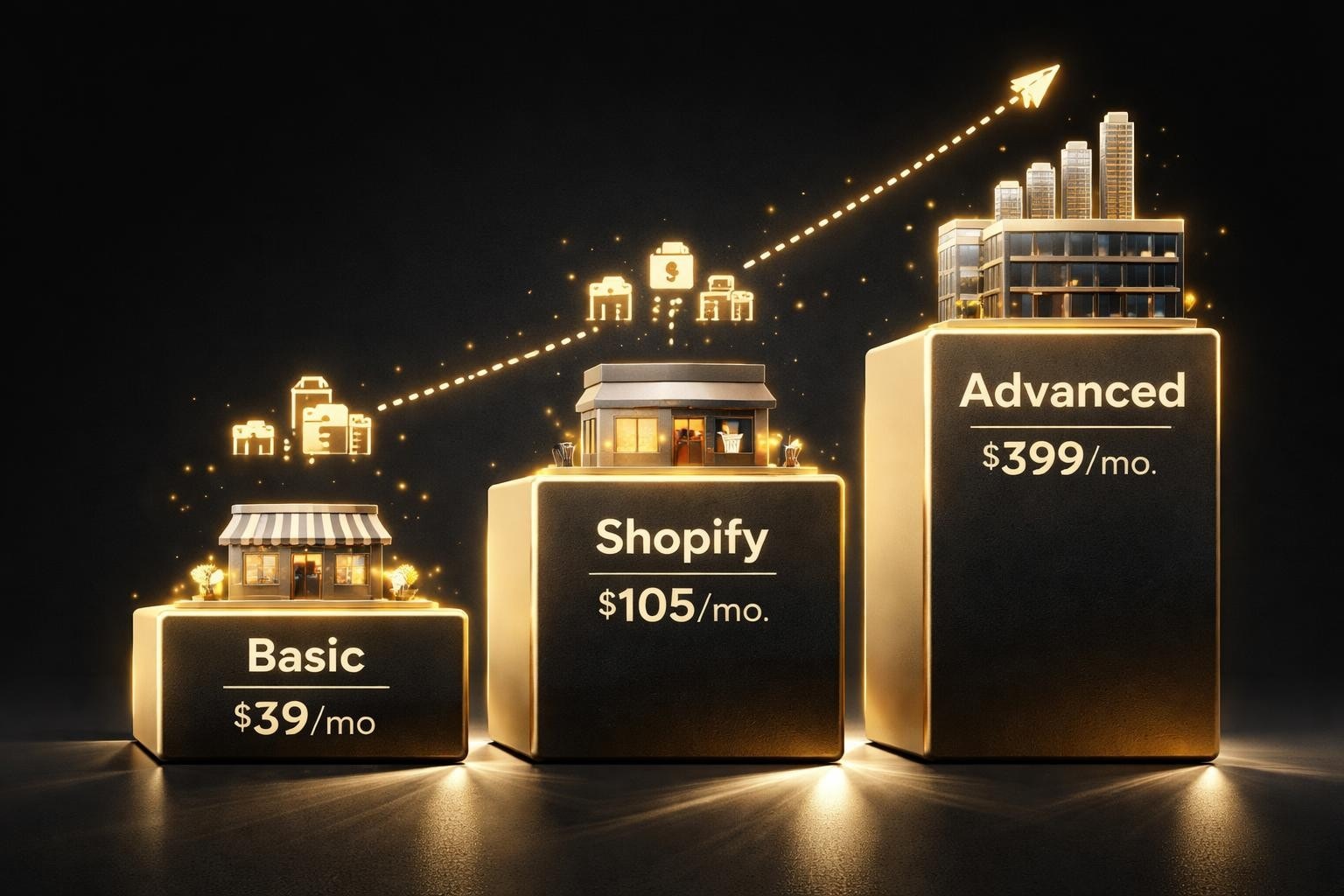
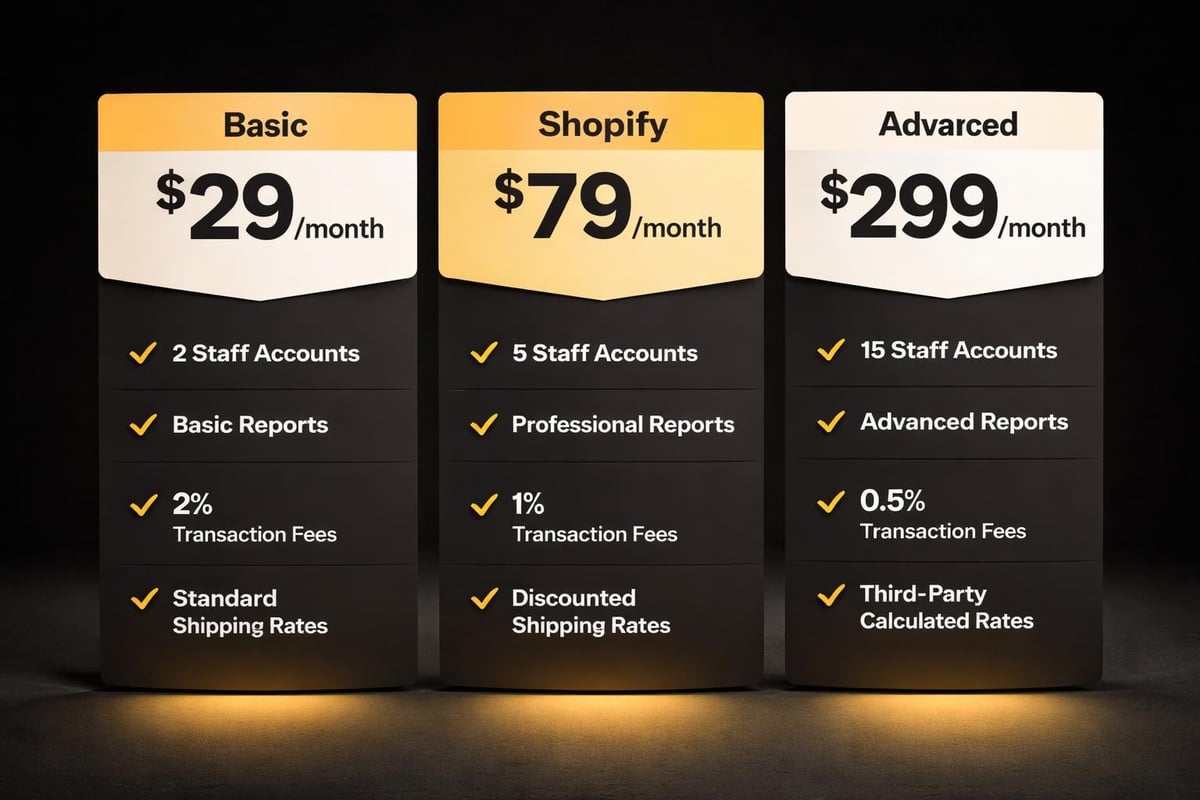
Basic Shopify sits at $49 AUD per month and gives you everything needed to launch.
You get unlimited products, two staff accounts, and basic reporting.
The transaction fee sits at 2.0% if you use external payment gateways, or you can use Shopify Payments with no additional transaction fees.
This tier works for single operators or small teams just starting out.
Shopify (the middle tier) costs $105 AUD monthly.
You gain five staff accounts, professional reports, and lower transaction fees at 1.0% for external gateways.
The reporting tools become considerably more useful here, showing customer behaviour patterns and product performance metrics that actually inform business decisions.
Most established stores operating with even modest volume find this tier delivers better value.
Advanced Shopify runs $399 AUD per month.
You receive 15 staff accounts, advanced report builder, and 0.6% transaction fees.
Third-party calculated shipping rates become available, which matters if you're shipping varied product sizes or weights.
According to recent Shopify pricing analysis, most businesses don't need this tier until they're processing significant monthly volume.
Transaction Fees Tell The Real Story
The advertised monthly fee represents only part of your actual costs.
Transaction fees apply when customers pay using payment gateways other than Shopify Payments.
If you're using PayPal, Stripe, or another processor, you'll pay the transaction fee on top of that processor's own fees.
This double-dipping significantly impacts margins on lower-priced products.
Shopify Payments eliminates the platform transaction fee entirely.
You still pay credit card processing fees (around 2.4% plus 30 cents per transaction for Basic), but you avoid the additional platform cut.
For Australian merchants, Shopify Payments supports local payment methods and settles in AUD.
Here's where the maths gets interesting: if you process $10,000 monthly through an external gateway on Basic, you're paying $200 in transaction fees.
On the Shopify tier, that drops to $100.
The $56 monthly price difference pays for itself once you cross roughly $5,600 in monthly sales using external gateways.
Understanding these numbers helps you choose based on actual business economics, not just the sticker price.
Matching Your Business Stage To The Right Tier
Your current revenue matters less than your immediate trajectory.
Choose Basic if you're:
- Launching your first store or testing a product concept
- Processing under $5,000 monthly through external payment gateways
- Operating solo or with one other person
- Comfortable with basic sales reports and manual analysis
Move to Shopify (middle tier) when:
- Your monthly revenue consistently exceeds $5,000
- You need team access for 3-5 people handling different functions
- Customer behaviour reports would inform your inventory and marketing decisions
- You're running multiple marketing campaigns and need attribution clarity
Consider Advanced only if:
- You're processing $50,000+ monthly and transaction fee savings offset the cost
- Your shipping complexity requires third-party calculated rates
- You have a team exceeding five people needing store access
- Custom reports drive significant business decisions
Most Australian small businesses launching their eCommerce presence start on Basic and migrate within 6-12 months.
The migration process takes minutes, not weeks.
Starting smaller means you're not paying for unused features while you're still figuring out product-market fit.
The Hidden Costs Nobody Mentions Upfront
Your shopify plan subscription represents your baseline, but rarely your total platform spend.
Apps add up quickly.
Email marketing might cost $20-50 monthly.
Review collection tools run $15-30.
Advanced analytics platforms charge $30-100.
Inventory management systems vary from free to $200+ depending on complexity.
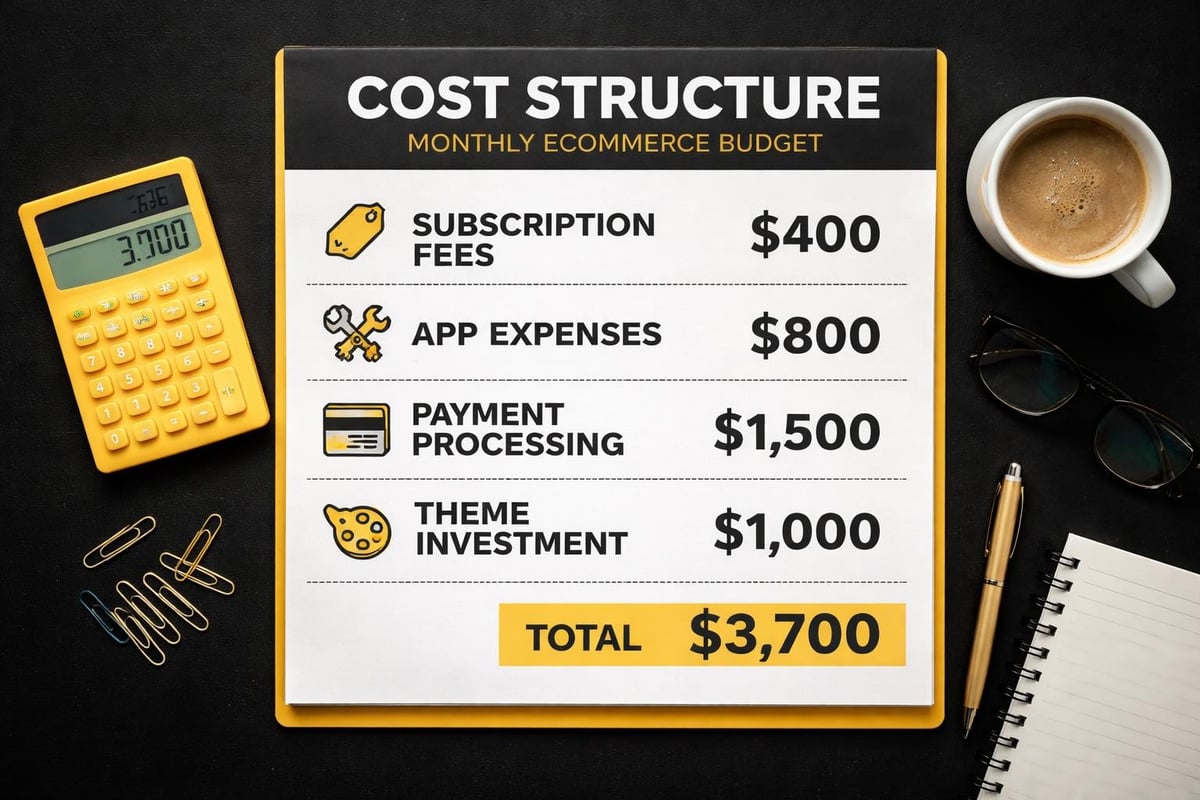
A realistic monthly budget includes your subscription plus $50-150 in essential apps for most small operations.
As highlighted in comprehensive Shopify pricing guides, these additional costs often surprise new store owners.
Transaction and payment processing fees compound.
Even with Shopify Payments, you're paying 1.75-2.4% plus 30 cents per transaction depending on your plan.
High transaction volumes or low average order values make these percentages meaningful.
Domain registration costs around $20 annually through Shopify or your existing registrar.
Themes range from free to $350 for premium options.
Most successful stores invest in a premium theme or custom development that aligns with their brand rather than fighting with free theme limitations.
When Shopify Plus Makes Sense (And When It Doesn't)
Shopify Plus operates differently from the standard tiers.
Starting at approximately $2,000 USD monthly, it targets high-volume merchants processing millions annually.
You get dedicated account management, API rate limits 4x higher than standard plans, and automation tools that save significant time at scale.
The economics work when:
- Your monthly revenue consistently exceeds $800,000
- Transaction fee savings (Plus gets wholesale rates) offset the base cost
- You need custom checkout modifications beyond what standard plans allow
- Automation of complex workflows would free up substantial staff time
For Australian small businesses in the $20,000-500,000 monthly revenue range, Plus rarely makes financial sense.
The features sound appealing, but the ROI doesn't materialise until you're operating at genuine enterprise scale.
Most businesses succeed on standard tiers indefinitely.
Moving to Plus because it sounds professional wastes $20,000+ annually that could fund customer acquisition, inventory expansion, or actual revenue-driving activities.
Pricing Changes And What's New In 2026
Shopify adjusted its pricing structure in late 2025.
The Basic tier saw a $4 monthly increase, while middle and upper tiers remained stable.
According to TechRadar’s latest Shopify review, the platform also introduced AI-powered design tools across all tiers, reducing the need for expensive developer hours on basic customisation tasks.
New features rolling out include:
- AI product description generation (all tiers)
- Enhanced mobile app management (Shopify tier and above)
- Improved international selling tools with market-specific domains
- Better inventory forecasting in professional reports
The AI tools particularly benefit small teams without dedicated copywriters.
While they don't replace strategic content creation for SEO optimisation, they handle routine product descriptions competently.
International expansion became simpler.
You can now manage multiple market-specific domains from one admin, with currency conversion and localised checkout built in.
This matters for Australian businesses targeting both domestic and international customers without running separate stores.
Making The Platform Work Harder For You
Your subscription gets you the platform, but conversion comes from execution.
Start with a clear four-week implementation plan.
Week one focuses on product upload and basic store structure.
Week two tackles theme customisation and navigation.
Week three handles payment gateway setup and legal compliance.
Week four runs through checkout testing and soft launch preparation.
This timeline assumes you're not starting completely from scratch with photography and copywriting.
Building Shopify stores efficiently requires having your foundational assets ready before diving into platform setup.
Prioritise revenue-driving features over vanity metrics.
Your homepage slideshow matters less than your product page conversion rate.
Your Instagram feed integration looks nice but rarely drives sales.
Focus your initial setup on clean product images, clear descriptions, obvious calls to action, and a frictionless checkout process.
The reporting tools available even on Basic tier tell you exactly what's working.
Traffic sources, conversion rates by device, and cart abandonment rates give you actionable data from day one.
Comparing Shopify Plans Against Alternative Platforms
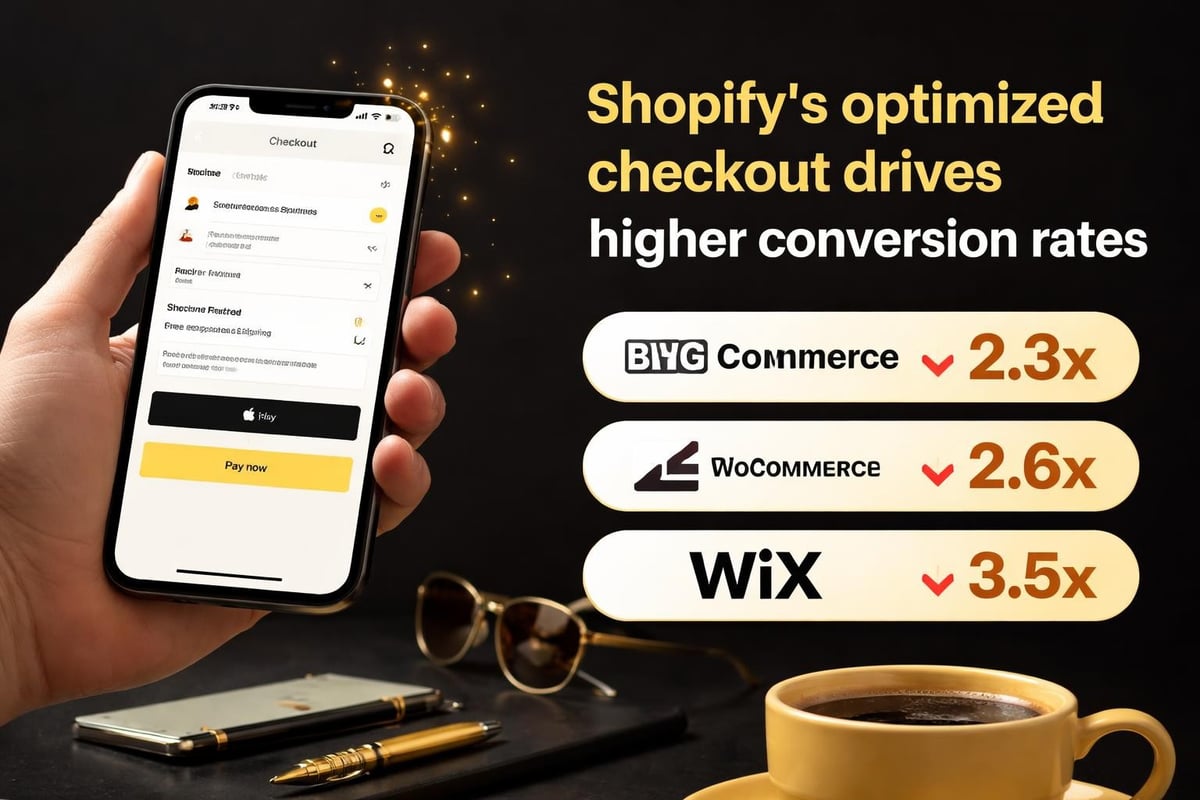
Shopify competes with WooCommerce, BigCommerce, and Wix in the small business space.
WooCommerce appears cheaper (free plugin, pay for hosting) but quickly accumulates costs through required plugins and developer time.
For non-technical business owners, the total cost of ownership often exceeds Shopify after factoring in hosting, security, updates, and troubleshooting time.
BigCommerce offers similar pricing but more built-in features, reducing app dependency.
The learning curve runs steeper, and the Australian ecosystem of developers and agencies skews heavily toward Shopify.
Finding local support matters when you need quick fixes.
Wix targets smaller operations with simpler needs.
It costs less but offers less scalability and fewer eCommerce-specific features.
Businesses outgrow Wix faster and face painful migrations when they do.
| Platform | Entry Price | Transaction Fees | Best For | Scalability |
|---|---|---|---|---|
| Shopify Basic | $49/month | 2.0% (external) | Growing stores | Excellent |
| WooCommerce | $30-100/month | 0% (platform) | Technical users | Good |
| BigCommerce Standard | $39/month | 0% (platform) | Feature-heavy needs | Excellent |
| Wix Business Basic | $27/month | Varies by gateway | Simple catalogs | Limited |
Research from eCommerce platform comparisons shows Shopify maintaining the strongest conversion rates across industries.
This matters more than monthly fees because an extra 0.5% conversion rate on modest traffic quickly pays for the platform difference.
Strategic Decisions Beyond The Base Plan
Your shopify plan choice connects directly to your go-to-market strategy.
Multi-channel selling (Facebook, Instagram, Amazon, eBay) comes standard across all tiers.
You're not paying extra for these integrations.
Setting them up takes time but no additional subscription fees, making Shopify particularly strong for businesses using diverse traffic sources.
Point of sale integration matters if you're running retail locations alongside online sales.
All tiers include basic POS functionality.
Hardware costs extra, but the software synchronises inventory automatically between channels.
International selling requires thought around currency conversion, shipping logistics, and tax compliance.
Shopify's built-in tools handle currency display and conversion.
You'll need apps or services for duties calculation and international shipping optimization beyond what the platform provides natively.
Consider your 12-month growth plan when choosing your initial tier.
Starting on Basic and upgrading in six months costs nothing beyond the price difference moving forward.
Shopify doesn't penalise you for changing plans, and the upgrade process takes effect immediately.
Real-World Australian Small Business Examples
Product-based businesses selling physical goods typically need Basic until they hit consistent $8,000-10,000 monthly revenue.
The reporting limitations don't matter much when you're still establishing product-market fit.
Once you're running multiple products and trying to optimise inventory allocation, the middle tier's reports justify themselves.
Service-based businesses selling digital products, consultations, or courses often start on Basic and stay there longer.
Transaction volumes run lower, reporting needs stay simpler, and staff requirements rarely exceed two people.
B2B operations selling wholesale alongside retail need the professional reports from Shopify tier minimum to segment customer types and track different pricing structures effectively.
A Melbourne-based homewares business we worked with started on Basic processing $3,000 monthly.
Within eight months they hit $15,000 monthly and upgraded to access better reporting and team accounts.
The upgrade cost them an extra $56 monthly but saved approximately $50 in transaction fees and added reporting capabilities that improved their inventory planning significantly.
They stayed on the middle tier through $80,000 monthly revenue before considering Advanced, and even then decided the marginal benefits didn't justify the jump.
Getting Started Without Overpaying Or Underserving
Start with Basic unless you have specific reasons not to.
Valid reasons to start higher include:
- You're migrating from another platform with established $10,000+ monthly volume
- You need professional reports from day one because you're running complex attribution across channels
- Your team size immediately requires more than two staff accounts
For everyone else, Basic gives you everything needed to validate your product, test your market, and build your initial customer base.
The risk of starting too high exceeds the risk of starting too low.
Upgrading takes minutes and happens seamlessly.
Overpaying for unused features costs money you could invest in inventory, marketing, or professional product photography that actually drives sales.
Set a specific threshold for upgrading.
For example: "When we hit $7,500 monthly revenue for three consecutive months, we'll upgrade to access better reporting."
This removes the emotional decision-making and bases your choice on business metrics.
Your first three months should focus entirely on conversion optimization rather than feature exploration.
Does your product page clearly communicate value?
Is your checkout process causing abandonment?
Are your shipping options clear and competitive?
These fundamental questions matter infinitely more than whether you have advanced reporting or additional staff accounts.
The platform gives you conversion tracking from day one regardless of tier.
Migration Path As You Scale
Plan for growth but don't pay for it prematurely.
Most Australian eCommerce businesses follow a predictable path:
- Months 0-6: Basic tier, establishing product-market fit
- Months 6-18: Shopify tier, scaling marketing and team
- Months 18+: Stay on Shopify tier unless exceptional circumstances warrant Advanced
Revenue growth doesn't automatically trigger tier changes.
Team growth, reporting needs, and transaction fee economics drive the decision more than vanity metrics.
Watch these specific indicators:
- When transaction fees on external gateways exceed $100 monthly, run the maths on upgrading
- When you hire your third team member needing store access, the middle tier becomes necessary
- When you're making inventory or marketing decisions without adequate data, professional reports justify the cost
Migration itself involves clicking a button in your admin panel.
Your settings, products, customer data, and order history transfer instantly.
Apps continue working without reconfiguration.
Your pricing changes at the next billing cycle.
Understanding exactly why agencies charge premium rates for Shopify development often comes down to their ability to configure stores efficiently across all tiers, optimising for conversion rather than just features.
Platform Limitations Across All Tiers
No shopify plan solves every eCommerce challenge out of the box.
Content marketing capabilities remain basic across all tiers.
The built-in blog works for simple content but lacks advanced SEO tools, content calendars, or sophisticated categorization.
Businesses serious about content-driven growth often integrate with external platforms or use apps to extend functionality.
Advanced customization requires coding knowledge or developer help regardless of tier.
The theme editor handles basic changes, but meaningful design modifications need Liquid template knowledge.
This is where many businesses find value in professional Shopify development rather than struggling through tutorials.
Subscription business models need apps even on Advanced tier.
The platform doesn't natively handle recurring billing, subscription management, or flexible subscription models without third-party tools.
Complex product variations (beyond three options like size, colour, material) require workarounds or apps.
The native product structure handles most straightforward eCommerce needs but struggles with highly configurable products.
Understanding these limitations before committing helps you budget realistically for apps, development, or workarounds that make your specific business model function smoothly.
Choosing your shopify plan comes down to matching current needs with realistic growth projections. Start with Basic unless compelling business reasons justify higher tiers, then upgrade when specific metrics (revenue, team size, reporting needs) clearly warrant the change. If you're ready to launch a conversion-focused Shopify store without overpaying for agency rates or wrestling with DIY platform limitations, Kida Digital delivers scalable eCommerce stores for Australian small businesses in just four weeks.


Be the first to comment