

When Australian small businesses decide to sell online, the platform question becomes unavoidable. Sites Shopify powers have become the default choice for thousands of eCommerce stores across the country, but understanding why requires looking beyond the marketing hype. The reality is simpler than most tutorials make it seem. You need a platform that handles payments, manages inventory, displays products clearly, and doesn't require a computer science degree to operate. That's the actual brief, and it's what makes Shopify work for businesses selling everything from handmade candles to dropshipped fitness gear.
What Makes Sites Shopify Different From Other Platforms
Shopify isn't the only ecommerce platform available in 2026.
WooCommerce, BigCommerce, Wix, and Squarespace all compete for the same market. Yet sites Shopify hosts consistently outperform on one metric that matters: time to revenue. According to Shopify's own data, the average store goes live within 14 days of starting the setup process. Compare that to WordPress plus WooCommerce, where the average timeline stretches past 6 weeks once you factor in hosting configuration, security setup, and plugin compatibility issues.
The platform handles three critical functions automatically:
- Payment processing through Shopify Payments or third-party gateways
- SSL certificates and PCI compliance for secure transactions
- Automatic software updates without site downtime
For small Australian businesses, this matters more than feature lists. You're not hiring a full-time developer. You need a system that works Monday morning when you're trying to fulfill orders, not troubleshooting why the checkout page broke after an overnight update.
The hosted infrastructure removes technical decisions that drain time and budget. No debates about server specifications or CDN configurations. Those decisions are made, tested, and maintained by Shopify's engineering team.

Planning Your Site Shopify Strategy Before Development
Most store launches fail in the planning phase, not the technical build.
You've seen the finished sites Shopify showcases in their marketing. Clean product photography, clear navigation, compelling copy. What you don't see is the 40 hours of strategic work that happened before a single product was uploaded.
Defining Your Product Structure
Start with your catalog architecture. How many product categories will you launch with? Research from Baymard Institute shows stores with 3-7 main categories convert 23% better than stores with 15+ categories at launch. Your customers need clarity, not comprehensive coverage.
Map your initial product range:
- Core products that represent your brand positioning
- Complementary items that increase average order value
- Entry-level products that reduce first-purchase friction
Your inventory planning directly impacts site structure. A store selling 12 premium leather bags needs different navigation than a store selling 300 varieties of tea. The technical capabilities of sites Shopify can handle both, but your design decisions should match your business model.
Mobile Experience Isn't Optional
Mobile traffic accounted for 71% of all ecommerce visits in Australia during 2025. Sites Shopify automatically generate mobile-responsive layouts, but responsive doesn't mean optimized. Your product images need to communicate value on a 6-inch screen. Your checkout process needs to work with thumbs, not mouse cursors.
Test every page on your actual phone before launch. The preview tools show you layout, but they don't show you whether your call-to-action button is reachable without hand gymnastics.
Building Sites Shopify That Convert Visitors to Customers
Conversion rate separates profitable stores from expensive hobbies.
The average Shopify store converts 1.4% of visitors into customers. Top-performing stores convert 3-5%. That difference isn't luck or advertising spend. It's deliberate design choices based on website design tips that reduce friction at every decision point.
| Conversion Element | Low Impact Approach | High Impact Approach |
|---|---|---|
| Product Images | Single photo, white background | 4-6 images showing scale, detail, use context |
| Product Descriptions | Feature list only | Benefits-focused copy addressing buyer concerns |
| Navigation | Full catalog visible | Clear categories with predictable hierarchy |
| Trust Signals | Generic "secure checkout" badge | Customer reviews, return policy, Australian business verification |
Your homepage isn't a product catalog. It's a filtering mechanism. Visitors arrive with different intents: some know exactly what they want, others are browsing categories, some just discovered your brand through Instagram. Sites Shopify need navigation that serves all three without overwhelming any of them.
The Product Page Framework
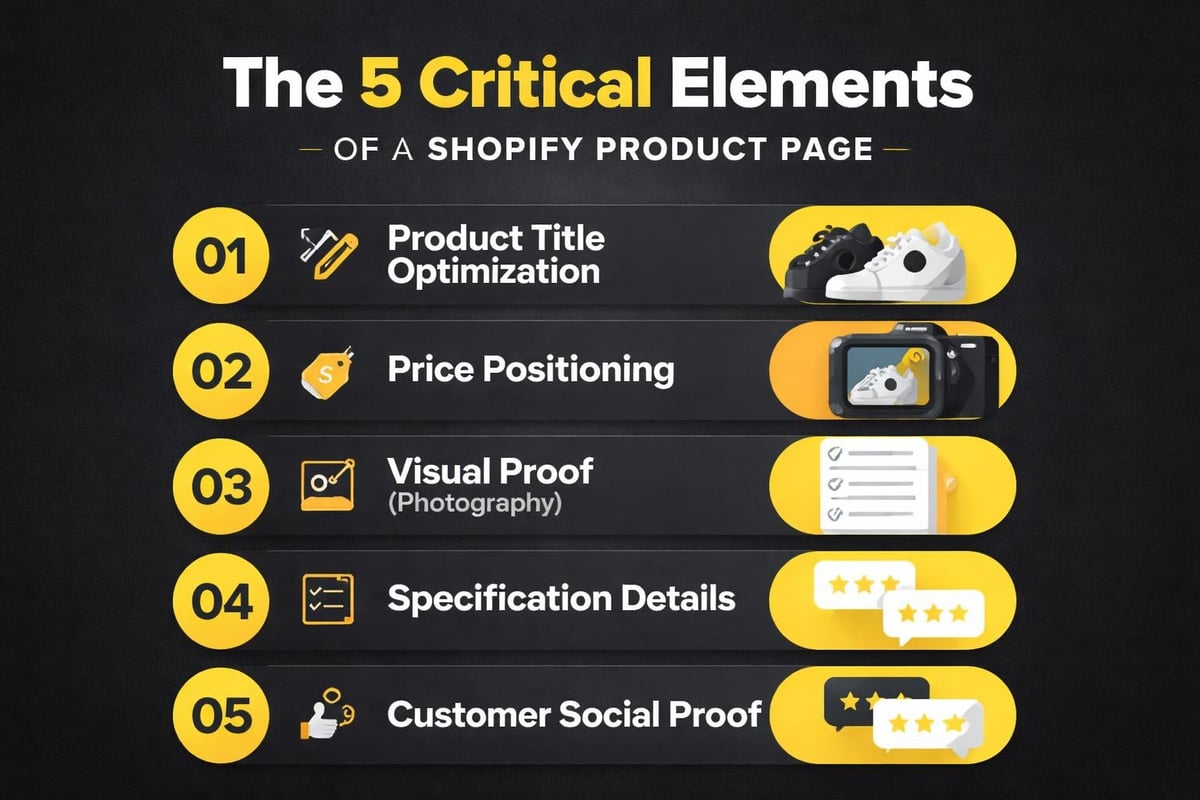
Product pages carry the conversion burden. Everything else on your site exists to get qualified visitors to these pages. Once they're here, five elements determine whether they add to cart or bounce:
Clear product title that matches how customers search. "Men's Leather Wallet" beats "The Executive Collection Billfold" for findability.
Price positioning shown immediately, with any bulk discounts or bundle offers visible. Hiding price creates friction, not curiosity.
Visual proof through photography that shows the product in use, not just isolated studio shots. Customers need to imagine ownership.
Specification details answering the practical questions: dimensions, materials, care instructions, shipping timeline.
Social proof from previous customers, ideally with photos and specific use cases rather than generic five-star ratings.
When you examine successful Shopify sites examples, these elements appear consistently, adapted to each product category but following the same psychological framework.
Technical Setup Without the Technical Headaches
Sites Shopify require configuration decisions that affect long-term operations.
You'll face these choices during setup: theme selection, app installation, payment gateway connection, shipping zone configuration, and tax calculation rules. Each decision has business implications beyond the technical checkboxes.
Theme Selection Reality
Shopify's theme store lists 180+ paid themes and 12 free options. The free themes work. They're not limited trial versions. Dawn, Shopify's flagship free theme, outperforms many paid alternatives on speed and conversion metrics.
Paid themes cost between $200-$400 and often include features you won't use. Before spending, list the specific functionality you need that the free theme doesn't provide. "It looks more professional" isn't a function, it's a subjective assessment that won't impact your conversion rate as much as proper product photography will.
App Strategy for New Stores
The Shopify App Store contains over 8,000 applications. Most new stores install 15-20 apps in the first month. This creates two problems: increased page load time and monthly recurring costs that compound quickly.
Essential apps for most Australian stores:
- Product review collection (Judge.me or Loox)
- Email marketing integration (Klaviyo or Omnisend)
- Inventory management for multi-channel selling
- Australian shipping integration (Sendle or Australia Post)
Additional apps should solve specific problems you've confirmed exist, not problems you think might exist eventually. Sites Shopify perform better with fewer, well-configured apps than dozens of unused installations slowing page load.
Design Principles That Work for Australian Businesses
Australian ecommerce has distinct characteristics that affect design decisions.
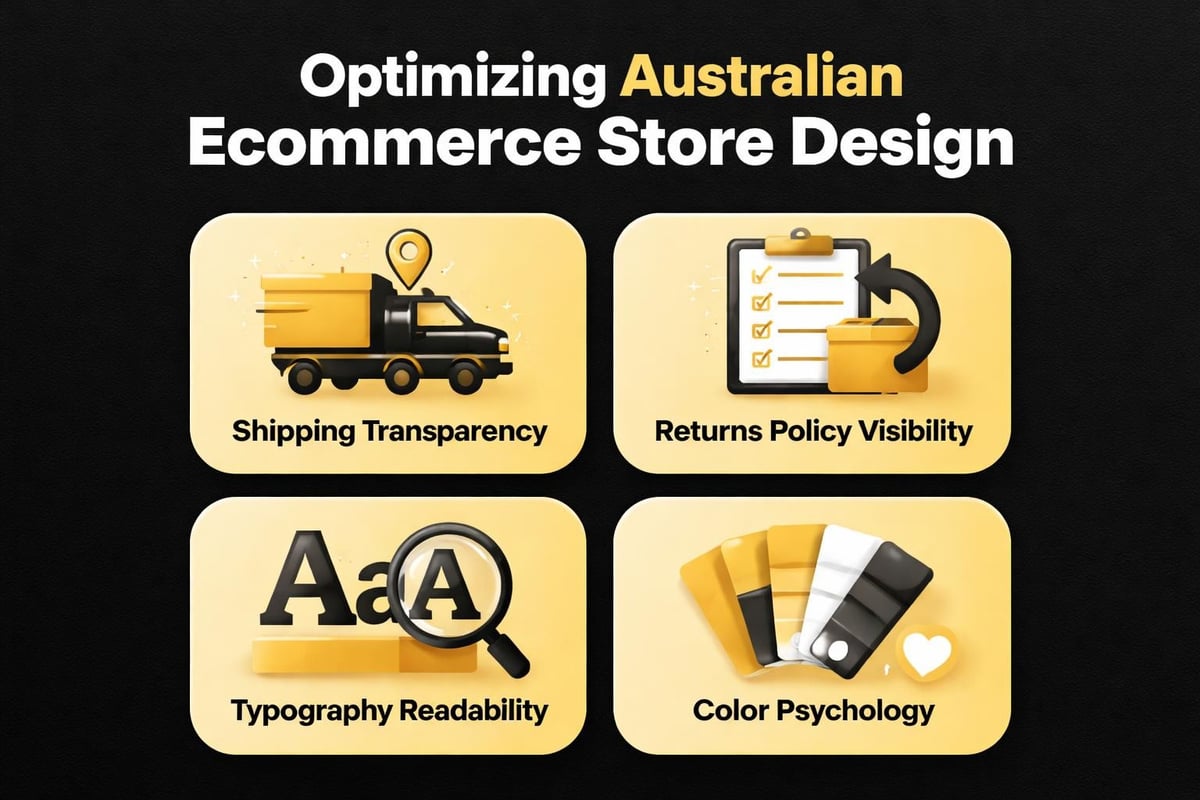
Customers expect clear shipping costs. Free shipping thresholds work, but hidden costs at checkout kill conversions. Sites Shopify need shipping strategy integration in the design phase, not added as an afterthought.
The Australian consumer protection framework means your returns policy, refund terms, and warranty information need prominence. This isn't just legal compliance, it's conversion optimization. Clear policies reduce purchase anxiety.
Typography and Readability
Your font choices impact reading comprehension and brand perception. Sites Shopify default to system fonts for performance reasons, but many stores switch to custom fonts without understanding the loading cost.
Website design best practices emphasize readability over novelty. Your product descriptions need 16px minimum font size for comfortable reading on mobile devices. Your headings need sufficient contrast ratios for accessibility compliance.
Script fonts and decorative typefaces have their place in logos and hero sections, but body copy requires clean, readable fonts that don't demand concentration to process.
Color Psychology in Ecommerce
Your color palette communicates before your copy does. Australian bushfire charity stores use earthy greens and browns to align with environmental positioning. Coastal fashion brands use blues and whites to evoke beach lifestyle. These aren't accidents.
Sites Shopify convert better when color choices align with customer expectations for the product category. Luxury goods need different palettes than budget alternatives. Your color strategy should reinforce your price positioning, not contradict it.
Content Strategy Beyond Product Listings
Sites Shopify need content that answers pre-purchase questions.
Your About page isn't autobiography, it's risk reduction. Customers want to know who they're buying from, especially for higher-value purchases. Australian shoppers show 34% higher trust in locally-owned businesses according to Australia Post eCommerce Industry Report 2025.
Critical content pages for new stores:
- About Us with clear Australian business credentials
- Shipping & Returns with timeline expectations and cost breakdown
- FAQ addressing your five most common customer service questions
- Contact page with multiple communication options
Blog content serves different purposes depending on your product category. Complex products need educational content. Simple consumables need lifestyle content. Sites Shopify that maintain relevant blogs see 55% more indexed pages and 97% more inbound links according to HubSpot research.
The key is relevance. A handmade soap store writing about "top 10 marketing strategies" creates content that doesn't serve their customer intent. That same store writing about ingredient sourcing or skin sensitivity serves both SEO and customer education.
Performance Optimization for Sites Shopify
Page speed directly impacts revenue. Google's research shows 53% of mobile visitors abandon sites that take longer than 3 seconds to load.
Sites Shopify have performance advantages built into the platform, but store owners can destroy those advantages through poor implementation. The common culprits: oversized images, excessive apps, unoptimized theme code, and embedded videos that autoplay.
Image Optimization Requirements
Product images should never exceed 2000 pixels on the longest edge. Most sites Shopify display products at 600-800 pixels maximum. Uploading 4000-pixel images creates unnecessary load time without improving visual quality.
Image optimization checklist:
- Compress images to under 200KB per file
- Use WebP format where supported
- Implement lazy loading for images below the fold
- Include descriptive alt text for SEO and accessibility
Your homepage hero image gets the most visibility but also the most scrutiny for load time. This single image shouldn't exceed 300KB. Anything larger sacrifices performance for marginal quality gains invisible to most visitors.
App Performance Impact
Each app adds JavaScript to your site. Sites Shopify can feel sluggish when 15+ apps all load scripts on every page. Before installing an app, check reviews specifically mentioning performance impact.
Better approach: install apps individually and test your site speed after each addition using Google PageSpeed Insights. Remove any app that drops your mobile score below 70. That feature isn't worth the conversion loss from slow load times.
SEO Fundamentals for Sites Shopify
Search visibility determines your organic traffic ceiling. Sites Shopify have solid technical SEO foundations, but content and structure decisions remain your responsibility.
On-Page SEO Essentials
Every product page needs a unique title tag under 60 characters. Your product name plus one modifier creates effective titles: "Leather Wallet Men's – RFID Blocking" beats "Product Page | Your Store Name."
Meta descriptions won't improve rankings but influence click-through rates from search results. Write 140-150 characters describing what makes this specific product valuable. Generic descriptions waste the opportunity.
Product descriptions need 150-300 words minimum for SEO value. This isn't arbitrary. Shorter content doesn't provide enough context for search engines to understand relevance. Longer descriptions risk redundancy that bores readers.
URL structure matters for sites Shopify because it affects how search engines categorize pages. The URL path /products/leather-wallet-rfid indicates clear product hierarchy. The URL /products/p1247983 provides no contextual information.
Technical SEO Considerations
Sites Shopify automatically generate XML sitemaps and robots.txt files. These technical elements work out of the box. Your focus needs to be on internal linking strategy and site architecture.
Collection pages should link to relevant product pages. Product pages should link to related collections and complementary products. This internal linking structure helps search engines understand relationships between content while improving user navigation.
For Australian businesses targeting local search, add location modifiers to key pages. "Brisbane" or "Sydney" in your About page and contact information helps Google associate your store with geographic relevance.
Launch Checklist for Sites Shopify
Pre-launch testing prevents post-launch embarrassment. Sites Shopify allow you to preview everything before removing the password protection, but most store owners rush this phase.
Test every transaction path:
- Add product to cart as guest
- Complete checkout with test payment
- Receive order confirmation email
- Check order appears in admin dashboard
- Process test refund to confirm payment gateway connection
Your email notifications deserve specific attention. The default Shopify templates work but don't reinforce your brand. Customize at minimum your order confirmation, shipping confirmation, and refund notification emails.
Mobile testing requires real devices, not just browser resize tools. Borrow phones from friends if needed. iPhone and Android devices render identically in most cases, but occasional layout issues appear on specific devices.
Pre-Launch Performance Audit
Run these tools before launching sites Shopify to the public:
| Tool | Purpose | Target Score |
|---|---|---|
| Google PageSpeed Insights | Mobile and desktop load speed | 70+ mobile, 90+ desktop |
| GTmetrix | Detailed performance metrics | Grade B or higher |
| Broken Link Checker | Find 404 errors before customers do | Zero broken links |
The Shopify web design guide suggests a soft launch period where you invite a small group to test before full public announcement. This approach catches issues your internal testing missed.
Post-Launch Optimization Approach
Sites Shopify aren't static creations. They require ongoing optimization based on actual customer behavior, not assumptions.
Install Google Analytics 4 and Shopify's built-in analytics on day one. These tools show you which products get viewed, which pages cause abandonment, and where traffic originates. Without this data, you're optimizing blind.
Analyzing Customer Behavior
Heatmap tools like Hotjar or Microsoft Clarity show where visitors click, how far they scroll, and where they abandon forms. This visual data often contradicts what you assumed about user behavior.
Sites Shopify that implement changes based on behavior data convert 2-3x better than stores that guess at improvements. The data might show visitors never scroll to your detailed product specifications, suggesting they need to move higher on the page. Or it might reveal visitors repeatedly clicking non-clickable elements, indicating confusion about navigation.
A/B Testing Framework
Change one element at a time and measure results. Sites Shopify convert differently based on subtle changes: button color, headline wording, image selection, trust badge placement.
Run tests for minimum two weeks to account for weekly traffic patterns. Weekend visitors often behave differently than weekday visitors. Australian sites see traffic shifts during school holidays and public holidays that skew short-term data.
For small businesses launching their first Shopify store, the Done-for-you Shopify Builds package covers everything needed to launch within four weeks with clarity and strategic direction, removing the guesswork from these technical decisions.
Common Mistakes That Damage Sites Shopify
Experience reveals patterns. These mistakes appear repeatedly across new Shopify stores from Australian businesses.
Overcomplicating navigation with nested menus five levels deep. Your customers shouldn't need a site map to find products. If you can't organize your catalog into 5-7 main categories, your problem isn't navigation structure, it's product strategy.
Ignoring mobile checkout experience. Desktop checkout might flow smoothly, but mobile checkout involves different interaction patterns. Forms need larger input fields. Buttons need bigger touch targets. Auto-complete needs to work correctly for Australian addresses.
Installing every recommended app. Apps solve problems, but they also introduce complexity, cost, and performance overhead. Sites Shopify perform better with strategic app selection based on confirmed needs.
Generic product photography. Stock photos or manufacturer-provided images don't differentiate your store. Customers can find those same images on 20 competitor sites. Investment in original photography pays dividends in conversion rate and brand perception.
Unclear value proposition. Sites Shopify need to answer immediately: what do you sell, who is it for, and why should I buy from you instead of alternatives? If a first-time visitor can't answer these questions in 5 seconds, your messaging needs work.
Pricing Psychology Errors
Australian consumers compare prices across multiple sites before purchasing. Sites Shopify that hide total costs until checkout see 68% cart abandonment rates compared to 40% for transparent pricing.
Show shipping costs early. If you can't offer free shipping, at least show the calculation before cart. Surprise costs kill conversions faster than higher base prices with transparent delivery fees.
Bundle pricing and volume discounts need clear communication. "Buy 2, save 15%" works better than complex tiered pricing tables that require calculation to understand the discount structure.
Scaling Sites Shopify as Your Business Grows
Growth creates new technical requirements. Sites Shopify scale effectively, but the platform changes needed at different revenue levels follow predictable patterns.
Revenue Stage Thresholds
$0-$5K monthly revenue: Focus on core functionality. Basic theme, essential apps only, manual order fulfillment, simple email marketing.
$5K-$20K monthly revenue: Add automation for abandoned cart recovery, implement product review collection, upgrade email marketing to segmented campaigns, consider shipping software integration.
$20K-$50K monthly revenue: Invest in custom theme modifications, implement advanced analytics, add inventory management system, hire specialized Shopify developers for specific functionality.
$50K+ monthly revenue: Consider Shopify Plus for advanced features, implement enterprise apps for automation, develop custom integrations for operational efficiency.
These thresholds aren't rigid rules. A business selling high-value items might need advanced features at lower revenue than a business selling low-cost consumables. The pattern remains: add complexity only when current capabilities limit growth.
When to Upgrade Your Theme
Sites Shopify outgrow their initial theme design for two reasons: brand evolution and functionality limitations.
Brand evolution happens as you clarify positioning and visual identity. Your initial theme choice might have been "close enough" for launch. After 12 months of customer feedback and market positioning, you understand your brand better. Theme update reflects this clarity.
Functionality limitations appear when you want to add features your current theme doesn't support well. Before buying a new theme for one feature, check if an app provides that functionality. Theme switching affects more than you expect: URL structures, SEO performance, conversion rates all fluctuate during transition.
Future-Proofing Your Shopify Site Strategy
Sites Shopify need to adapt to changing ecommerce trends without constant rebuilding. The platform handles most technical evolution automatically through updates, but strategic decisions require business owner input.
Emerging trends affecting Australian ecommerce in 2026:
- Voice commerce through smart speakers
- Social commerce integration beyond basic Facebook/Instagram shops
- Subscription models for traditionally one-time purchase products
- Sustainability credentials as purchase criteria
- Augmented reality product visualization
Not every trend deserves immediate implementation. Sites Shopify that chase every innovation waste resources on features customers don't value. The test: does this trend solve a problem your specific customers have expressed, or is it industry hype?
Voice commerce matters if your products suit voice ordering: consumables, replenishment items, simple SKU structures. Complex products requiring visual assessment don't convert through voice channels regardless of implementation quality.
Social commerce integration matters if your audience actively shops on those platforms. Instagram Shopping works for fashion and lifestyle products. LinkedIn Shopping doesn't exist because the platform behavior doesn't support purchase intent.
Platform Comparison: When Sites Shopify Make Sense
Shopify isn't the universal answer for every ecommerce business. Understanding when it fits prevents costly platform migrations later.
Shopify works best for:
- Physical product businesses with inventory under 10,000 SKUs
- Digital product sales requiring minimal customization
- Dropshipping operations needing inventory sync
- Subscription box businesses with recurring billing
- Multi-channel sellers integrating online and offline sales
Shopify struggles with:
- Highly customized B2B wholesale portals with complex pricing rules
- Marketplaces connecting multiple vendors (requires Shopify Plus or third-party apps)
- Content-heavy sites where blog functionality outweighs ecommerce
- Businesses requiring deep ERP/POS integration with legacy systems
WooCommerce offers more customization but requires technical maintenance. BigCommerce handles enterprise catalogs better but costs more for similar functionality. Wix and Squarespace suit simple stores but limit scaling options.
The decision framework: if you want to spend time on product development and marketing rather than platform maintenance, sites Shopify provide the best balance for Australian small businesses between capability and simplicity.
For help understanding how Shopify development specifically applies to your business model, explore the Shopify website resources that break down different approaches for different product types.
Sites Shopify give Australian small businesses the technical foundation to compete online without agency budgets or developer dependencies. The platform handles the infrastructure complexity while leaving strategic decisions where they belong: with the business owner who understands their customers and market positioning. If you're ready to launch a conversion-focused Shopify store without the guesswork or timeline uncertainty, Kida Digital specializes in getting Australian ecommerce businesses from concept to launch in four weeks with clear strategy and technical execution that prioritizes revenue over features.


Be the first to comment