
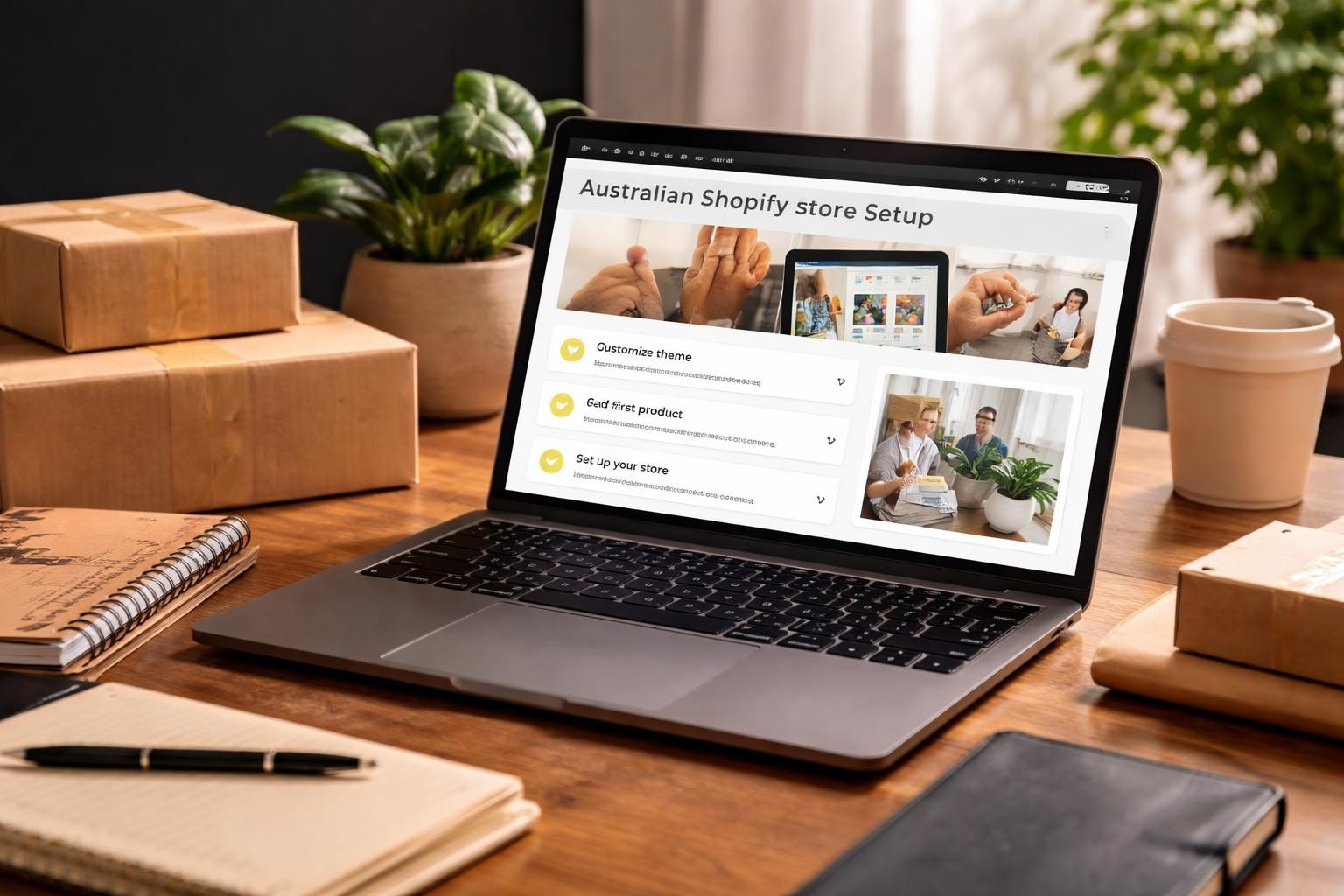
Starting an online store in Australia doesn't mean committing thousands of dollars before you've sold a single product. The Shopify trial gives you breathing room to test, build, and validate your store concept without the pressure of immediate financial commitment. For small Australian businesses weighing up platforms, understanding what you actually get during this trial period can be the difference between launching confidently or getting stuck in analysis paralysis.
What the Shopify Trial Actually Includes in 2026
The current Shopify free trial offer provides access to the full platform functionality for a limited period.
You're not getting a watered-down version. Every feature available on paid plans is accessible during your trial, including the admin dashboard, theme customisation, product uploads, and app integrations. This matters because you can build a genuinely functional store, not just kick the tyres.
The trial period includes:
- Full access to Shopify's theme library
- Unlimited product uploads
- Complete store customisation tools
- Integration with third-party apps
- Access to Shopify's support documentation
- Store analytics and reporting features
The catch that trips up most Australian business owners isn't hidden fees. It's time.

Your trial gives you enough runway to build, but the clock starts ticking the moment you sign up. According to TechRadar’s 2026 Shopify review, the platform's learning curve has flattened considerably, but expecting to launch a store in a weekend is still unrealistic for most business owners juggling day-to-day operations.
Setting Up Your Store During the Trial Window
The first 24 hours of your Shopify trial should focus on foundational decisions, not design tweaks.
Start by selecting your plan tier based on your actual business model. The Shopify pricing page outlines three main tiers, but during your trial, you're testing with access to higher-tier features that you'll need to maintain after launch.
Choose a store name that works both as a domain and a brand. Changing this later creates redirects and confusion.
Configure Your Store Settings First
Before touching themes or products, lock in your core settings.
Set your primary market to Australia and configure currency to AUD. This affects everything from tax calculations to payment gateway options. Shopify auto-detects location, but verify it matches your business registration.
Add your business address and ABN details in the store settings. These feed into invoices, shipping calculations, and tax documentation.
Essential settings to configure immediately:
- Store currency and timezone
- Tax settings for Australian GST
- Shipping zones and rates
- Payment provider preferences
- Checkout customisation options
Many Australian merchants skip the tax configuration during their trial, assuming they'll sort it later. This creates headaches when you're trying to launch because suddenly every product needs tax codes assigned.
The Hidden Value Features Most Trial Users Miss
Shopify's trial isn't just about building a storefront. The backend systems are where the real value lives for Australian eCommerce operators.
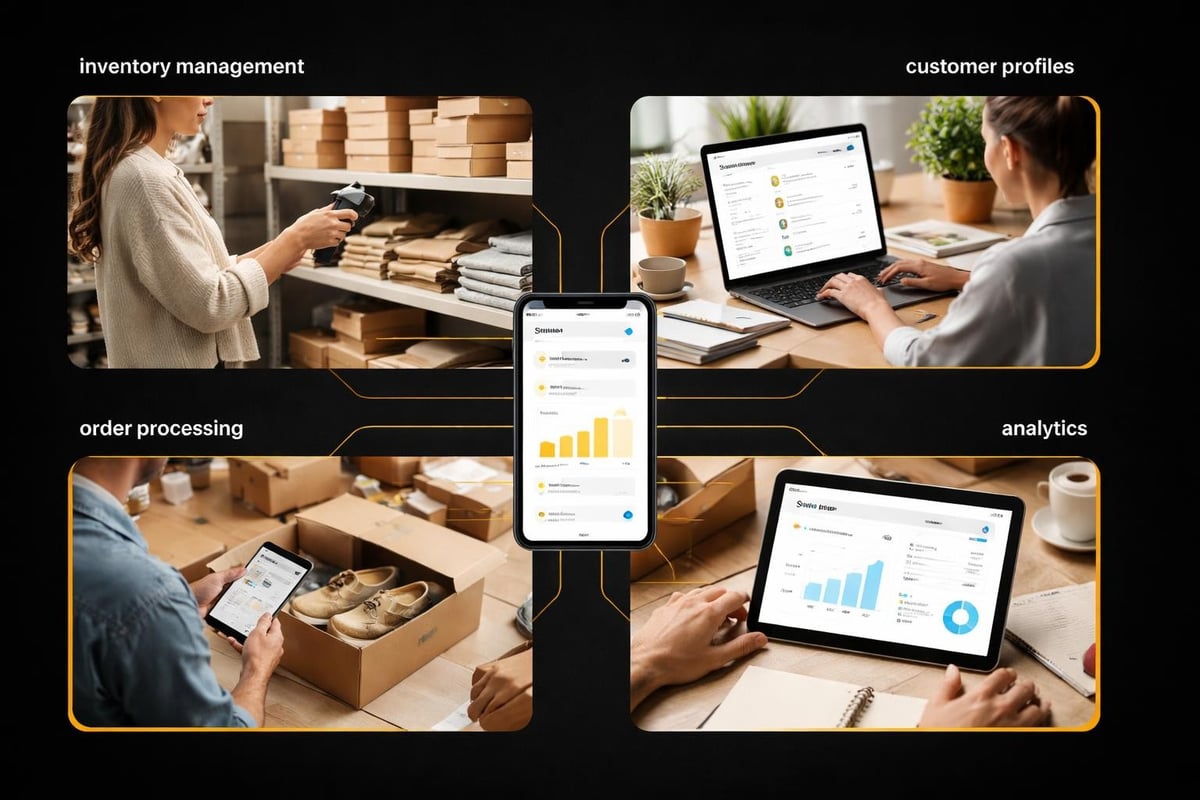
The inventory management system tracks stock across multiple locations. Even if you're shipping from your garage, setting this up during your trial prevents overselling and creates a scalable foundation.
Customer profiles automatically build as you add test orders. This seems trivial until you realise these profiles power email marketing, customer segmentation, and abandoned cart recovery once you're live.
Testing Payment Gateways Without Processing Real Money
One of the smartest ways to use your Shopify trial is testing the entire purchase journey using Shopify's test mode.
Enable Shopify Payments in test mode to process fake transactions. Walk through checkout as a customer would. You'll discover friction points that aren't obvious from the admin side.
Australian customers expect certain payment options. Cards are standard, but adding PayPal and potentially buy-now-pay-later services like Afterpay matters for conversion rates.
According to data from eCommerce platforms tracking Australian stores, checkout abandonment drops by roughly 18-23% when multiple payment options are available. Testing these during your trial means you launch with optimised checkout flow, not discovering problems after spending money on traffic.
Building Products and Collections Strategically
Product setup during your Shopify trial teaches you the platform's logic before you're under pressure to launch.
Create at least 10-15 products across multiple collections. This gives you enough variety to test navigation, filtering, and search functionality.
Product information to add during trial:
- High-quality product images (minimum 3 per product)
- Detailed descriptions focusing on benefits
- SKU codes and inventory tracking
- Product variants (size, colour, material)
- SEO-friendly URLs and meta descriptions
Don't waste trial time perfecting product descriptions for items you might not sell. Use placeholder content that's realistic enough to test layout and flow.
Collections organise your catalogue, but they also drive your site structure. Create collections based on how customers actually shop, not just how you categorise inventory internally.
An Australian homewares store might organise by room (kitchen, bedroom, bathroom) rather than by product type (textiles, ceramics, metal). Test both approaches during your trial to see which creates better product discovery.
Theme Selection and Customisation Without Overwhelm
Shopify's theme store contains hundreds of options. Paralysis sets in quickly.
During your trial, test maximum two themes thoroughly rather than sampling twenty superficially. Each theme has different customisation logic and requires time to understand.
Free themes like Dawn provide robust functionality for most small Australian stores. Paid themes offer additional features, but they're not mandatory for launch.
Focus your trial period on customising homepage layout, collection pages, and product templates. These three page types drive most conversion decisions.
| Theme Element | Priority Level | Trial Time Investment |
|---|---|---|
| Homepage hero section | High | 2-3 hours |
| Collection page layout | High | 2-3 hours |
| Product page template | High | 3-4 hours |
| Navigation menu | Medium | 1-2 hours |
| Footer content | Low | 1 hour |
| Blog layout | Low | 30 minutes |
The Shopify Community discussion on trial authenticity reveals common concerns about theme costs. Many merchants assume they need paid themes to look professional. The truth is that theme quality matters less than how well you customise it for your specific products and audience.
Apps and Integrations Worth Testing Early
The Shopify App Store contains thousands of add-ons. Most are unnecessary for launch.
During your trial, install only apps that solve specific problems you've identified in your store setup.
Start with review apps if you're selling products where social proof matters. Loox or Judge.me integrate easily and provide review collection immediately after purchase.
Email marketing apps like Klaviyo or Omnisend connect your store to automation sequences. Set these up during your trial so they're capturing email addresses from day one of launch.
Free vs Paid Apps During Your Trial
Many apps offer their own trial periods or free tiers. Stack these with your Shopify trial to test functionality before committing to monthly subscriptions.
Budget roughly $50-150 monthly for essential apps post-launch. This covers email marketing, reviews, and perhaps one specialised tool for your niche.
Avoid installing apps "just in case" you need them later. Each app adds code to your store, potentially slowing load times and complicating your admin dashboard.
The comprehensive guide from eCommerce Platforms notes that Australian merchants often over-install apps during their trial, creating technical debt before they've made their first sale.
Domain Connection and Brand Consistency
Your Shopify trial includes a myshopify.com subdomain. This works for testing but looks unprofessional for launch.
Purchase your primary domain through Shopify or connect an existing domain from another registrar. Either approach works, but buying through Shopify simplifies DNS management.
Australian businesses often hold .com.au domains separately. Connecting these to Shopify requires updating DNS records, which can take 24-48 hours to propagate.
Domain setup checklist:
- Purchase or connect primary domain
- Set up email forwarding for business addresses
- Configure SSL certificate (automatic with Shopify)
- Create consistent branding across domain and social profiles
- Test domain connection across devices
Start domain connection early in your trial period. Waiting until the last day means potentially launching on a myshopify.com URL if DNS propagation delays occur.
Shipping Configuration for Australian Markets
Shipping setup separates amateur stores from professional operations.
Create shipping zones for Australian metro areas, regional locations, and potentially international markets. Each zone needs specific rates based on your fulfilment approach.
Flat rate shipping simplifies customer decisions but might cost you margin on large orders. Weight-based shipping is fairer but requires accurate product weights for every item.
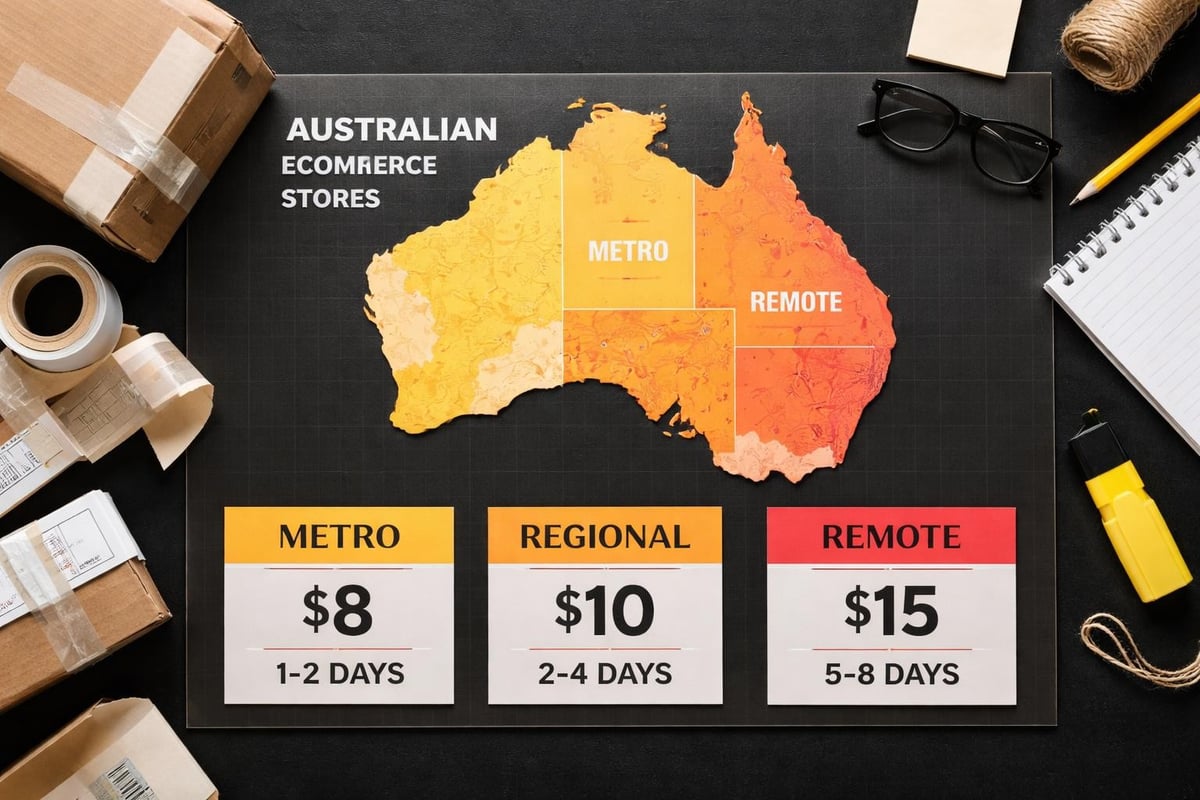
Australia Post integration through Shopify allows real-time calculated rates. This works brilliantly for accuracy but can surprise customers with high shipping costs on bulky items.
During your trial, process test orders to different postcodes. You'll discover whether your shipping logic makes sense before real customers encounter problems.
Making the Most of Support and Documentation
Shopify's help documentation is comprehensive but overwhelming when you're new.
The free Shopify store setup guide from Shopkeeper Tools walks through essential configuration steps specifically designed for trial users.
Use your trial period to test support responsiveness. Submit questions through live chat or email to gauge response times and quality.
Australian time zones sometimes create delays with US-based support teams. Knowing this before launch helps set realistic expectations for problem resolution.
Learning Resources Worth Your Trial Time
Shopify Academy offers free courses covering everything from photography to Facebook ads.
Focus on courses directly related to store setup during your trial. Marketing courses can wait until you're live and have actual traffic to optimise.
The detailed guide from Demand Sage includes a launch checklist specifically designed for new Shopify merchants, breaking down the trial period into manageable daily tasks.
Join Australian Shopify Facebook groups or forums. Real merchant experiences often provide more practical guidance than official documentation.
Pre-Launch Testing and Quality Assurance
The final days of your Shopify trial should focus entirely on testing.
Process test orders from start to finish. Add products to cart, proceed through checkout, complete payment in test mode, and review the confirmation emails.
Test on mobile devices, not just desktop. Over 60% of Australian eCommerce traffic comes from mobile, making mobile experience non-negotiable.
Pre-launch testing checklist:
- Complete test purchase on desktop
- Complete test purchase on mobile
- Review all automated email templates
- Test contact form submissions
- Verify shipping calculations across postcodes
- Check page load speeds
- Review mobile navigation functionality
- Test search functionality with various keywords
Broken links, slow loading images, or confusing navigation kill conversions immediately. Finding these issues during your trial costs nothing. Discovering them after spending money on advertising costs customers and revenue.
Transitioning from Trial to Paid Subscription
As your Shopify trial ends, you'll need to select a paid plan to keep your store accessible.
The Basic plan suits most small Australian stores starting out. You can always upgrade as transaction volumes increase.
Your trial work isn't lost when converting to paid. Everything you've built remains exactly as configured.
Time your plan selection strategically. If you're not quite ready to launch, let the trial expire and restart when you have time to focus. Your store goes dormant but doesn't delete.
For small Australian eCommerce businesses ready to launch properly without the trial period pressure, Kida Digital’s done-for-you Shopify builds handle the complete setup process within four weeks, covering everything from theme customisation to app integration and launch preparation.
What Happens After Your Trial Expires
If you don't select a plan, your store becomes password-protected but remains accessible to you as admin.
All your products, settings, and customisation stay intact for potential reactivation. Shopify doesn't delete stores immediately after trial expiration.
You can reactive any time by selecting a paid plan. This makes the trial genuinely risk-free for testing whether Shopify suits your business model.
Common Trial Extension Mistakes
Shopify occasionally offers extended trials or special pricing. These appear as banners in your admin or through email.
Don't rely on extensions appearing. Build your store assuming the standard trial period is all you get.
Some Australian merchants create multiple trial accounts to extend their free testing period. This violates Shopify's terms and creates fragmented work across multiple admin dashboards.
Planning Beyond Your Trial Period
Your Shopify trial teaches you the platform mechanics. Actual eCommerce success requires ongoing optimisation after launch.
Track which trial tasks took longer than expected. These indicate areas where you might need support or training post-launch.
Budget for monthly expenses beyond your Shopify subscription. Apps, payment processing fees, and potential theme purchases add to operational costs.
The trial period shows you what's possible. Launch strategy determines what's profitable.
Most Australian stores don't need every feature Shopify offers. They need the right features configured correctly for their specific products and customers.
The Shopify trial gives you everything needed to build a functional store, but time pressure often means launching with gaps or skipping crucial setup steps. If you're a small Australian business wanting to launch properly without the trial period stress or DIY overwhelm, Kida Digital handles the complete Shopify build process in four weeks, ensuring nothing gets missed and you launch with conversion-focused foundations in place from day one.


Be the first to comment