

Your small business needs a website. Not next quarter. Not when things get quieter. Now. In 2026, your website is your most hardworking sales tool, working while you sleep, answering questions before they're asked, and turning browsers into buyers. But here's what nobody tells you: building a website for small business isn't about finding the perfect platform or the fanciest features. It's about understanding what your specific business needs, matching that to a realistic budget, and actually getting it done. This guide cuts through the noise.
Why Every Small Business Needs a Website in 2026
The statistics don't lie. 81% of Australians research businesses online before making a purchase decision. If you don't have a website, you simply don't exist to these buyers.
Your competitors already know this. They're capturing leads while you're explaining your business over the phone for the hundredth time.
A website for small business creates legitimacy. It positions you as a real player in your market, not someone operating from their kitchen table (even if you are). Customers trust businesses with professional websites. They assume you're established, reliable, and serious about what you do.
The return speaks for itself. Small businesses with websites generate 2.8 times more revenue growth than those without, according to 2025 data from Deloitte. That's not marginal. That's transformational.
Your website works 24/7. It answers questions. It showcases your products. It collects leads. It processes orders. All without you lifting a finger.
Choosing the Right Platform for Your Small Business
Platform choice matters more than most business owners realize. Pick wrong, and you'll spend months wrestling with limitations or paying developers to work around basic functionality.
TechRadar’s recent evaluation of the best small business website builders highlights seven strong options in 2026, each suited to different business models.
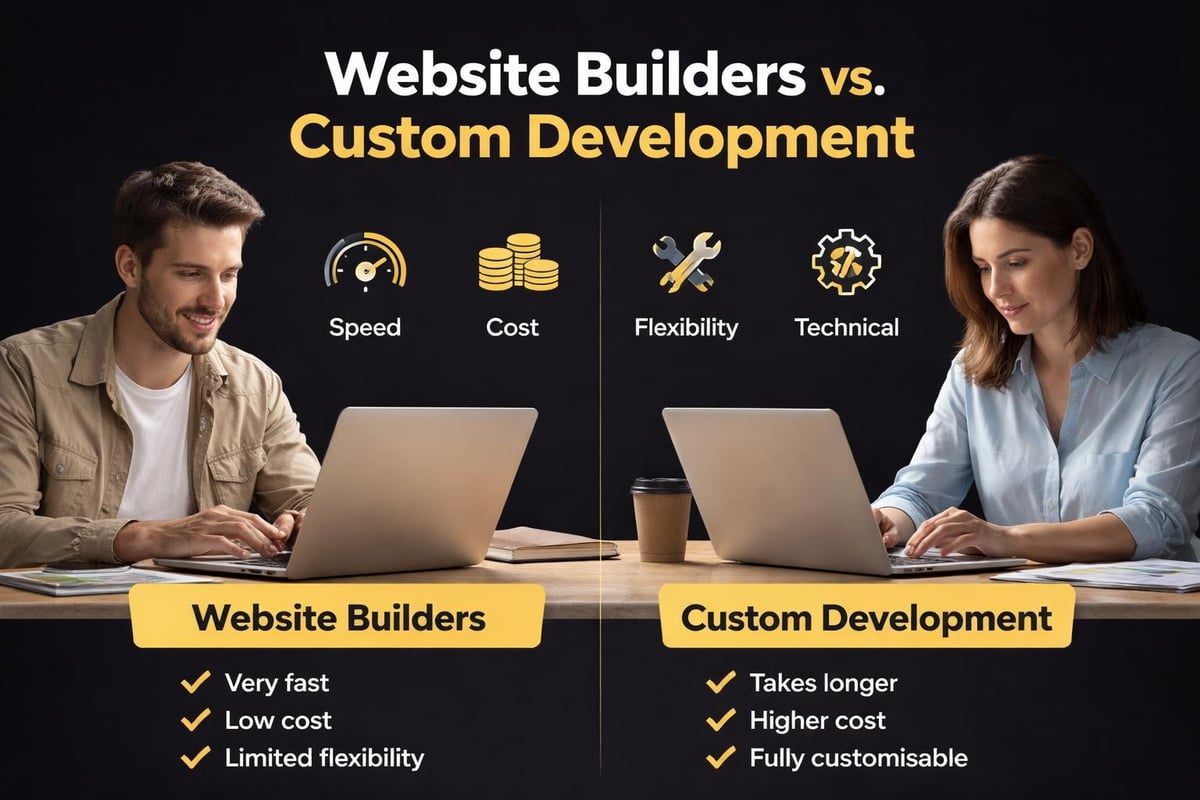
Website Builders vs Custom Development
Website builders like Wix, Squarespace, and Shopify offer templates and drag-and-drop functionality. They're faster to launch and cheaper upfront. Custom development gives you complete control but costs significantly more and takes longer.
For most small Australian businesses, a quality platform beats custom development. You don't need bespoke code. You need a website that converts visitors into customers.
Consider these factors:
- Your technical comfort level with technology
- Monthly budget for hosting and platform fees
- Type of business (eCommerce, service-based, local)
- Growth plans over the next 12-24 months
- Integration needs with existing tools
Shopify dominates eCommerce for good reason. It handles product management, payments, inventory, and shipping without requiring technical knowledge. Square and Wix work well for service businesses. WordPress with WooCommerce gives maximum flexibility but demands more ongoing maintenance.
Platform Costs in 2026
Budget clarity matters from day one. Platform fees vary significantly, and the advertised price rarely includes everything you'll actually need.
| Platform | Starting Price | Mid-Tier Price | Transaction Fees |
|---|---|---|---|
| Shopify | $39/month | $105/month | 0.5-2% |
| Wix | $27/month | $49/month | Variable |
| Squarespace | $25/month | $49/month | 3% |
| WordPress | $15/month | $45/month | Via plugins |
These prices don't include domain registration, email hosting, premium themes, or essential apps. Plan for an additional $30-100 monthly for a properly functioning site.
Essential Features Your Website Must Have
Not all features matter equally. Some are non-negotiable. Others are nice-to-have distractions that slow down your launch.
Mobile responsiveness isn't optional. 67% of Australian online shopping happens on mobile devices in 2026. If your site doesn't work perfectly on phones, you're losing the majority of potential customers.
Core features every small business website needs:
- Clear contact information above the fold
- Fast loading speeds (under 3 seconds)
- SSL certificate for security
- Simple navigation with logical structure
- Strong calls-to-action on every page
- Search functionality for product-based sites
Business.com’s recent website design tips emphasize the importance of scrollable homepages and strategic white space. These aren't aesthetic choices. They directly impact how long visitors stay and whether they convert.
Payment processing deserves special attention for eCommerce businesses. Customers abandon carts when checkout feels complicated or untrustworthy. Offer multiple payment options including cards, digital wallets, and buy-now-pay-later services like Afterpay.
The Homepage Formula That Converts
Your homepage has one job: guide visitors to their next action. Not impress them with clever design. Not overwhelm them with every product you sell.
Start with a clear headline that states exactly what you do and who you serve. Follow with a subheadline that addresses your customer's main problem or desire. Include a prominent call-to-action button within the first screen.
Mailchimp’s design resources highlight how effective white space improves readability and guides attention. Cramming everything above the fold creates confusion, not clarity.
Real example: A Brisbane-based coffee roaster increased conversions 34% by simplifying their homepage from eight sections to three: hero image with "Shop Fresh Beans" button, featured products, and customer testimonials.
Design Principles That Build Trust
Design isn't about looking pretty. It's about creating an experience that makes buying easy and builds confidence in your business.
Consistency across every page signals professionalism. Use the same fonts, colors, and button styles throughout your site. Inconsistency triggers subconscious doubt about your legitimacy.
Trust signals to include:
- Customer reviews and testimonials with names and photos
- Security badges near checkout or contact forms
- Clear return and shipping policies
- About page with real photos of your team
- Professional product photography (not stock images)
White space gives content room to breathe. The Allen Chamber of Commerce notes that cluttered websites increase bounce rates by forcing visitors to work too hard to find what they need.
Typography matters more than most realize. Stick to two fonts maximum. Use a clear sans-serif for body text and maintain sufficient size (16px minimum). Fancy script fonts might look elegant but destroy readability on mobile devices.

Color Psychology for Small Business
Color choices influence how customers perceive your brand and products. Blue communicates trust and stability. Green suggests health and sustainability. Red creates urgency and excitement.
Your color palette should align with your industry and target customer. A yoga studio using aggressive red and black sends confused signals. A clearance furniture store benefits from urgent red accents.
Contrast ensures readability. Light text on light backgrounds frustrates users and kills conversions. Test your color combinations for accessibility using free online tools.
SEO Basics You Can't Ignore
A beautiful website for small business means nothing if customers can't find it. Search engine optimization determines whether you appear on page one or page ten of Google results.
Start with keyword research. Identify the exact phrases your customers type when searching for businesses like yours. Tools like Google Keyword Planner, Ubersuggest, and AnswerThePublic reveal search volumes and competition levels.
Each page needs a unique title tag and meta description. These appear in search results and significantly impact click-through rates. Include your target keyword naturally, but write for humans, not robots.
On-page SEO checklist:
- Include target keywords in headings and first paragraph
- Add descriptive alt text to all images
- Use internal links to connect related content
- Keep URLs short and keyword-focused
- Optimize image file sizes for faster loading
For deeper strategies on converting visitors once they arrive, SEO optimization for Shopify product pages provides a comprehensive framework applicable to any eCommerce platform.
Local businesses must claim and optimize their Google Business Profile. This free listing appears in local search results and Google Maps. Complete every section, add photos, and actively collect customer reviews.
Content That Actually Converts Visitors
Your website content needs to do more than describe your products or services. It needs to answer questions, overcome objections, and guide visitors toward purchase decisions.
Write like you speak. Corporate jargon creates distance between you and potential customers. Conversational language builds connection and trust. Read your content aloud. If it sounds stiff or unnatural, rewrite it.
Every product or service page should answer:
- What specific problem does this solve?
- Who is this best suited for?
- What makes this different from alternatives?
- What results can customers expect?
- What happens next if they buy?
Case study: A Melbourne-based skincare brand rewrote product descriptions to focus on customer results rather than ingredient lists. Conversion rate increased 28% within two weeks.
Calls-to-action need clarity and urgency. "Buy Now" and "Get Started" work better than "Learn More" or "Click Here." Specific CTAs like "Shop Bestsellers" or "Book Your Free Consultation" perform even stronger by removing ambiguity.
Getting Your Website Built: Three Paths Forward
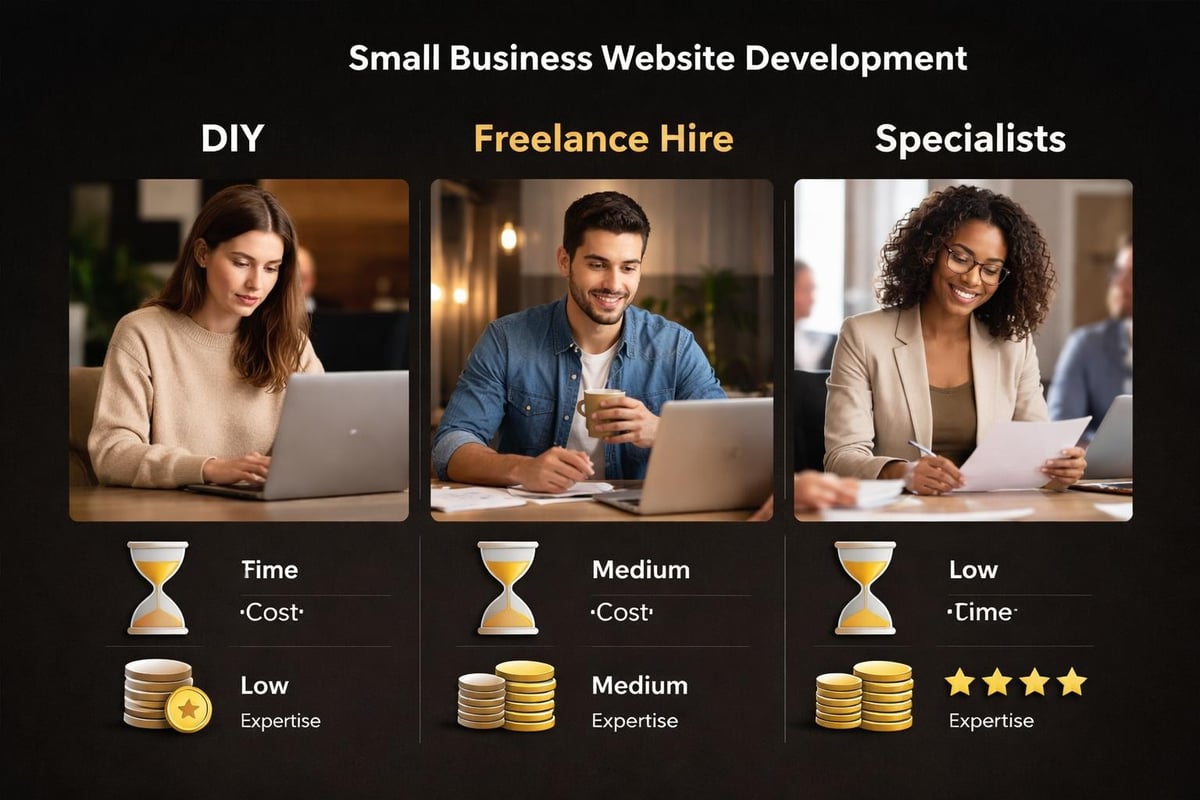
You have three options for building a website for small business in 2026. Each has distinct tradeoffs in cost, time, and quality.
DIY Using Website Builders
Platforms like Wix and Squarespace make DIY builds achievable for non-technical owners. You'll spend $0-500 upfront plus monthly platform fees.
Time investment runs 20-60 hours depending on complexity. You'll learn the platform, design pages, write content, add products, and configure settings.
The real cost isn't money. It's opportunity cost. Those 40 hours could be spent selling, fulfilling orders, or developing products. DIY works best for very simple sites or owners who genuinely enjoy the building process.
Hiring Freelancers
Freelance developers on platforms like Upwork or Fiverr charge $500-3,000 for small business websites. Quality varies dramatically. Some deliver professional results. Others disappear mid-project or produce unusable work.
Vet freelancers carefully. Review portfolios. Read past client feedback. Request detailed proposals. Expect to stay heavily involved in content creation, feedback, and revisions.
Communication challenges amplify when working with overseas freelancers across different time zones. Budget extra time for back-and-forth clarifications.
Working With Agencies or Specialists
Traditional agencies charge $5,000-15,000 for small business websites. These prices reflect overhead, account management, and multi-person teams.
For eCommerce specifically, understanding why agencies charge premium rates helps you evaluate whether that investment makes sense for your business stage.
Specialist Shopify developers offer a middle path. They focus exclusively on eCommerce builds, delivering faster timelines and lower costs than full-service agencies. For Australian eCommerce businesses launching their first online store, done-for-you Shopify builds provide everything needed to launch within four weeks without agency bloat or DIY overwhelm.
Maintenance and Long-Term Management
Launching your website isn't the finish line. It's the starting point. Ongoing maintenance keeps your site secure, fast, and effective.
Platform updates happen monthly. Most builders handle these automatically, but custom WordPress sites require manual updates to themes and plugins. Skipping updates creates security vulnerabilities and compatibility issues.
Monthly maintenance tasks:
- Check for broken links and fix them
- Review analytics for traffic and behavior patterns
- Update content based on seasonal offers or inventory
- Test forms and checkout processes
- Backup your entire site
Content updates should happen weekly at minimum. Fresh content signals to search engines that your site is active and relevant. This doesn't mean rewriting everything. Add blog posts, update product descriptions, rotate homepage images, or feature new customer reviews.
Security monitoring prevents disasters. Enable two-factor authentication on your admin account. Use strong, unique passwords. Install security plugins if using WordPress. Monitor for unusual login attempts or traffic spikes.
Performance optimization improves both search rankings and conversion rates. Google penalizes slow sites. Customers abandon pages that take more than three seconds to load. Compress images, minimize unnecessary plugins, and use caching tools to maintain speed.
Common Mistakes That Kill Small Business Websites
Most website failures follow predictable patterns. Knowing these pitfalls helps you avoid them.
Overcomplicating navigation confuses visitors and kills conversions. If customers can't find what they need in three clicks, they'll leave. Keep your menu structure simple with 5-7 main categories maximum.
Missing or hidden contact information signals unprofessionalism. Put your phone number, email, and business address in your website header or footer on every page. Make it easy for customers to reach you.
Mistakes to avoid:
- Auto-playing videos or music
- Popup forms that appear within 5 seconds of arrival
- Tiny text that's unreadable on mobile
- Stock photos that look obviously fake
- No clear next steps for visitors
Ignoring mobile users costs sales. Test your site on actual phones, not just desktop browser previews. Buttons need to be large enough to tap with a thumb. Text needs to be readable without zooming. Forms should be simple to complete on small screens.
Trying to compete with Amazon on features overwhelms small business sites. You don't need advanced filtering, comparison tools, or AI chatbots. You need clear products, simple checkout, and trustworthy presentation.
Analytics: Measuring What Matters
Installing Google Analytics is free and essential. It reveals exactly how visitors find and use your website for small business.
Track these core metrics weekly:
- Traffic sources – Where visitors come from
- Bounce rate – Percentage who leave after one page
- Average session duration – How long people stay
- Conversion rate – Percentage who complete desired actions
- Top pages – Which content attracts the most views
Bounce rates above 70% signal problems with content, design, or targeting. If visitors leave immediately, either they didn't find what they expected or your page failed to engage them.
Conversion tracking shows which traffic sources actually generate sales or leads. You might get lots of social media traffic that never converts, while Google organic search delivers fewer visitors but higher purchase rates. This data shapes where you invest marketing effort.
Heatmap tools like Hotjar reveal exactly where visitors click, scroll, and get stuck. This visual data exposes navigation problems and design weaknesses that pure numbers miss.
Making Your Website Work Harder
Your website should be your hardest-working marketing tool. Most small businesses launch and forget, leaving massive revenue on the table.
Email capture transforms one-time visitors into ongoing relationships. Offer something valuable in exchange for email addresses: discount codes, free guides, exclusive content. Build your list, then nurture it with regular valuable emails.
Lead generation tactics:
- Exit-intent popups for abandoning visitors
- Content upgrades on popular blog posts
- Quiz or assessment tools that require email
- Free consultation or audit offers
- Early access to new products or sales
Customer reviews and testimonials increase conversions by 18-34% according to 2025 research. Actively request reviews from happy customers. Feature them prominently on product pages and your homepage.
Retargeting pixels track visitors and show them ads after they leave. This keeps your business top-of-mind and brings people back to complete purchases. Facebook, Google, and TikTok all offer retargeting options starting at just a few dollars daily.
Speed optimization pays dividends. Every one-second delay in page load time reduces conversions by 7%. Compress images before uploading. Choose fast hosting. Minimize unnecessary scripts and plugins. Use Google PageSpeed Insights to identify specific improvements.
For businesses exploring the fundamentals of online selling, understanding website eCommerce basics provides context on how digital storefronts function differently than physical retail.
When to Upgrade or Rebuild
Not every website needs to last forever. Technology evolves. Your business grows. Customer expectations shift.
Consider rebuilding when your site is more than three years old. Design trends change fast. A site built in 2022 likely looks dated in 2026. More importantly, older sites often lack modern functionality like mobile optimization or fast checkout.
Platform limitations force upgrades. You might outgrow a basic Wix site when you need advanced inventory management. Service businesses sometimes pivot to selling products and need eCommerce functionality.
Signs you've outgrown your current site:
- You're regularly hiring developers to work around limitations
- Mobile experience is poor despite being "responsive"
- Loading speeds consistently exceed three seconds
- Conversion rates lag significantly behind industry standards
- Adding new features requires unreasonable cost or time
Rebrands demand website updates. Your website must reflect current brand positioning, not outdated messaging or visual identity. Misalignment creates customer confusion.
Redesigns work better as strategic projects than piecemeal updates. Changing one page at a time creates inconsistency and extends timeline unnecessarily. Plan properly, execute completely, launch confidently.
Building a website for small business in 2026 comes down to making smart choices about platforms, design, and functionality while avoiding perfectionism paralysis. Your site needs to work, convert visitors, and serve your business goals without requiring constant attention or breaking your budget. If you're launching an Australian eCommerce business and want a conversion-focused Shopify store built properly from the start without agency costs or DIY stress, Kida Digital delivers everything you need to launch in four weeks with clarity and momentum.


Be the first to comment