
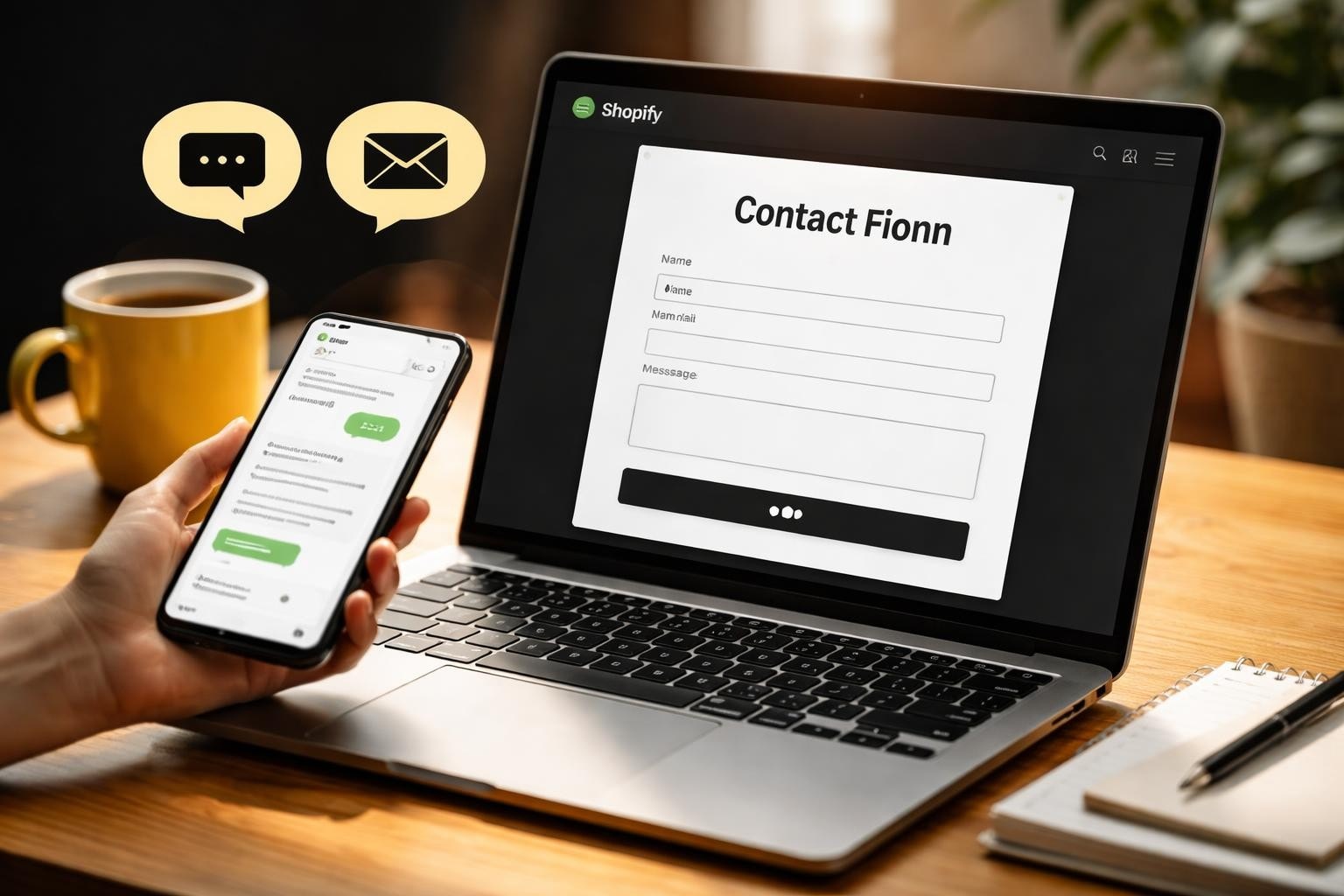
Getting your Shopify contact strategy right isn't just about having an email address on your website. It's about creating systems that let customers reach you easily while you maintain control of your workload. For small Australian eCommerce businesses, every customer inquiry is an opportunity to build trust, resolve issues, and convert browsers into buyers. Yet many store owners struggle with scattered messages across platforms, slow response times, and missed opportunities. The way you handle Shopify contact can make or break your customer experience.
Why Your Shopify Contact Setup Matters More Than You Think
Most new store owners underestimate how much customer communication impacts revenue.
A 2025 study found that 73% of online shoppers consider customer service quality when making purchase decisions. Your Shopify contact setup directly influences whether someone completes a checkout or abandons their cart. When customers can't easily reach you with pre-purchase questions, they simply move to a competitor who responds faster.
Response time matters more than you'd expect. Customers expect replies within hours, not days. Every delayed response is potential revenue walking out the door. According to best practices outlined by ecommerce experts, responding within one hour can increase conversion rates by up to 40% compared to waiting 24 hours.
Your contact options also signal credibility. A professional Shopify store with multiple contact methods looks established and trustworthy. A store with only a generic contact form feels risky. This perception gap directly affects cart abandonment rates, especially for first-time visitors.

Essential Shopify Contact Methods You Should Implement
Your store needs multiple contact channels to meet different customer preferences.
Email Contact Forms
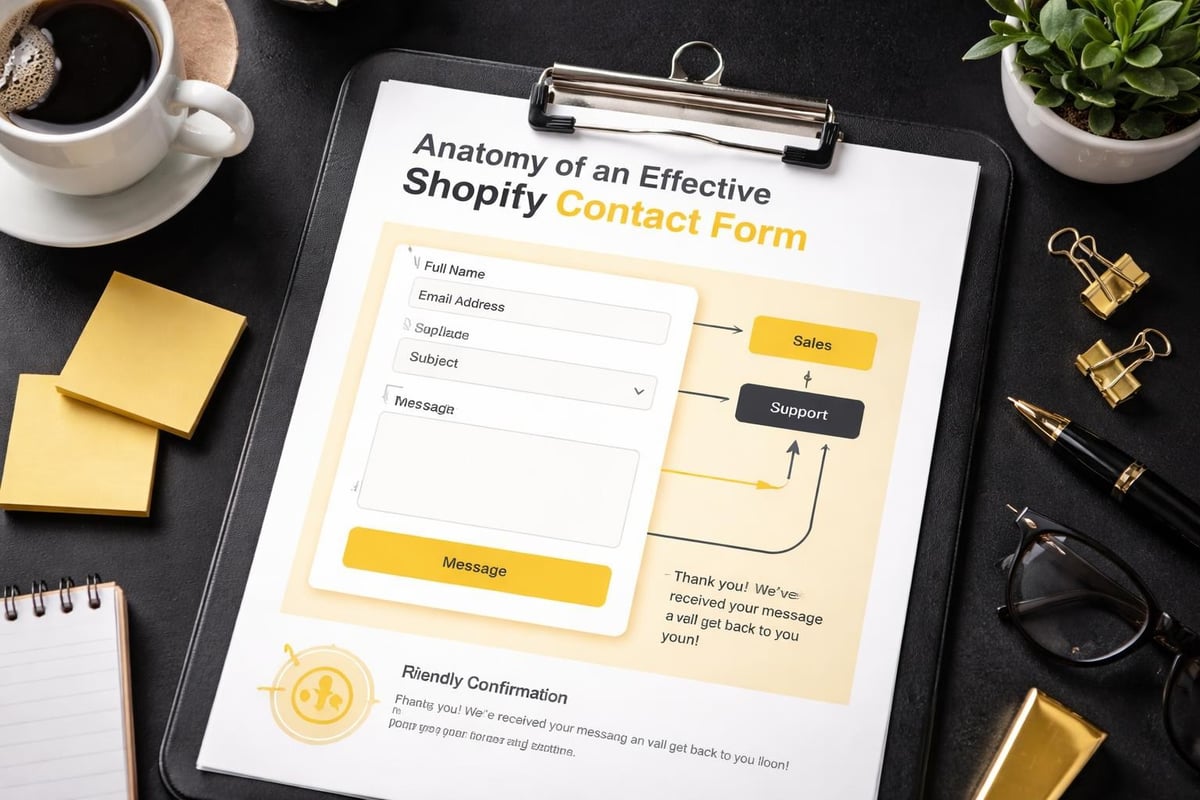
The foundation of any Shopify contact strategy starts with email. Most themes include a basic contact form, but the default setup often lacks the customisation needed for proper customer service. You'll want to route different inquiry types to specific inboxes or team members.
Key email contact form features:
- Custom fields for order numbers and inquiry categories
- Automatic confirmation emails to customers
- Integration with your customer service platform
- Mobile-responsive design for on-the-go inquiries
Many Australian businesses prefer keeping email as their primary channel because it creates documentation trails and allows for thoughtful responses. When implementing your Shopify store infrastructure, ensure your contact forms collect enough information to provide useful responses without creating friction.
Live Chat Integration
Live chat has become standard for serious eCommerce stores. Customers browsing products often have quick questions that determine whether they purchase. Chat enables real-time answers during these crucial moments.
In 2026, over 60% of online shoppers expect live chat options on eCommerce websites. The challenge for small businesses lies in providing chat without being glued to your computer 24/7. Consider these approaches:
- Scheduled chat hours during peak shopping times
- Chatbots handling common questions with human handoff
- Integration with mobile apps for on-the-go responses
- Clear offline messaging when chat isn't available
The right chat solution depends on your resources and customer volume. Shopify’s own guidance on improving customer service emphasises matching your support channels to your operational capacity rather than overcommitting.
Phone Support Considerations
Phone contact divides eCommerce businesses. Some swear by it, others avoid it entirely.
For Australian small businesses, phone support can differentiate you from overseas competitors. Local customers appreciate speaking with someone in their timezone who understands Australian payment methods and shipping expectations. However, phone support demands more resources than email or chat.
If you choose to offer phone support, be strategic. Display your number prominently for high-value customers or complex issues while directing routine inquiries to other channels. Many successful stores use phone as a premium support option rather than the default Shopify contact method.
Setting Up Your Shopify Contact Page Properly
Your contact page serves as the central hub for customer communication.
Most Shopify themes include a basic contact template, but customisation separates professional stores from amateur operations. Your contact page should accomplish three goals: make contacting you effortless, set clear expectations, and reduce unnecessary inquiries through smart information design.
Contact Page Structure
Start with multiple contact options presented clearly. Don't bury your email under paragraphs of text. Present it upfront with other methods:
| Contact Method | Best For | Response Time |
|---|---|---|
| Live Chat | Product questions, quick inquiries | Immediate during business hours |
| Order issues, detailed questions | Within 24 hours | |
| Phone | Complex problems, urgent matters | Mon-Fri 9am-5pm AEST |
This table format sets expectations and helps customers choose the right channel. It also reduces frustration from using the wrong method for their needs.
Include your business hours in AEST or the relevant Australian timezone. International customers appreciate knowing when to expect responses. If you're a solo operator, honesty about response times builds more trust than overpromising and underdelivering.
FAQ Integration
The smartest Shopify contact pages reduce inquiry volume through strategic FAQ sections. Position common questions above your contact form. Many customers will find their answers without needing to contact you at all.
High-value FAQ topics for eCommerce:
- Shipping timeframes and costs for Australian addresses
- Return and exchange policies
- Product sizing and specifications
- Payment methods accepted
- Order tracking procedures
Each answered question is time saved responding to repetitive inquiries. Review your inbox quarterly to identify new FAQ candidates. Agencies like Futur Media often build custom FAQ sections that integrate with contact forms, routing remaining questions more efficiently.
Automating Shopify Contact Management Without Losing the Personal Touch
Automation doesn't mean robotic responses. It means working smarter with limited time.
Small Australian businesses can't afford dedicated customer service teams, but customers still expect prompt, helpful responses. The solution lies in strategic automation that handles routine tasks while preserving personal communication where it matters.
Auto-Responder Setup
Immediate acknowledgment makes customers feel heard even when you can't provide instant answers. Configure auto-responders for your Shopify contact email that:
- Confirm receipt of the inquiry
- State expected response timeframes
- Provide order tracking links if relevant
- Direct urgent matters to alternative contact methods
These automated emails buy you time while managing expectations. Customers who know you'll respond within 24 hours are less likely to send duplicate messages or leave negative reviews about "no response."
Inquiry Categorisation Systems
Manual sorting wastes valuable time. Set up filters or tags that automatically categorise incoming Shopify contact messages:
- Pre-purchase questions → Sales inbox for quick, conversion-focused responses
- Order status inquiries → Automated tracking link responses
- Returns and complaints → Priority queue for personal attention
- Partnership requests → Low-priority folder for batch processing
This categorisation system, whether through email filters or customer service apps, ensures important messages get immediate attention while routine inquiries follow efficient workflows.
Integrating Customer Service Apps with Your Shopify Contact System
Native Shopify features cover basics, but dedicated apps enhance efficiency.
The Shopify App Store offers dozens of customer service solutions. The right choice depends on your inquiry volume, team size, and preferred workflows. For most small Australian businesses, the sweet spot lies between free email management and expensive enterprise platforms.
Popular Shopify contact app categories:
- Help desk platforms that centralise all channels
- Live chat tools with automated and manual modes
- FAQ and knowledge base builders
- Review and feedback collection systems
Research from comprehensive Shopify platform reviews shows that stores implementing dedicated customer service apps see average response time improvements of 65% compared to using email alone. However, don't over-complicate your stack. Start simple and add complexity as your volume justifies it.
When evaluating apps, prioritise those with Australian server locations or fast load times for AU customers. Interface speed matters when customers are trying to reach you with urgent questions. For comprehensive Shopify builds, selecting the right customer service foundation prevents expensive migrations later.
Handling Different Types of Shopify Contact Inquiries
Not all customer messages deserve equal treatment. Prioritisation separates efficient stores from overwhelmed ones.
Pre-Purchase Questions
These inquiries have the highest conversion potential. Someone asking about product compatibility or shipping options is actively considering a purchase. Respond fast, be helpful, and remove obstacles.
Template responses work for common questions, but personalise where possible. Reference the specific product they asked about. Include relevant details about Australian shipping or sizing if applicable.
Speed matters most here. Even a brief "I'll get you full details within an hour" acknowledgment keeps the customer engaged while you gather information.
Order Status Inquiries
These represent the bulk of most Shopify contact volume. Customers want tracking updates, delivery estimates, or confirmation their order processed correctly.
Automation handles most of these. Shopify's built-in order notification emails should already provide tracking information, but many customers either miss these emails or want reassurance. Having solid Shopify support systems in place helps manage this volume without drowning in repetitive responses.
Efficient order status handling:
- Automated tracking link emails triggered by keywords
- Self-service order tracking pages
- Proactive updates before customers need to ask
- Clear timeframe expectations in confirmation emails
Returns and Complaints
These require personal attention and careful handling. Automated responses to complaints damage customer relationships. Even if your return policy clearly covers the situation, acknowledge the frustration and respond thoughtfully.
The framework outlined in Shopify’s customer care guide emphasises empathy first, solution second. Australian consumer law provides strong protections, so ensure your responses align with ACCC requirements rather than trying to avoid legitimate return requests.
Mobile Optimisation for Shopify Contact
Over 70% of Australian eCommerce traffic comes from mobile devices in 2026. Your Shopify contact methods must work flawlessly on phones.
Test your contact form on multiple devices. Fields that work fine on desktop often create frustration on mobile. Large tap targets, minimal required fields, and auto-fill compatibility make the difference between completed contact forms and abandoned attempts.
Phone number fields should trigger numeric keyboards. Email fields should offer appropriate autocomplete suggestions. These small details significantly impact completion rates.
Live chat interfaces need particular attention on mobile. Popup chat windows that cover product images or checkout buttons create awful user experiences. Choose chat solutions designed for mobile-first interaction patterns.
Response Time Expectations and Reality
Australian customers expect faster responses than most international markets. This creates pressure for small business owners managing everything themselves.
Industry benchmarks suggest responding to customer inquiries within one business day maintains acceptable service levels. However, research on eCommerce customer service best practices shows that responding within four hours increases customer satisfaction scores by 50% compared to 24-hour responses.
The solution isn't working around the clock. It's setting realistic expectations and exceeding them consistently. If you can genuinely respond within 24 hours, promise 48 hours. Under-promising and over-delivering builds trust more effectively than missing aggressive targets.
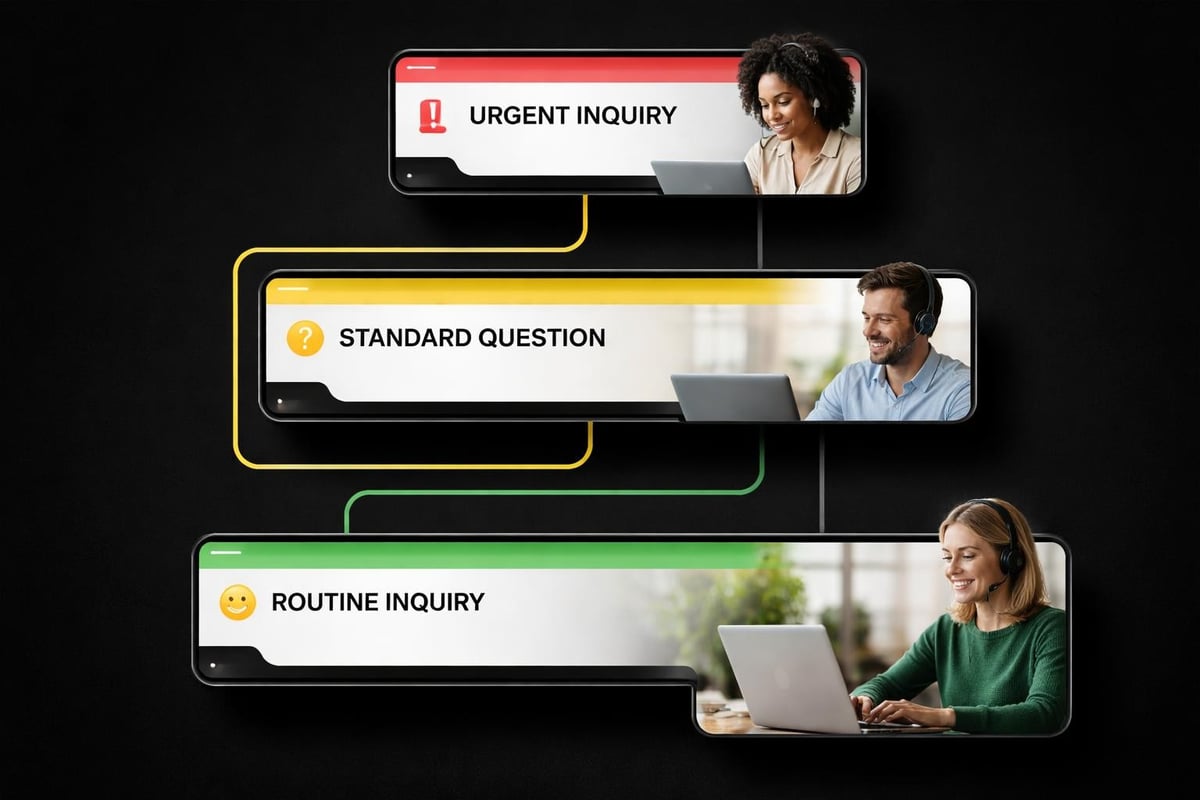
Realistic response time tiers:
- Urgent (payment issues, order problems): Within 4 hours during business days
- Standard (pre-purchase questions): Within 12 hours during business days
- Routine (general inquiries): Within 24 hours during business days
- Low priority (partnership requests): Within 72 hours
Communicate these tiers clearly on your Shopify contact page and in auto-responder emails. Customers appreciate transparency more than unrealistic promises.
Measuring Your Shopify Contact Performance
You can't improve what you don't measure. Track these key metrics monthly:
- Average response time from initial inquiry to first reply
- Resolution time from initial inquiry to problem solved
- Customer satisfaction through follow-up surveys or feedback
- Inquiry volume by type, channel, and time period
- Conversion rate for pre-purchase inquiries
These metrics reveal patterns. If Thursday afternoons consistently show slow response times, you know where to focus improvement efforts. If email inquiries convert better than chat, you can adjust resource allocation.
Simple spreadsheet tracking works for most small businesses. Record inquiry date, type, response time, and outcome. Monthly reviews identify trends without requiring expensive analytics platforms.
Common Shopify Contact Mistakes to Avoid
Learning from others' mistakes saves time and customer relationships.
Generic email addresses like info@yourstore.com feel impersonal. Use names where possible: hello@yourstore.com.au or support@yourstore.com.au signal real people behind the business.
Overcomplicating contact forms with unnecessary fields reduces completion rates. Only ask for information you genuinely need to respond effectively.
Ignoring mobile experience alienates most of your potential customers. Test everything on phones, not just desktop browsers.
Inconsistent response times create uncertainty. Better to be consistently slower than unreliably fast.
Defensive responses to complaints escalate situations unnecessarily. Even when customers are wrong, empathetic communication maintains relationships.
No follow-up after resolving issues misses opportunities to convert frustrated customers into loyal advocates. A simple "Did this solve your problem?" email makes a difference.
For comprehensive guidance on avoiding common pitfalls when building your Shopify infrastructure, focusing on customer communication foundations prevents expensive fixes later.
Privacy and Data Protection for Customer Contact
Australian businesses must comply with Privacy Act requirements when handling customer information through Shopify contact channels.
Every contact form collects personal data. Your privacy policy must clearly explain how you collect, store, and use this information. Include specific mentions of contact form data, not just purchase information.
Essential privacy practices:
- Secure storage of customer communications
- Clear opt-in for marketing communications separate from support
- Data retention policies for old inquiries
- Staff access controls if you have team members
- Transparent privacy policy linked from contact forms
Don't store more customer data than necessary. If someone asks a simple product question, you don't need to keep detailed records indefinitely. Sensible data minimisation reduces both storage costs and compliance complexity.
Scaling Your Shopify Contact System as You Grow
Today's solo operation becomes tomorrow's growing team. Build systems that scale.
Start simple but choose platforms that grow with you. An email-based system works fine at 10 inquiries weekly. At 100 weekly inquiries, you'll need help desk software. Plan for this transition from the beginning.
Consider these growth indicators:
| Inquiry Volume (Weekly) | Recommended Setup | Average Response Time |
|---|---|---|
| 1-25 | Email + basic auto-responders | Under 12 hours |
| 25-100 | Help desk app + saved responses | Under 6 hours |
| 100-500 | Dedicated customer service person | Under 2 hours |
| 500+ | Customer service team + shifts | Under 1 hour |
These thresholds guide decisions about when to invest in better tools or additional team members. Growing beyond your system's capacity damages customer experience more than maintaining slightly slower responses with reliable systems.
Documentation becomes critical as you scale. Create response templates, escalation procedures, and training materials before you hire help. Having solid operational foundations prevents chaos during growth phases.
Integrating Shopify Contact with Your Overall Customer Experience
Contact management doesn't exist in isolation. It connects to every other aspect of your store.
Product pages with comprehensive information reduce pre-purchase contact volume. Clear shipping policies prevent delivery-related inquiries. Detailed size charts minimise return requests.
Your Shopify contact strategy should complement these preventive measures rather than compensating for poor information architecture. Review your most common inquiries quarterly and update your store content to address them proactively.
Strategic content additions that reduce contact volume:
- Video demonstrations for complex products
- Detailed FAQ sections on category pages
- Sizing guides with actual measurements in centimetres
- Australian shipping cost calculators
- Real customer photos showing products in use
Each well-answered question on your site is one less inquiry consuming your time. Methods outlined by experts on reaching Shopify stores emphasise that the best customer service prevents problems before they require contact.
Getting your Shopify contact approach right takes thoughtful planning but pays dividends through better customer relationships and reduced support burden. Start with the essentials, measure what matters, and scale deliberately as your business grows. If you're launching a new Australian eCommerce store and want customer communication systems built properly from day one, Kida Digital specialises in conversion-led Shopify development that includes all the operational foundations small businesses need. We build complete stores in four weeks with clear systems for managing customer contact efficiently.


Be the first to comment