
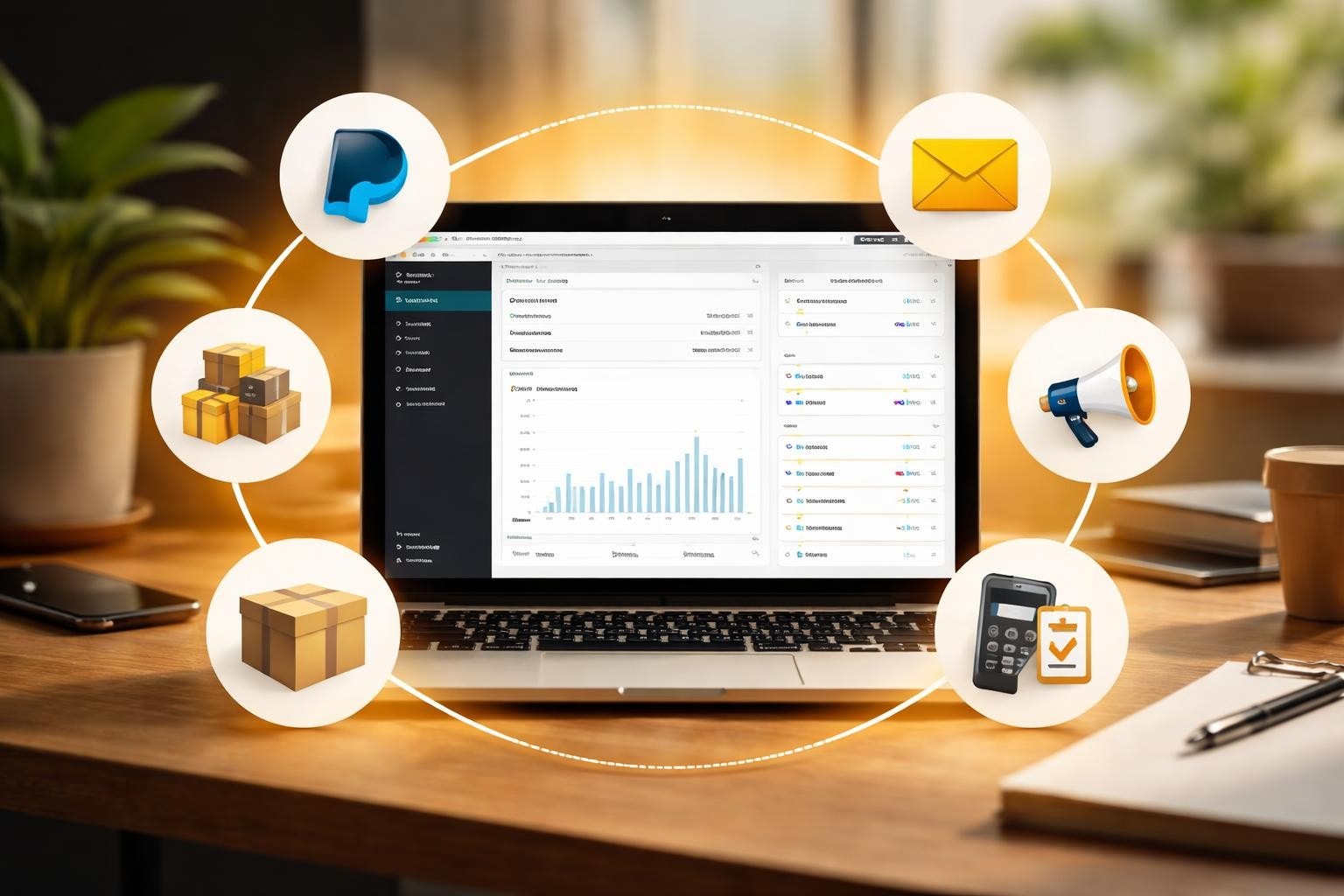
Running a Shopify store in 2026 means competing in a landscape where seamless customer experiences aren't optional. Integration with Shopify platforms and tools determines whether you're manually copying orders into spreadsheets at midnight or watching your systems talk to each other while you sleep. For small Australian businesses launching online stores, understanding how these integrations work and which ones actually matter is the difference between growth and chaos.
Why Integration with Shopify Matters for Australian eCommerce
Your store doesn't exist in a vacuum.
It needs to talk to your accounting software, your email platform, your shipping provider, and your payment gateway. Without proper integration with Shopify systems, you're creating work that shouldn't exist. According to industry data, merchants spend an average of 12 hours per week on manual data entry that could be automated through proper integrations.
The real cost isn't just time.
Manual processes introduce errors. A mistyped order number means a customer receives the wrong product. A forgotten inventory update means you sell something that's out of stock. These mistakes erode trust faster than any discount can rebuild it.
Australian businesses face unique integration challenges that international guides often miss. GST calculations, AU-specific payment processors, local shipping carriers, and regional compliance requirements all need to work together. Your integration strategy needs to account for these realities from day one.
The Foundation: Understanding Shopify's Integration Architecture
Shopify built its platform around extensibility.
The Shopify GraphQL Admin API gives developers programmatic access to nearly every aspect of your store. Products, orders, customers, inventory, and shipping data can all be read, created, updated, or deleted through structured API calls. This architecture is what makes integration with Shopify possible at scale.
For custom storefronts or headless commerce setups, the Storefront API enables developers to build unique shopping experiences while maintaining Shopify's backend reliability. This separation of presentation and logic lets you create branded experiences without rebuilding core commerce functionality.
Most merchants won't touch these APIs directly.
Instead, you'll use pre-built apps from the Shopify App Store that handle the technical complexity for you. But understanding that these integrations work through standardized APIs explains why some apps can share data seamlessly while others create isolated silos.

Critical Integrations Every Shopify Store Needs
Start with the foundations before adding complexity.
These core integrations form the baseline functionality that makes your store actually operational. Without them, you're either doing everything manually or creating fragmented customer experiences that hurt conversion rates.
Payment Processing Integration
Your payment gateway is the most critical integration with Shopify you'll configure.
Shopify Payments simplifies this for Australian merchants by eliminating third-party transaction fees and integrating directly with your admin. It supports all major card networks, Apple Pay, Google Pay, and Shop Pay. The approval rates for Australian cards sit around 87% with Shopify Payments, compared to 82-84% for some third-party gateways.
If you need alternatives, PayPal remains popular for checkout abandonment recovery through its pay-later options. Afterpay and Zip integration lets you offer buy-now-pay-later without carrying the risk yourself. Each adds roughly 0.5-1.2% to your conversion rate among customers who prefer these payment methods.
The technical integration happens through Shopify's payment provider API, which standardizes how these services communicate checkout totals, process payments, and handle refunds.
Shipping and Fulfillment Systems
Australia Post, Sendle, and Aramex all offer Shopify integrations that pull order data directly from your store.
Real-time shipping rate calculations at checkout reduce cart abandonment by eliminating surprise costs on the final page. Automated label generation saves 15-20 minutes per order compared to manual creation. Tracking numbers sync automatically to customer accounts and trigger notification emails without your involvement.
Third-party logistics providers (3PLs) integrate through similar mechanisms. When an order is placed, your 3PL receives the order details, picks and packs the items, generates the shipping label, and updates your Shopify inventory levels. This entire chain runs without you touching it.
Inventory Management Tools
Growing beyond 100 SKUs makes spreadsheet inventory management unsustainable.
Dedicated inventory systems like Cin7 or Unleashed integrate with Shopify to sync stock levels across multiple sales channels. When you sell a product on your Shopify store, eBay, Amazon, and in-store POS systems all update simultaneously. This prevents overselling and the customer service nightmares that follow.
For smaller operations, Shopify's native inventory tracking handles single-location businesses adequately. The integration challenge emerges when you add warehouses, retail locations, or marketplace selling to your model.
Marketing and Customer Data Integration
Your customer data is your most valuable asset.
How you integrate that data across marketing platforms determines your return on advertising spend and customer lifetime value. Fragmented data means fragmented understanding of what's actually working.
Email Marketing Platforms
Klaviyo dominates Australian Shopify stores for good reason.
The integration with Shopify syncs customer profiles, purchase history, browsing behavior, and product catalog data automatically. This depth enables segmentation that generic email platforms can't match. You can target customers who bought specific products, spent above certain thresholds, or haven't purchased in 90 days with relevant messaging.
The revenue impact is measurable. Stores with proper email integration typically generate 25-30% of total revenue through email campaigns and automated flows. Without integration, you're building email lists that know nothing about your customers' actual behavior.
Mailchimp offers similar integration at a lower price point for stores under 2,000 contacts. The trade-off is less sophisticated segmentation and fewer Shopify-specific automation templates.
Customer Relationship Management (CRM)
HubSpot's integration with Shopify turns transaction data into relationship insights.
When a customer makes their third purchase, your sales team can see the entire history before reaching out with personalized recommendations. Abandoned cart data flows into lead scoring models. High-value customers get tagged automatically for VIP treatment.
For B2B Shopify stores, CRM integration becomes non-negotiable. Your sales team needs context around corporate purchasing patterns, approval workflows, and account hierarchies that basic Shopify customer profiles don't capture.

Accounting and Financial Integration
Tax time reveals which businesses have proper accounting integration.
Xero and MYOB dominate the Australian small business accounting landscape, and both offer robust integration with Shopify. Orders sync automatically as sales invoices, payment gateway fees record as expenses, and reconciliation happens in minutes instead of days.
The GST calculation component is particularly critical for Australian merchants. Your integration needs to correctly categorize domestic sales, GST-free exports, and handle reverse charge scenarios for digital services. Manual accounting introduces errors that cost money during audits.
Sales tax reporting across Australian states and territories is straightforward, but adding international sales complicates matters quickly. Your integration should handle these variations without manual intervention for each order.
Multi-Currency and International Payment Handling
Shopify Markets simplified international selling, but integration complexity increased.
When you sell in AUD, USD, EUR, and GBP simultaneously, your accounting integration needs to record transactions in your reporting currency while maintaining the original sale currency. Exchange rate fluctuations create reconciliation headaches if your systems don't talk properly.
Wise (formerly TransferWise) integration helps Australian merchants receive international payments with lower conversion fees than traditional banks. The integration automatically creates payment records in Shopify when foreign currency payments settle in your account.
Analytics and Reporting Integration
Shopify's native analytics tell you what happened.
Integrated analytics platforms tell you why it happened and what to do next. The difference determines whether you're making data-informed decisions or guessing based on feelings.
Google Analytics 4 Integration
GA4 integration with Shopify tracks the complete customer journey from first click to repeat purchase.
You can see which traffic sources generate profitable customers, not just which get the most clicks. Attribution modeling shows whether your Facebook ads or Google Shopping campaigns actually drive sales. Checkout behavior analysis reveals exactly where customers abandon the purchase process.
The technical setup requires proper event tracking configuration. Improperly integrated GA4 gives you data, but not actionable insights. Enhanced eCommerce tracking needs to fire at specific checkout stages with correct product and revenue data.
Business Intelligence Platforms
Stores doing over $500,000 annually typically outgrow Shopify's reporting capabilities.
Power BI or Google Data Studio integration pulls Shopify data into unified dashboards alongside advertising spend, inventory costs, and customer service metrics. You can calculate true profit per product after accounting for all costs, not just revenue minus product cost.
The integration challenge is combining data sources with different update frequencies and formats. Your Shopify sales data updates in real-time, but your advertising costs might sync daily and your inventory costs monthly. Creating meaningful dashboards requires understanding these rhythms.
Building Custom Integrations for Specific Business Needs
Pre-built apps solve 80% of integration needs.
The remaining 20% requires custom development work that connects Shopify to internal systems, legacy databases, or proprietary tools. This is where understanding integration architecture becomes valuable, even if you're not writing the code yourself.
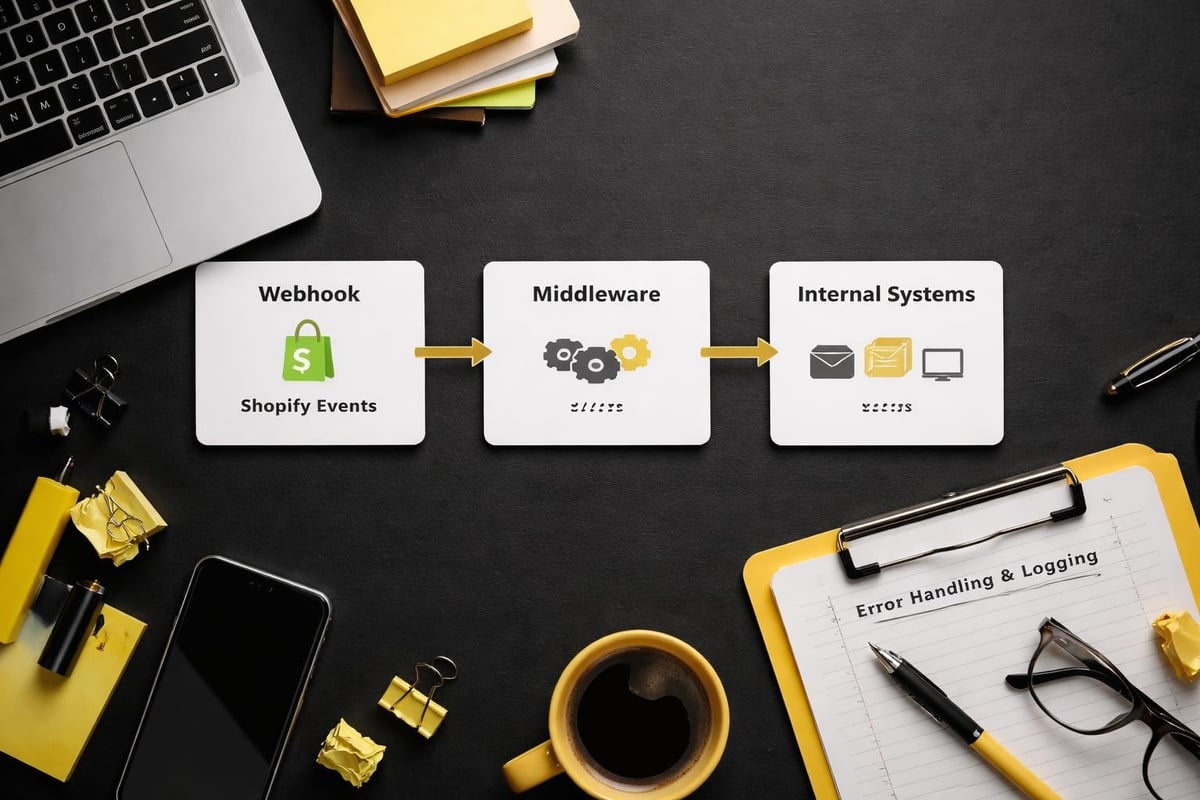
Custom integration with Shopify typically uses webhooks for real-time event triggering. When specific events happen (order created, product updated, customer registered), Shopify sends a notification to your custom system with the relevant data. Your system processes that data according to your business rules.
For Australian businesses in regulated industries, custom integrations often handle compliance requirements that generic apps can't address. Medical product sellers need integrations with TGA reporting systems. Food retailers need allergen tracking across their supply chain. These specialized needs require custom solutions built on Shopify's integration framework.
The app requirements checklist provides guidance for developers building these custom solutions, ensuring they follow security best practices and maintain data integrity.
Integration Planning for New Shopify Stores
Launching a Shopify store with a clear integration strategy prevents expensive retrofitting later.
Many Australian merchants start with minimal integrations to get live quickly, then spend months untangling data messes as they grow. Starting with the right foundation costs less than fixing problems later.
Prioritizing Integrations Based on Business Model
Physical product sellers need shipping and inventory integrations first.
Digital product sellers need email delivery and access management integrations.
Subscription businesses need recurring billing and customer portal integrations.
Your business model determines your integration priorities. Installing every popular app creates complexity without value. Focus on integrations that directly impact your customer experience or reduce manual work in your specific business model.
Data Hygiene and Integration Preparation
Clean data integrates smoothly.
Messy data creates compounding problems. Before connecting systems, audit your existing data for duplicates, formatting inconsistencies, and incomplete records. Customer addresses need consistent formatting for shipping integrations to work reliably. Product SKUs need standardization for inventory systems to track accurately.
The Shopify integrations guide from Mida emphasizes data preparation as the foundation for successful integration projects, particularly for stores migrating from other platforms.
Testing Integration Workflows Before Going Live
Every integration should be tested with real scenarios before processing customer orders.
Place test orders and verify they flow correctly to your accounting system. Process test refunds and confirm they sync properly. Update test inventory and watch the changes propagate across channels. These validation steps prevent customer-facing problems.
For stores launching through services like Kida Digital's Done-for-you Shopify Builds, integration testing happens before launch as part of the four-week build process. This ensures all systems communicate correctly from day one, eliminating the common chaos of launch week technical issues.
Integration Maintenance and Troubleshooting
Integrations break, and usually at inconvenient times.
API changes, app updates, and platform modifications create ongoing maintenance requirements. A working integration today isn't guaranteed to work next month without monitoring and occasional intervention.
Monitoring Integration Health
Set up monitoring for critical integrations.
If orders stop syncing to your fulfillment provider, you need to know within hours, not days. If inventory updates fail to propagate, you need alerts before you oversell. Many integration platforms include health monitoring dashboards that show sync status and error rates.
Regular audits (monthly for critical systems, quarterly for others) help catch issues before they impact customers. Compare order counts between Shopify and your accounting system. Verify inventory levels match across channels. Check that email subscribers align with customer counts.
Common Integration Issues and Solutions
API rate limits cause many integration failures.
Shopify restricts how many API calls apps can make per second to protect platform performance. Apps that don't respect these limits get temporarily blocked, causing sync delays. This particularly affects stores running multiple integrations simultaneously during peak periods.
Authentication expiration is another common culprit. Integration tokens expire for security reasons, requiring periodic reauthorization. If your accounting integration suddenly stops working after months of reliability, expired credentials are the likely cause.
Data format mismatches create silent failures where integrations appear to work but record incorrect information. A shipping integration that expects weight in kilograms but receives pounds will calculate wrong shipping costs without obvious errors. Periodic validation against known-good data catches these issues.
Future-Proofing Your Integration Strategy
Shopify's platform evolves continuously.
New APIs launch, old ones deprecate, and best practices shift as eCommerce matures. Building an integration strategy that adapts to these changes protects your long-term operational efficiency.
Headless Commerce and API-First Architecture
The trend toward headless commerce separates your storefront from your commerce engine.
This architecture relies entirely on API integration with Shopify, using it purely as a backend system while building custom frontend experiences. Australian fashion and lifestyle brands increasingly adopt this approach to create unique branded experiences while leveraging Shopify's reliable commerce infrastructure.
For most small businesses, headless architecture is overkill. But understanding this direction helps explain why Shopify invests heavily in API reliability and expansion. Your integrations benefit from improvements driven by enterprise headless implementations.
Multi-Channel Integration Complexity
Selling on Shopify, Amazon, eBay, Facebook, and Instagram creates integration complexity that multiplies with each channel.
Each platform has different data requirements, update frequencies, and limitation rules. Your central Shopify store needs integrations that can handle these variations without creating manual work reconciling differences.
Channel management apps like Sellbrite or Channable handle multi-channel integration complexity by becoming the central hub that connects to everything else. This hub-and-spoke model is often more stable than point-to-point integrations between every system.
International Expansion and Localization
Expanding beyond Australia introduces integration challenges around currency, language, tax, and compliance.
The managed markets optimization strategies from Shopify explain how to structure international operations. Your integration strategy needs to handle multiple tax jurisdictions, varied payment preferences, and different fulfillment networks while maintaining unified reporting.
For Australian businesses eyeing New Zealand first, the integration complexity is relatively low. Adding US or European markets requires more sophisticated handling of time zones, business hours, and regulatory requirements.
Choosing Integration Partners and Tools
The Shopify App Store contains thousands of integration apps.
Choosing the wrong ones costs money and creates technical debt. Selecting the right ones accelerates growth and reduces operational friction.
Evaluating Integration Apps
Review counts matter less than review content.
An app with 500 reviews averaging 4.2 stars and recent developer responses to issues is often more reliable than one with 5,000 reviews averaging 4.7 stars but no updates in six months. Active development and responsive support indicate the app will adapt to Shopify platform changes.
Check the app's integration method. Apps using official Shopify APIs are more future-proof than those relying on workarounds or unofficial access methods. The app listing should clearly explain which Shopify data it accesses and how it handles security.
Test with your actual data. Most integration apps offer free trials or development-tier pricing. Install the app in a test store with real product and customer data, then validate it handles your specific scenarios correctly. Generic feature lists don't reveal compatibility with your unique business requirements.
Build vs. Buy Decision Framework
Custom development makes sense when your requirements are truly unique.
But "unique" is rarer than most merchants believe. The economics favor buying existing apps for standard functions like email marketing, accounting, and shipping. Custom development costs $5,000-$50,000+ depending on complexity, while apps cost $10-$300 monthly.
Build custom integrations when:
- No existing app solves your specific regulated industry requirements
- Your workflow is genuinely proprietary and provides competitive advantage
- You're integrating with internal systems that have no public APIs
- The ongoing cost of monthly app fees exceeds development amortization over 2-3 years
Buy existing apps when:
- Multiple apps solve your core requirement adequately
- Your need is common across many Shopify stores
- Speed to implementation matters more than perfect functionality
- You lack in-house development resources for ongoing maintenance
Integration Costs and ROI Calculation
Apps charging monthly fees create ongoing costs that need ROI justification.
An email marketing integration costing $100 monthly needs to generate at least $300-400 in additional revenue to justify its cost (accounting for gross margin). Time savings also factor into ROI. If an integration saves 10 hours monthly of manual work valued at $50/hour, that's $500 monthly value.
Calculate total integration cost including:
- Monthly app fees
- Transaction fees (payment gateways, some shipping apps)
- Setup and configuration time
- Ongoing monitoring and maintenance
- Staff training on new systems
Compare against value created:
- Revenue increase from better customer experiences
- Time saved from automation
- Error reduction and associated cost savings
- Customer retention improvement from better service
Building a properly integrated Shopify store isn't about connecting every possible tool. It's about creating a system where your critical business functions communicate reliably without manual intervention. For small Australian eCommerce businesses, this foundation determines whether you're running your business or letting chaos run you. If you're launching a new store and want integrations done right from day one, Kida Digital specializes in building conversion-focused Shopify stores with the essential integrations that actually matter for Australian merchants. From concept to launch in four weeks, with systems that work together instead of creating more work for you.


Be the first to comment